
PROBLEM
Pop-ups configured for raster layers from ArcGIS Pro are not visible in ArcGIS Enterprise or Online Map Viewer
Description
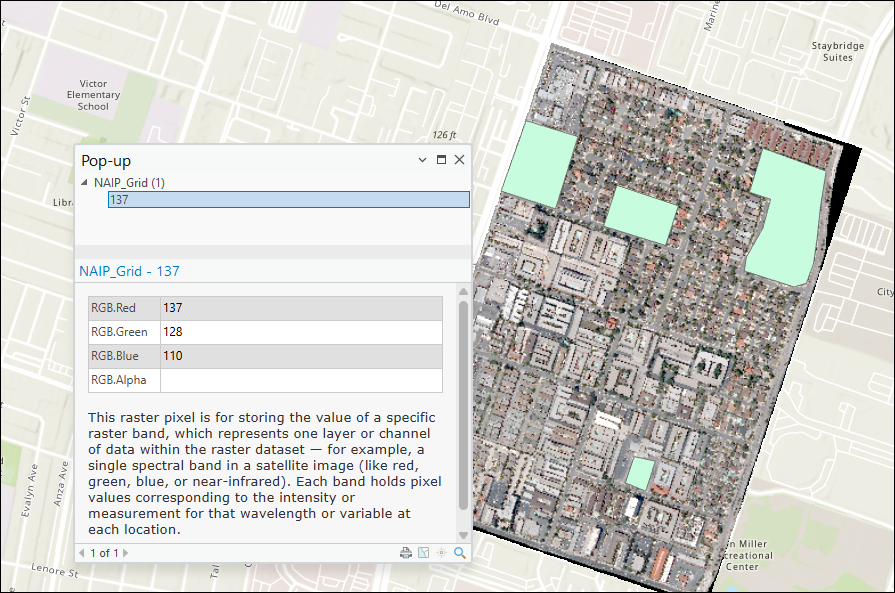
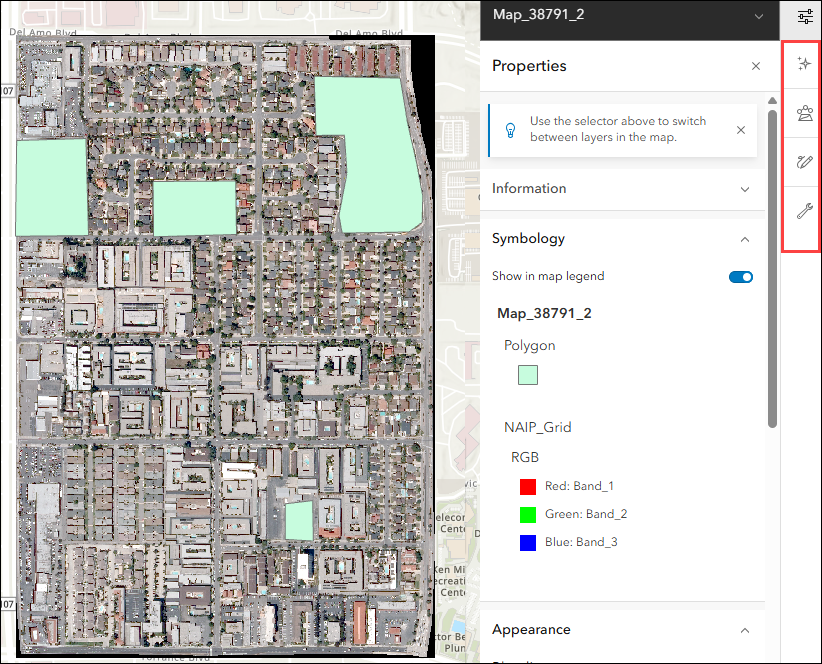
When publishing a raster layer in Esri Grid format from ArcGIS Pro as a map image layer with the Web Coverage Service (WCS) capability enabled, the configured pop-ups are not visible and cannot be configured in Map Viewer, whether accessed through ArcGIS Enterprise or Online Map Viewer.
The image below shows the pop-up configured for the raster layer with the text element in ArcGIS Pro.
The image below shows the pop-up configured in ArcGIS Pro is not visible when published to the ArcGIS Enterprise portal, and the pop-up tool is unavailable in Map Viewer.
Cause
This is a known limitation. Raster layers published from ArcGIS Pro as map image layers in ArcGIS Enterprise, and subsequently viewed in ArcGIS Online, are treated as image layer types. These layers have limited querying capabilities, and pop-up configurations are not stored at the service level. Unlike vector data in map or feature services, pop-ups configured for raster layers in ArcGIS Pro are not retained after publishing.
Solution or Workaround
Publish the raster layer as an image service
To retain the pop-up configuration from ArcGIS Pro, publish the raster layer as an image service using ArcGIS Image Server instead of a map image layer. Refer to ArcGIS Pro: Publish an image service for instructions. This method ensures the raster layer is published with full image service capabilities, allowing queries and pop-ups to be displayed in the ArcGIS Enterprise portal or ArcGIS Online.
Note:
Pop-ups must be manually configured in Map Viewer after the layer is published as an image service, as pop-up configurations are not retained at the service level. Refer to Portal for ArcGIS: Configure pop-ups (Map Viewer) for more information.
Use a WCS layer in ArcGIS Online Map Viewer
Add the WCS layer associated with the published map image layer directly to the ArcGIS Online Map Viewer and configure the pop-ups. Refer to ArcGIS Online: Add an OGC WCS web service layer and ArcGIS Online: Configure pop-ups (Map Viewer) for further instructions. The WCS layer supports query operations, allowing pop-ups to be configured and displayed in the web map.
Article ID: 000038719
- ArcGIS Pro
- Online
- Portal for ArcGIS
- ArcGIS Server
Get support with AI
Resolve your issue quickly with the Esri Support AI Chatbot.


Related Information
Discover more on this topic

Search for related information

Find training related to this topic

Explore ideas and give feedback
Get help from ArcGIS experts
Start chatting now