
PROBLEM
Filter widget loads indefinitely in ArcGIS Experience Builder
Description
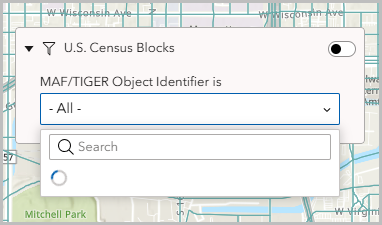
In ArcGIS Experience Builder, the Filter widget continuously loads when 'Ask for values' is selected and the Map widget is configured with the 'Extent changes' trigger while using a referenced feature layer.
The image below shows the Filter widget continuously loading.
Cause
This is a known limitation as per BUG-000172241. When extent-based filtering and unique-value queries are applied simultaneously, referenced feature layers fail to respond properly, causing the widget to stall.
Solution or Workaround
Disable 'Query by current extent' in the Map panel
- In ArcGIS Experience Builder, click the Map widget on the canvas to open its configuration panel.
- In the Map panel, click Action.
- Under Message action, click the existing Extent changes trigger.
- In the Action settings panel, under Conditions, toggle Query by current extent off.
Use a hosted feature layer
Use a hosted feature layer instead of a referenced feature layer. Refer to Portal for ArcGIS: Hosted feature layers for more information.
Filter the widget records based on the previous filter
Filter the records based on the criteria of the previous filter in the Filter widget. Refer to How To: Filter widget records based on the criteria of a previous filter in ArcGIS Experience Builder for instructions.
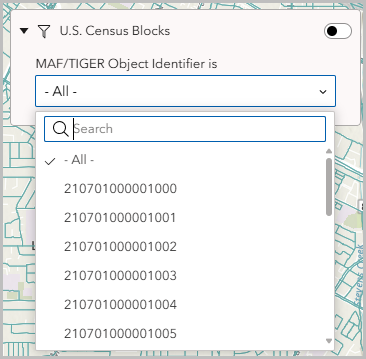
The image below shows the Filter widget working as expected.
Article ID: 000038836
- ArcGIS Enterprise
- ArcGIS Experience Builder
Get support with AI
Resolve your issue quickly with the Esri Support AI Chatbot.


Related Information
Discover more on this topic

Search for related information

Find training related to this topic

Explore ideas and give feedback
Get help from ArcGIS experts
Start chatting now