
操作方法
问题:无法在 ArcGIS Survey123 for ArcGIS Online 中查看调查
描述
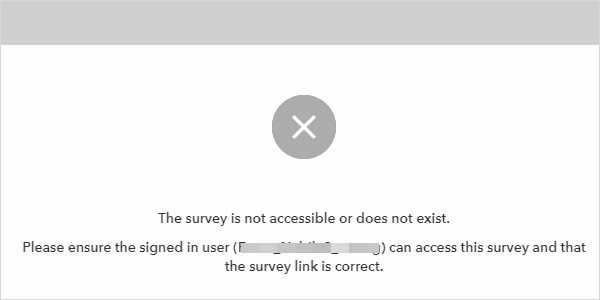
在 ArcGIS Survey123 中,尝试查看调查失败并返回以下错误消息:
Error:
The survey is not accessible or does not exist. Please ensure the signed in user (<username>) can access this survey and that the survey link is correct.
原因
- 调查表单或者托管要素图层在 ArcGIS Online 的默认调查文件夹中不可用,因为项目可能已被移动或删除,或者调查所有权已更改。
- 配额不足,无法在 ArcGIS Survey123 中访问调查。 有关详细信息,请参阅 ArcGIS Online:获取更多配额。
- ArcGIS Survey123 URL 被防火墙阻止。
解决方案或解决方法
在 ArcGIS Online 中将调查文件夹重新分配给新所有者
在 ArcGIS Online 中,将包括调查表单和调查托管要素图层在内的调查文件夹重新分配给新所有者。 有关说明,请参阅 ArcGIS Online:更改所有者。
从 ArcGIS Online 的回收站中恢复调查项目
Note:
This workflow is only applicable if the survey form or the survey hosted feature layer has been deleted and it is within 14 days.
在 ArcGIS Online 中,可以从回收站中恢复调查项目、调查表单或者调查托管要素图层。 有关说明,请参阅 ArcGIS Online:恢复项目。
Note:
To prevent the survey form and the survey hosted feature layer from being deleted, enable delete protection for the items. Refer to ArcGIS Online: Enable delete protection for instructions.
为 ArcGIS Online 组织购买更多配额
在 ArcGIS Online 中,可以通过 Esri Store 为组织购买附加配额以访问调查。
将 ArcGIS Survey123 URL 的例外情况添加到防火墙
请联系组织的 IT 部门,将 ArcGIS Survey123 URL 的例外情况添加到防火墙。 添加以下 URL:
https://survey123.arcgis.com
文章 ID: 000031855
获得人工智能支持
使用 Esri Support AI Chatbot 快速解决您的问题。


相关信息
发现关于本主题的更多内容

Search for related information

Find training related to this topic

Explore ideas and give feedback
获取来自 ArcGIS 专家的帮助
立即开始聊天