
操作方法
问题:在 ArcGIS Dashboards 中某些仪表盘元素不显示数据
描述
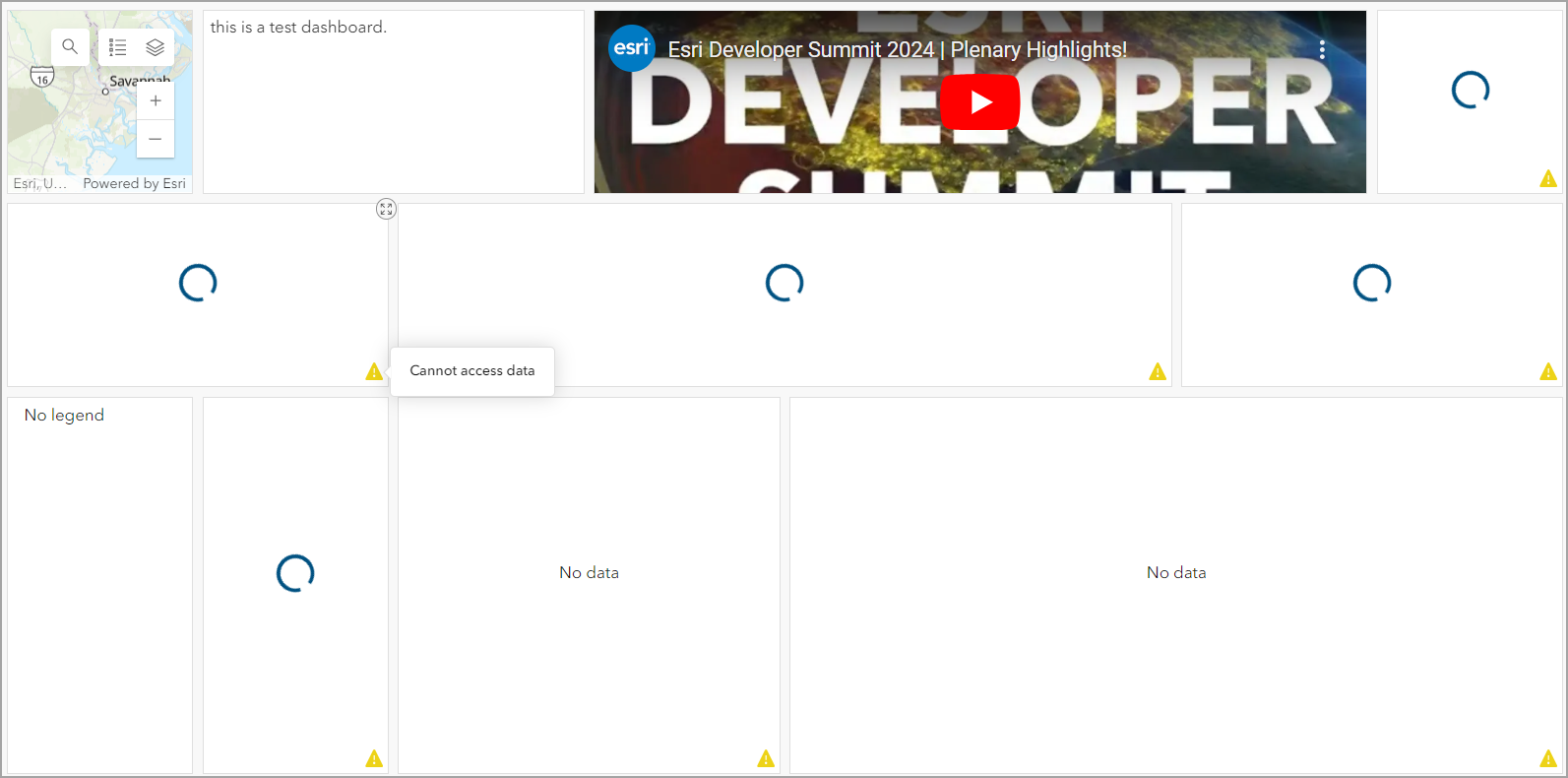
在 ArcGIS Dashboards 中,当所用数据的共享设置更改为公开后,在查看仪表盘时,添加到仪表盘视图的元素(“地图”、“富文本”和“嵌入内容”除外)不会向同一组织内的其他成员或公共用户显示。 在某些情况下,仪表盘中的元素会无限期加载,或显示“无数据”消息以及带有“无法访问数据”消息的警告图标,如下所示。
原因
- 分配给组织内成员的角色不具有查看仪表盘所需的权限。
- 在托管要素图层的项目详细信息页面上,编辑器设置中启用了“编辑者无法查看任何要素,即使是其添加的要素”选项。
解决方案或解决方法
Note:
Only an organization's default administrator or a member with administrative privileges can perform the following workflows.
更改成员角色
在 ArcGIS Online 中,将成员角色更改为发布者或管理员。 有关在 ArcGIS Online 中更改组织成员角色的说明,请参阅 ArcGIS Online:更改成员角色。
启用“编辑者可查看所有要素”选项
- 登录到 ArcGIS Online,然后单击内容 > 我的内容。
- 单击托管要素图层,打开项目详细信息页面。
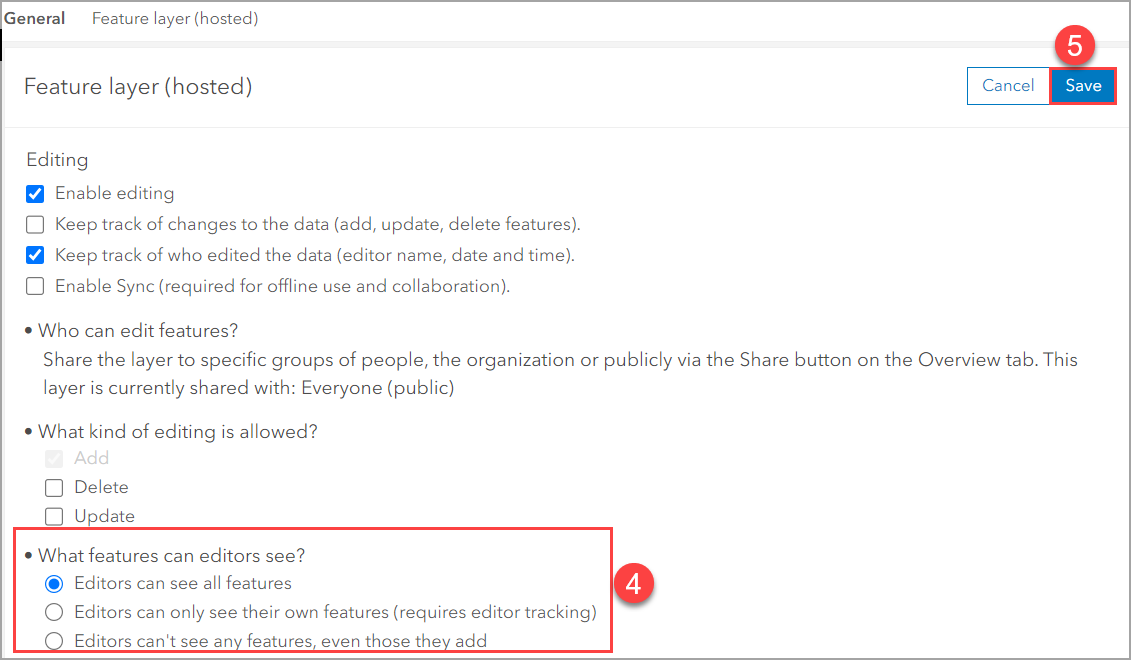
- 单击设置,然后滚动至要素图层(托管)部分,配置编辑设置。
- 在编辑者可以查看何种要素?下,选择编辑者可查看所有要素。
Note:
If necessary, deselect and select Editors can't see any features, even those they add before selecting the What features can editors see? option.
- 单击保存。
Note:
Refresh the dashboard to reflect the changes made.
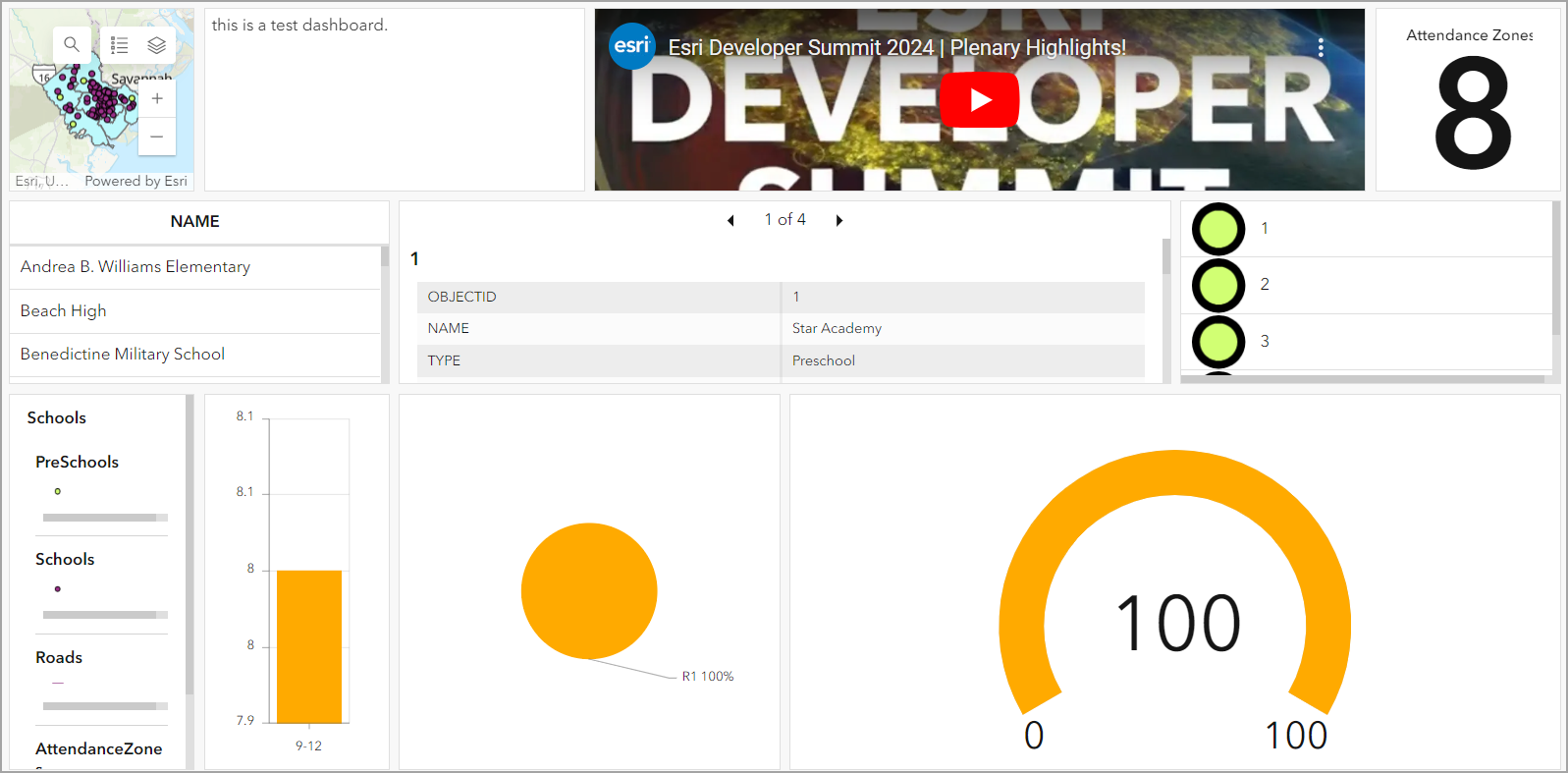
下图显示了在 ArcGIS Dashboards 中显示要素信息的所有元素。
文章 ID: 000032343
获得人工智能支持
使用 Esri Support AI Chatbot 快速解决您的问题。


相关信息
发现关于本主题的更多内容

Search for related information

Find training related to this topic

Explore ideas and give feedback
获取来自 ArcGIS 专家的帮助
立即开始聊天