
错误
错误:Portal for ArcGIS:回滚失败。 代码 500
错误消息
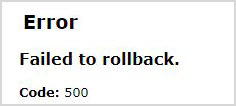
在 Portal Administrator Directory 中,当尝试使用 importSite 操作根据备份站点配置文件恢复站点时,会返回以下错误消息:
Error:
Failed to rollback.
Code: 500
原因
- 备份站点配置文件的目录路径错误或者不存在。
- Portal for ArcGIS 账户没有访问备份站点配置文件位置的权限。
解决方案或解决方法
Note:
The workarounds may require the assistance of the IT team.
Note:
For Portal for ArcGIS 11.1 and later, ensure the Validate location? check box is checked in the Portal Administrator Directory when restoring the backup using the importSite operation.
对于 Portal for ArcGIS 11.0 或更低版本,请使用以下提供的解决方法。
确保备份站点配置文件的目录路径存在并且准确
从 Windows 文件资源管理器的路径栏中复制目录路径,然后将其粘贴到 Portal Administrator Directory 中 importSite 操作的参数框中。
修改配置文件的权限
为所需 Portal for ArcGIS 账户设置存储配置文件的文件夹位置的权限。
- 登录到托管该文件夹的 Portal for ArcGIS 计算机。
- 打开 Windows 文件资源管理器,然后导航至备份站点配置文件文件夹。 右键单击该文件夹并选择属性。
- 单击安全 > 编辑... > 添加...。
- 在选择用户、计算机、服务账户或群组窗口中,单击位置,然后从列表中选择计算机名称。 对于域账户,选择整个目录。
- 单击确定。
- 将所需账户名输入到输入要选择的对象名称文本框中,然后单击检查名称。
- 单击确定。
Note:
To find the service account running Portal for ArcGIS, run Services on the Portal for ArcGIS machine. Identify the account on the Log On tab in the Portal for ArcGIS Properties (Local Computer) window.
文章 ID: 000032639
获得人工智能支持
使用 Esri Support AI Chatbot 快速解决您的问题。


相关信息
发现关于本主题的更多内容

Search for related information

Find training related to this topic

Explore ideas and give feedback
获取来自 ArcGIS 专家的帮助
立即开始聊天