
PROBLEM
Unable to edit or work offline in the ArcGIS Field Maps mobile app
Description
In the ArcGIS Field Maps mobile app, when the Contributor user type is used to log in with the Data Editor role and a shared web map is opened, members are unable to create and update features. Although the data can be successfully edited in ArcGIS Online Map Viewer, editing capabilities are not available in the Field Maps mobile app, preventing data from being collected or updated in the field as expected.
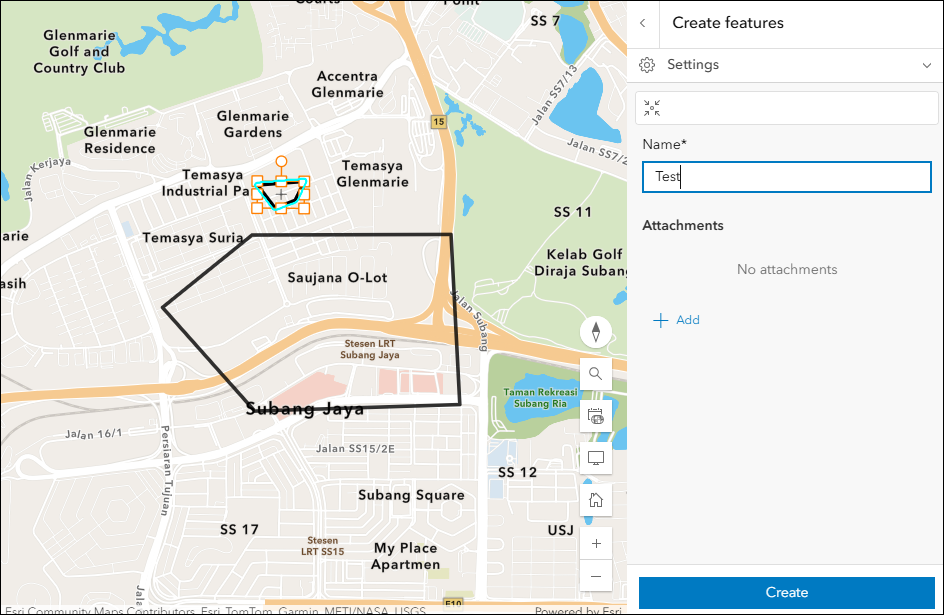
The Map Viewer image below shows features can be edited when new features are created.
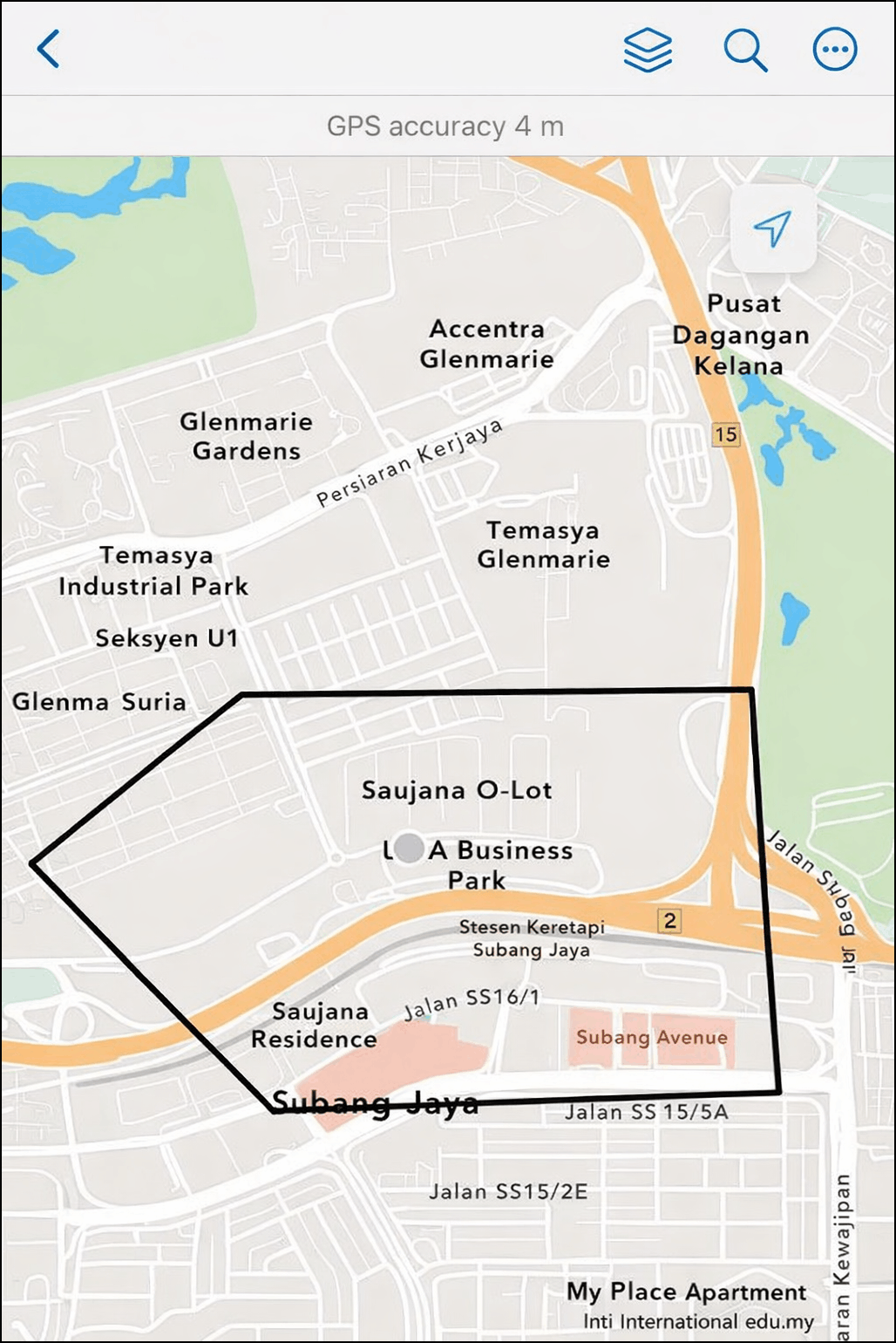
However, editing is not available in the Field Maps mobile app for the same map, as demonstrated in the image below.
Cause
The Contributor user type has view-only access in the Field Maps mobile app unless the Field Apps license is assigned. Without this license, members cannot take maps offline or edit features in the app.
Solution or Workaround
Assign the add-on license to the organization member
To enable editing and offline capabilities in the Field Maps mobile app for the Contributor user type, assign the Field Apps license to the member. Refer to ArcGIS Online: Configure add-on licenses for one product for instructions. Ensure the member is assigned the Data Editor role, which is compatible with the Contributor user type. Refer to ArcGIS Online: Change member roles for more information. After assigning the license, log out and log back in to the Field Maps mobile app to apply the changes.
Use a user type with editing capabilities in ArcGIS Field Maps
Assign the Mobile Worker, Creator, Professional, or Professional Plus user type with an editing-enabled role, such as Data Editor, instead of the Contributor user type. These user types include editing capabilities in ArcGIS Field Maps by default, allowing members to take maps offline and create or update features in the field without requiring additional app licenses. Refer to ArcGIS Online: Change user types for instructions.
Note:
Ensure editing is enabled on the feature layer to allow members to edit data in the ArcGIS Field Maps mobile app. Refer to ArcGIS Online: Settings that control editing access for more information.
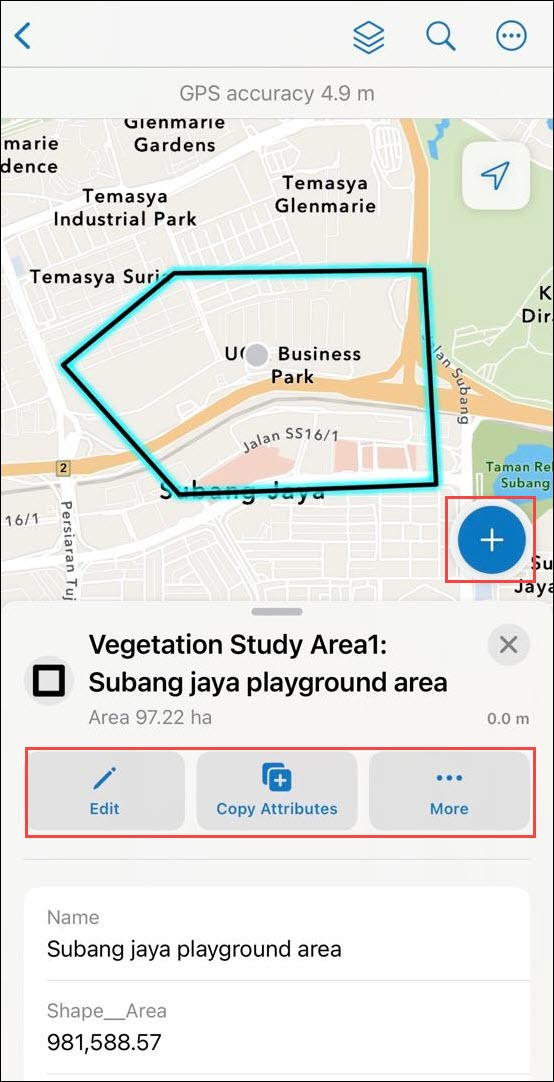
The image below shows editing capabilities available in the Field Maps mobile app, enabling members to collect and update data in the field.
Article ID: 000034864
- ArcGIS Online
- ArcGIS Field Maps Android
- ArcGIS Field Maps iOS
Get support with AI
Resolve your issue quickly with the Esri Support AI Chatbot.


Related Information
Discover more on this topic

Search for related information

Find training related to this topic

Explore ideas and give feedback
Get help from ArcGIS experts
Start chatting now