
PROBLEM
Extruded polygons are flattened when exported to DWG in ArcGIS Pro
Description
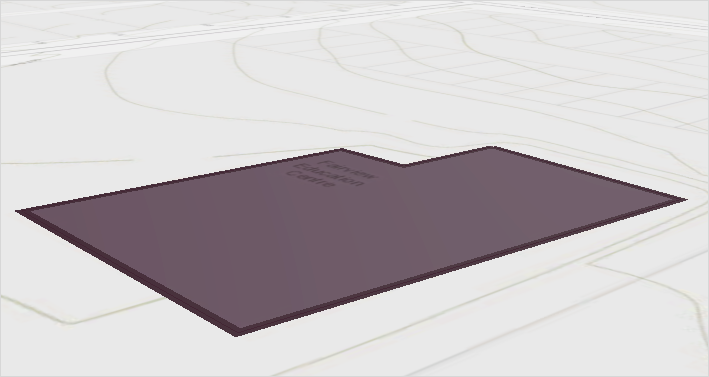
When exporting an extruded polygon feature layer to an AutoCAD DWG file using the Export To CAD tool, the output polygon appears flattened or floating at a single elevation. As a result, the polygon is exported as a two-dimensional feature, as shown in the image below.
Cause
This is expected behavior when exporting polygon feature classes to the DWG format. Polygon extrusion based on elevation values in ArcGIS Pro is only a visual representation and does not generate true 3D polygon geometry. The Export To CAD tool retains Z-values only for feature classes that support elevation, such as multipatch features. In the DWG format, polygons are represented as two-dimensional closed polylines and therefore do not retain Z-values or support extrusion.
Solution or Workaround
To preserve three-dimensional geometry during export, convert the polygon feature class to a multipatch feature class, which supports the storage of 3D objects, before exporting to a DWG file.
Note:
For instructions to find and use geoprocessing tools, refer to ArcGIS Pro: Find a geoprocessing tool.
- Use the Layer 3D To Feature Class tool to create a multipatch feature class.
- In the Layer 3D To Feature Class pane, for Input Feature Layer, select the polygon feature layer from the drop-down list.
- For Output Feature Class, specify a name and location.
- Leave other parameters at default and click Run.
- Convert the multipatch geometry to DWG using the Export To CAD tool.
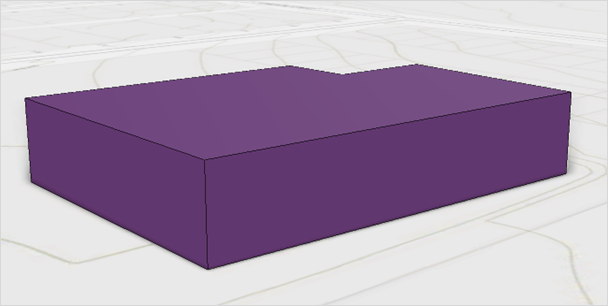
The extruded polygon geometry in the DWG file now appears in 3D, as demonstrated in the image below.
Article ID: 000039535
- ArcGIS Pro
Get support with AI
Resolve your issue quickly with the Esri Support AI Chatbot.


Related Information
Discover more on this topic

Search for related information

Find training related to this topic

Explore ideas and give feedback
Get help from ArcGIS experts
Start chatting now