
Frequently asked question
Can the ‘Don't show this again’ check box in the introduction window be removed in ArcGIS Instant Apps?
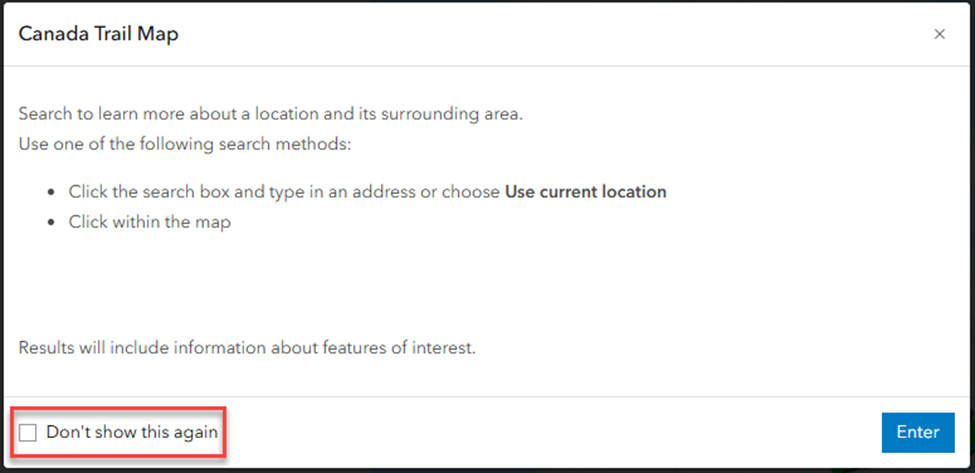
No, the 'Don't show this again' check box in the introduction window cannot be removed in ArcGIS Instant Apps. This is default behavior and cannot be configured separately. While it improves user experience by preventing repetitive prompts for returning users, it is not appropriate when displaying legally required or accessibility-related information which must be displayed every time.
The image below shows the 'Don't show this again' check box in the introduction window in the Instant Apps Sidebar template.
As alternatives, use custom CSS or the cover page option.
Use the custom CSS option
Note:
The custom CSS option is not available in the Basic (Media Map), Compare, Countdown, Exhibit, Insets, Manager, Observer and Streamflow Viewer templates.
- Log in to ArcGIS Instant Apps and click the My Apps tab.
- Browse to the app and click Configure
 .
. - In the configuration panel, toggle Express off to access the full configuration settings for the app.
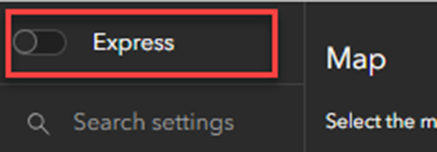
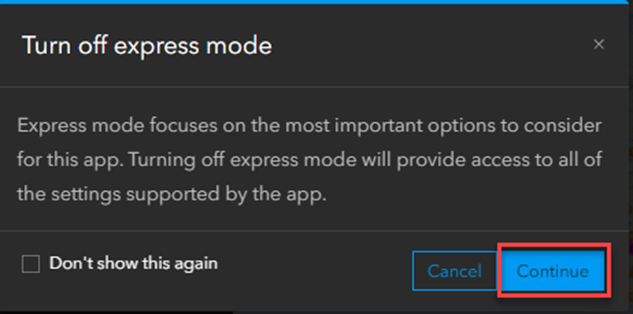
- In the Turn off express mode window, click Continue. Turning off express mode allows for more custom configuration in the app.
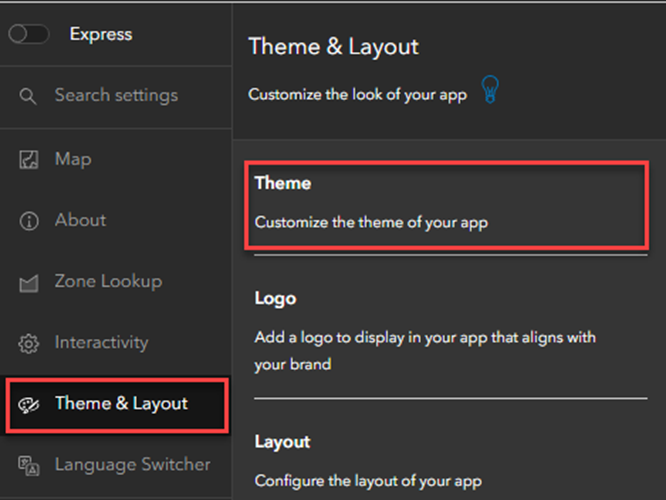
- Click Theme & Layout > Theme.
Note:
Optionally, click Search settings and type Custom CSS to display the Theme & Layout panel.
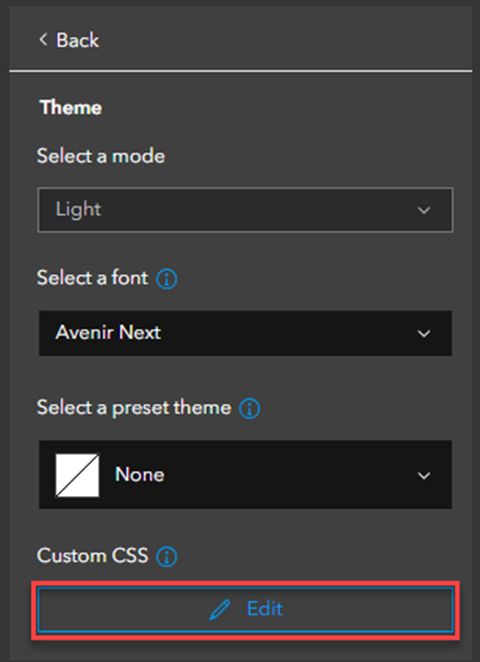
- Under Theme, click Edit in the Custom CSS section.
Warning:
Updates to the source template in ArcGIS Instant Apps may impact the app's custom CSS.
- In the Custom CSS window, specify the following CSS code to remove the 'Don't show this again' check box in the introduction window:
instant-apps-splash {
  --instant-apps-splash-back-content-display: none;
}
- Click Close to run the CSS code.
- Click Publish to save the configuration.
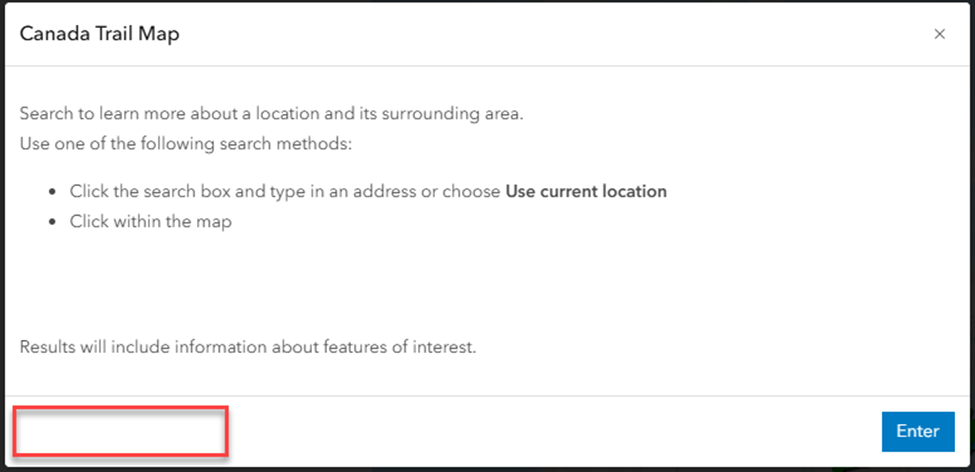
The image below shows the 'Don't show this again' check box is removed from the introduction window in the Instant Apps Sidebar template.
Use the cover page option
Using the cover page option ensures important information is displayed every time the app loads and does not offer an option to skip it. In contrast, removing the 'Don't show this again' check box with the custom CSS option still relies on the introduction window and requires additional effort to maintain, but it allows the message to remain persistent without user override. Refer to ArcGIS Instant Apps: Include app and data details for more information.
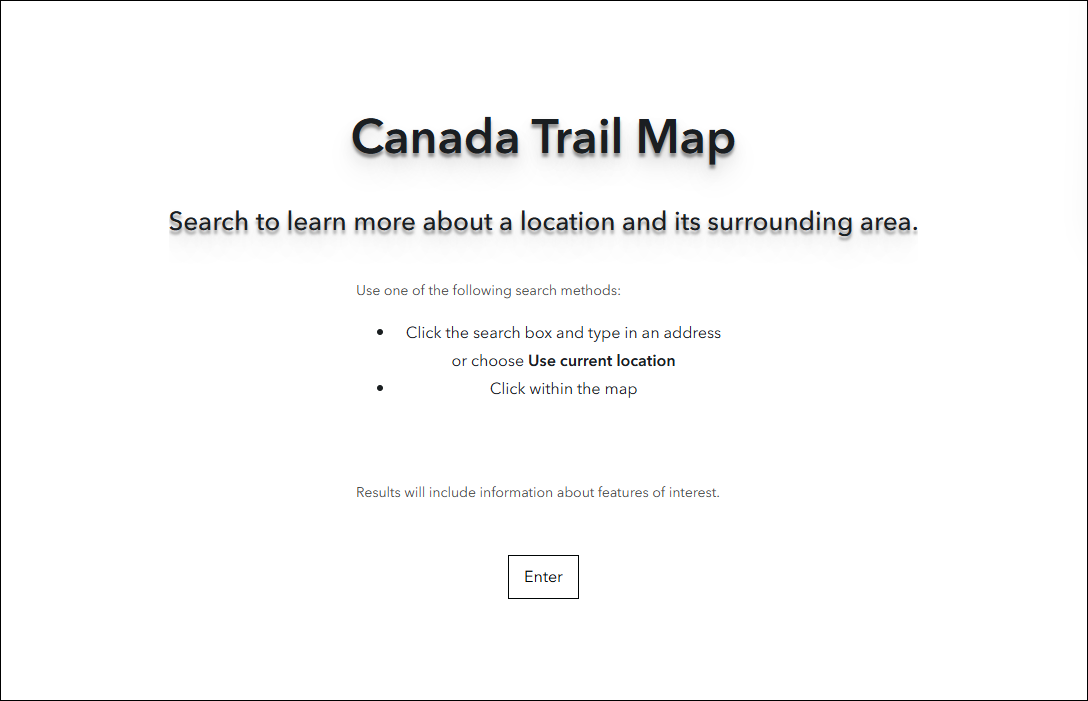
The image below shows the cover page option used in the Instant Apps Sidebar template.
Article ID: 000037415
- ArcGIS Online
- Configurable Web Apps
Get support with AI
Resolve your issue quickly with the Esri Support AI Chatbot.


Related Information
Discover more on this topic

Search for related information

Find training related to this topic

Explore ideas and give feedback
Get help from ArcGIS experts
Start chatting now