
PROBLEM
After using Project geoprocessing tool with data in DHDN GK Zone 2, the projected data show an obvious offset
Description
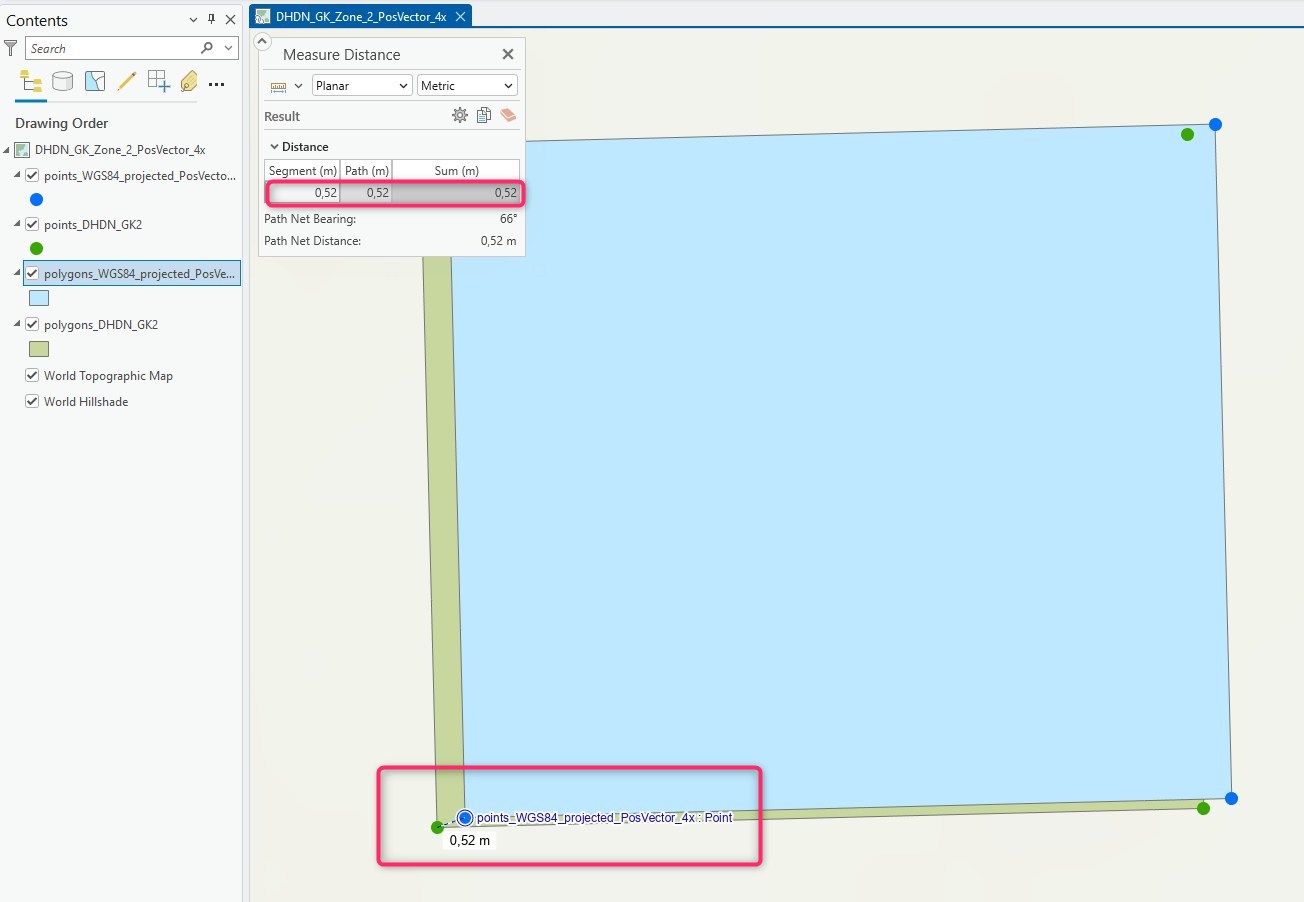
After projecting a file geodatabase feature class from DHDN GK Zone 2 (EPSG:31466) to WGS84 (EPSG:4326), an obvious offset of several centimeters can be seen between the original data and the projected data, when both layers are added to same map in ArcGIS Pro, as shown in the image below.
Cause
The Project geoprocessing tool automatically chooses a geographical transformation for transforming between DHDN and WGS84.
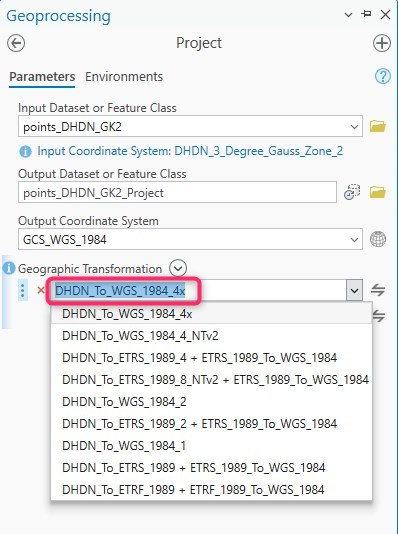
Depending of the Gauss-Krueger zone and the area the data are located, the transformation that is automatically chosen varies between DHDN_To_WGS_1984_3x or DHDN_To_WGS_1984_4x or DHDN_To_WGS_1984_7x, for example.
When the projected output feature class is added as new layer to the same map, an on-the-fly-projection including an on-the-fly-transformation is applied to the data.
In this specific situation, the on-the-fly-transformation-method that is applied by default is not the same used by the Project tool. This leads to the obvious offset.
Solution or Workaround
In the map's Properties under the Transformation tab, a specific transformation is chosen by default and must be changed.
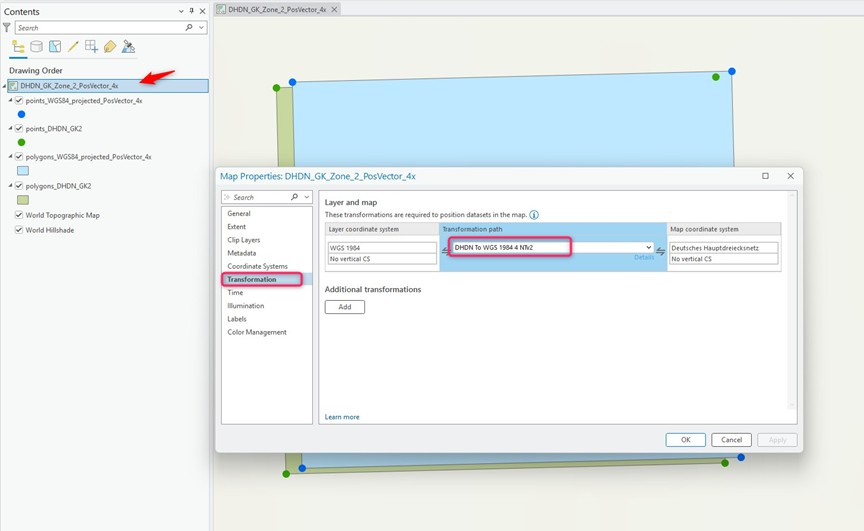
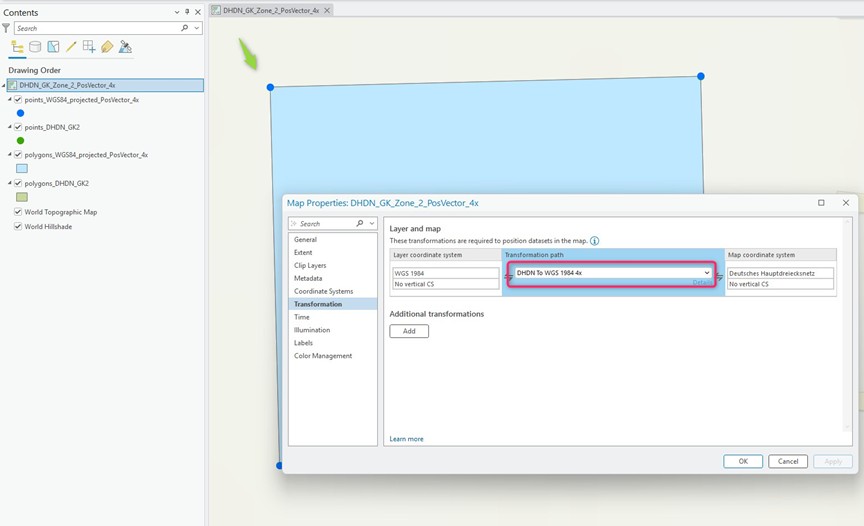
Change the transformation to the same used by the Project tool. The data will be displayed as expected without such an obvious offset, as shown in the final image.
Article ID: 000037233
- ArcGIS Pro
Get support with AI
Resolve your issue quickly with the Esri Support AI Chatbot.


Related Information
Discover more on this topic

Search for related information

Find training related to this topic

Explore ideas and give feedback
Get help from ArcGIS experts
Start chatting now