
操作方法
操作方法:在 ArcGIS Survey123 的后续几何问题中,预加载重复的第一个几何问题输入
摘要
在 ArcGIS Survey123 Connect 中,可以设计调查以将重复的第一个几何问题的几何输入预加载到第二个几何问题的地图上。 由此可防止已提交的几何相互重叠,或者确保第二个几何位于第一个输入的几何范围内。
过程
根据调查中需要的几何问题的类型,请选择以下解决方案之一:
针对点要素使用 overlay 表达式
Note:
This solution is only applicable for preloading a geopoint input on the map of the second geometry question (geopoint, geotrace, or geoshape). This method retains the input geopoint when pinning or drawing a geometry for another map question.
Note:
Ensure the first geometry question to be preloaded is in a repeat group. Refer to ArcGIS Survey123: Use repeats for instructions on creating repeats.
请按照以下步骤操作,以便在第二个几何问题的地图上预加载 geopoint(repeat 组中)(repeat 组外的 geopoint、geotrace 或 geoshape)。
- 在 ArcGIS Survey123 Connect 中,打开调查的 XLSForm。
- 在 survey 工作表中,对于 repeat 外的第二个几何问题行,在 body::esri:style 列中指定以下表达式:
overlay=<begin_repeat_name>
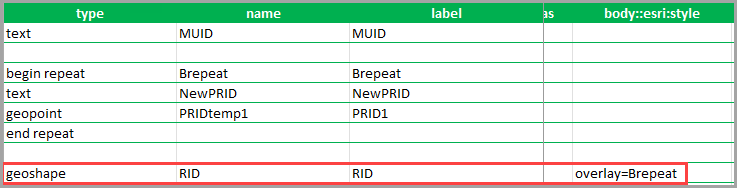
- 按 Ctrl + S 以保存 XLSForm,将在 ArcGIS Survey123 Connect 预览中自动更新该调查。
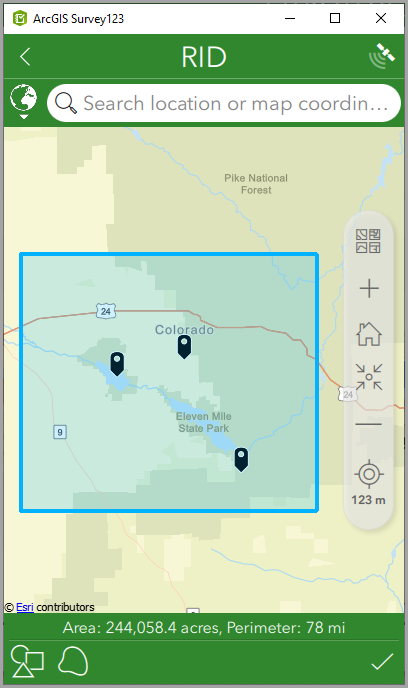
下图显示了第二个几何问题 (geoshape) 预加载第一个 geopoint 问题的输入。
请按照以下步骤操作,以便在捕获 geopoint 问题的第二个答案时预加载第一个 geopoint 输入。
- 在 ArcGIS Survey123 Connect 中,打开调查的 XLSForm。
- 在 survey 工作表中,对于 repeat 组中的几何问题行,在 body::esri:style 列中指定以下表达式:
overlay=<begin_repeat_name>
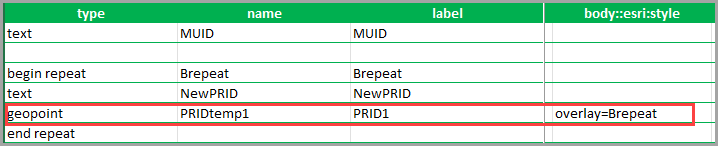
- 按 Ctrl + S 以保存 XLSForm,将在 ArcGIS Survey123 Connect 预览中自动更新该调查。 有关详细信息,请参阅 ArcGIS Survey123:地图上的点叠加。
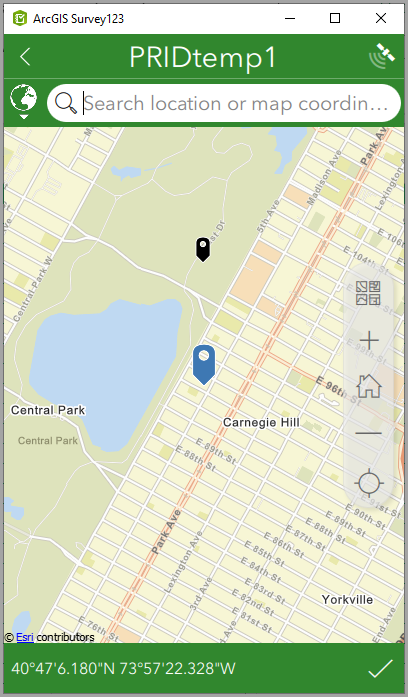
下图显示了 geopoint 问题的地图,其中显示了在重复中捕获第二个 geopoint 时的第一个 geopoint 输入(黑色地图图钉)。
针对线或面要素使用 calculation 列
Note:
• This solution is only applicable for preloading similar geometry input on the map of the second geometry question (geotrace and geotrace, or geoshape and geoshape) with one of the question added in a repeat.
• This solution can preload a geometry question in a repeat to the second geometry question outside a repeat and vice versa.
• This solution cannot preload a geotrace or geoshape input in the subsequent question within the same repeat.
- 在 ArcGIS Survey123 Connect 中,打开调查的 XLSForm。
- 在 survey 工作表中,对于第二个几何问题行,在 calculation 列中指定以下表达式:
${<the first geometry question_name>}
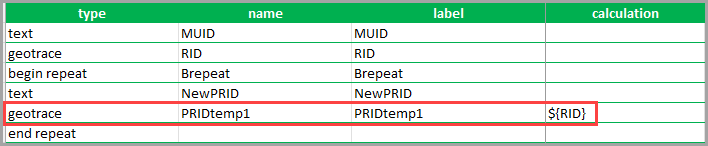
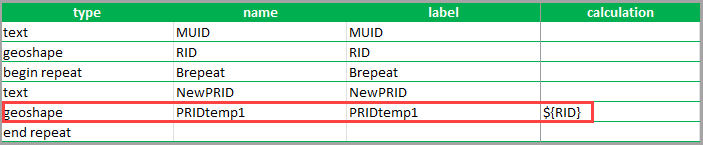
- 按 Ctrl + S 以保存 XLSForm,将在 ArcGIS Survey123 Connect 预览中自动更新该调查。
当绘制第二个问题的第二个几何时,此方法不会保留预加载的几何。 当点击或单击输入方法图标后,将弹出替换行或替换区域窗口。 单击是将删除当前地图视图中的预加载几何;单击否将为父几何记录和重复几何记录同时记录相似几何。
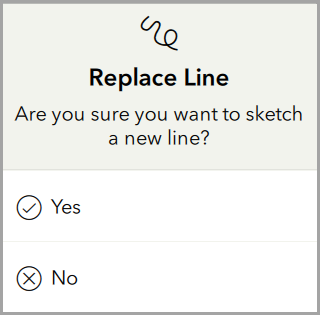
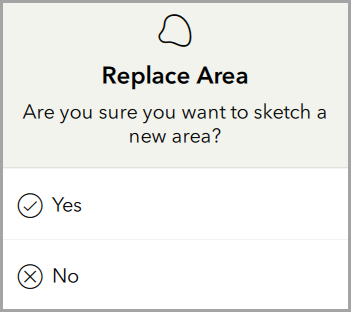
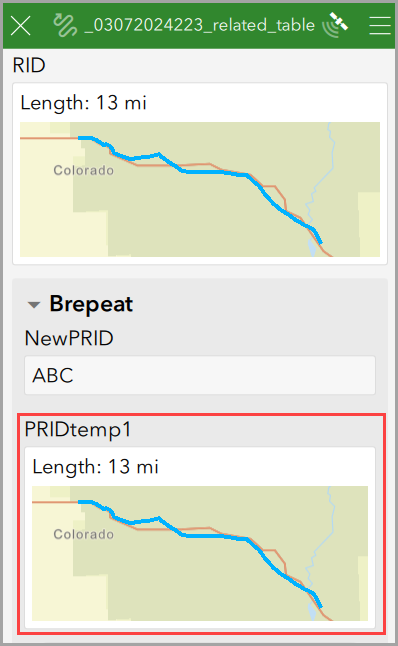
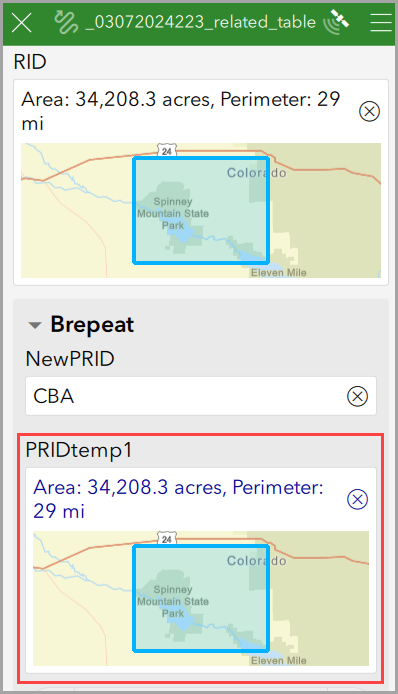
下图显示了第二个 geotrace 问题上预加载的第一个 geotrace 输入,以及第二个 geoshape 问题上预加载的第一个 geoshape 输入。
文章 ID: 000032804
获得人工智能支持
使用 Esri Support AI Chatbot 快速解决您的问题。


相关信息
发现关于本主题的更多内容

Search for related information

Find training related to this topic

Explore ideas and give feedback
获取来自 ArcGIS 专家的帮助
立即开始聊天