
操作方法
操作方法:在 ArcGIS Enterprise 部署前配置负载均衡器时启用 Living Atlas 订阅者或高级内容
描述
Note:
This article applies to retired ArcGIS Enterprise versions 10.5, 10.5.1, and 10.6. Later versions of ArcGIS may contain different functionality, as well as different names and locations for menus, commands and geoprocessing tools.
ArcGIS Enterprise 门户中有三种类型的 Living Atlas 内容:默认内容、订阅者内容和高级内容。 默认内容在门户中自动可用。要使订阅者或高级内容对门户组织可用,门户管理员必须通过适当配置门户来启用对该内容的访问。 有关详细信息,请参阅 Portal for ArcGIS 管理员指南中的配置 Living Atlas 内容。
配置 Living Atlas 内容时,门户管理员必须停留在配置页面(在“我的组织”>“编辑设置”> ArcGIS Online > 配置 Living Atlas 内容)才能正确设置内容。 离开页面、关闭浏览器或其他中断可能会导致配置无法完成,并可能导致内容不可用。 在典型计算机上,在 ArcGIS Enterprise 中,订阅者或高级内容的配置步骤可能需要 10 到 15 分钟。
其他常见的 Living Atlas 配置任务需要类似的时间,例如禁用订阅者或高级内容,或更新之前配置为访问内容的 ArcGIS Online 组织订阅账户。
但是,某些环境容易出现故障,尽管管理员按照文档中的步骤作,但 Living Atlas 内容的配置仍会完成。 这在使用负载均衡器时会出现。 为了进一步了解发生这种情况的原因,本文提供了完成配置更改时可以遵循的解决方案。
Note:
The solutions provided also apply to upgrading Living Atlas content as part of the ArcGIS Enterprise portal upgrade process, if default content was not previously disabled in the Enterprise portal. If upgrading Living Atlas content, apply the provided solution before performing an upgrade to Portal for ArcGIS. Specifically, for those following the documentation on upgrading ArcGIS Enterprise, complete the solutions below before beginning the Reindex operation defined in step 12.

The solutions provided also apply to disabling subscriber or premium content, and to updating the ArcGIS Online organizational subscription accounts previously configured to access Living Atlas content.
在 ArcGIS Enterprise 部署之前配置负载均衡器时,通常会看到空闲 HTTP 连接的超时值设置为大约一到两分钟。因此,当负载均衡器过早关闭连接时,启用订阅者或高级内容可能会失败。 根据使用的负载均衡器设置,将返回消息“更新 Living Atlas 内容配置时出现错误”或类似消息。
在 Esri 提供的多个模板中可以找到这种性质的负载均衡器,包括适用于 Amazon Web Services (AWS) 的高可用性基础 ArcGIS Enterprise 部署模板以及使用 ArcGIS Enterprise Cloud Builder for Microsoft Azure 创建的基础 ArcGIS Enterprise 部署。 如果使用第三方负载均衡器代替 ArcGIS Web Adaptor 或与 ArcGIS Web Adaptor 一起使用,则此类设置也会出现在自定义本地实施或其他环境中。
解决方案或解决方法
可以遵循两个工作流:
- 远程连接到安装了 ArcGIS Enterprise 门户的计算机,并通过端口 7443(例如 https://localhost:7443/arcgis/home)访问门户主页,启用其他类型的 Living Atlas 内容。
- 在 Enterprise 门户中启用其他类型的 Living Atlas 内容之前,暂时将负载均衡器超时从其现有值更改为更高的值(例如 30 分钟)。 启用内容后,如果需要,将负载均衡器超时更改回其以前的值。
以下说明介绍了如何为不同的云环境增加负载均衡器超时。
Amazon Web Services
在 AWS 高可用性基础 ArcGIS Enterprise 部署中,请阅读有关增加负载均衡器超时的说明。
Microsoft Azure
对于由 ArcGIS Enterprise Cloud Builder for Microsoft Azure 创建的基础 ArcGIS Enterprise 部署,必须使用增加的超时值更新两个位置:内部反向代理和 Microsoft Azure 负载均衡器。
位置 1:内部反向代理
请按照以下步骤增加内部反向代理的超时时间。 完成后,继续执行 Microsoft Azure 负载均衡器所需的步骤。
- 打开 IIS 管理器并选择服务器节点。
- 打开应用程序请求路径缓存节点。
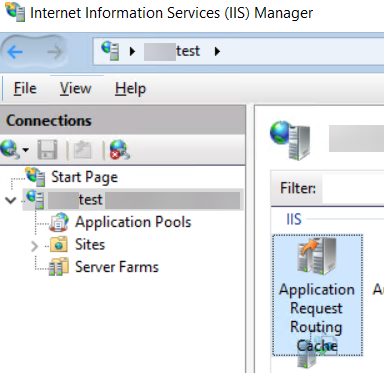
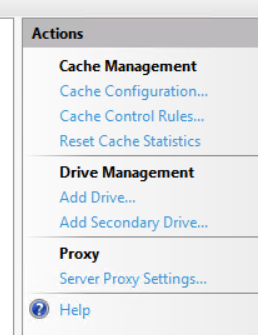
- 在“操作”菜单的 Proxy 部分中,单击服务器代理设置。
- 将超时更改为所需的值(以秒为单位)。
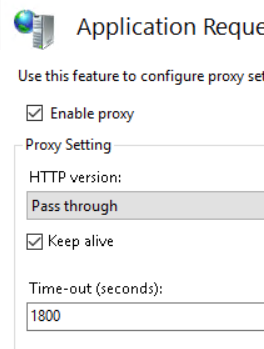
- 单击应用。
位置 2:Microsoft Azure 负载均衡器
按照以下步骤增加 Microsoft Azure 负载均衡器的超时。 对于自定义本地部署或其他环境,必须执行环境负载均衡器独有的类似步骤。 这通常称为“空闲超时”或“代理超时”。
- 登录到 Microsoft Azure 门户。
- 浏览至 ArcGIS Enterprise 部署的资源组。
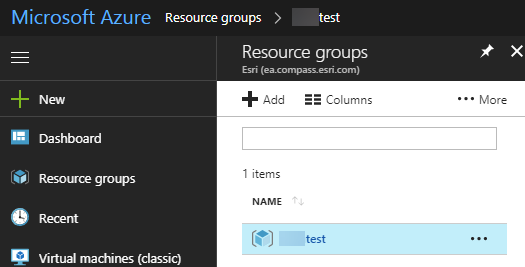
- 在资源列表中,选择负载均衡器资源。
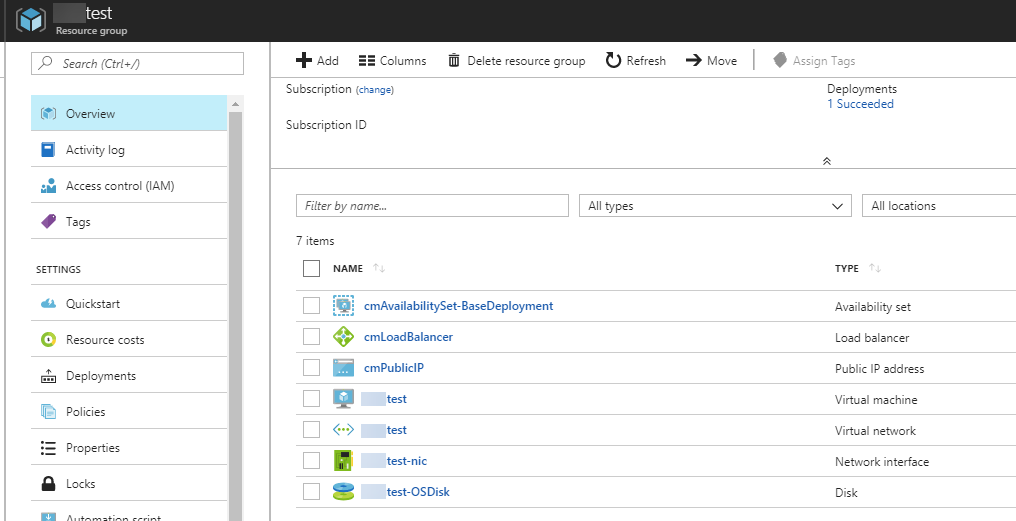
- 在菜单中,选择负载均衡规则。
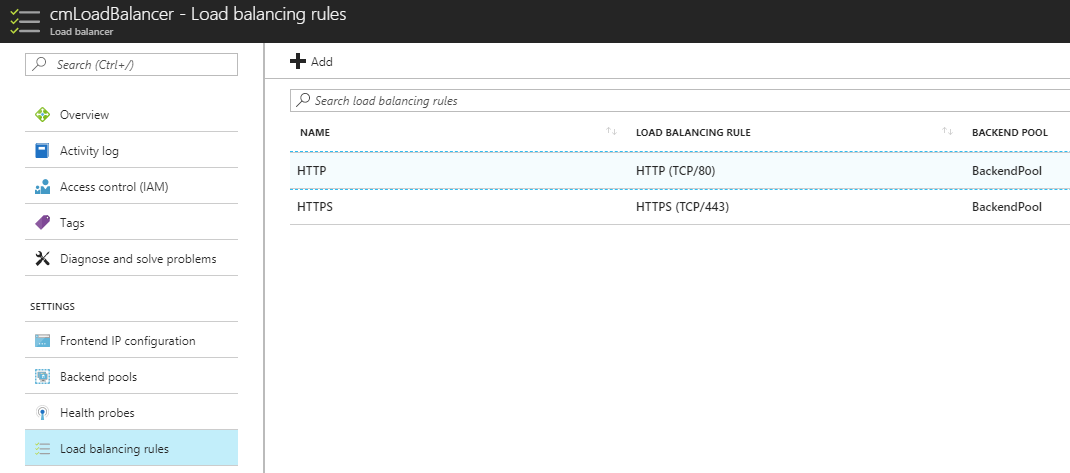
- 选择 HTTP。
- 使用滑块控件将超时增加到 30 分钟。

- 单击保存。
- 选择 HTTPS。
- 使用滑块控件将超时增加到 30 分钟。
- 单击保存。
文章 ID: 000017713
获得人工智能支持
使用 Esri Support AI Chatbot 快速解决您的问题。


发现关于本主题的更多内容

Search for related information

Find training related to this topic

Explore ideas and give feedback
获取来自 ArcGIS 专家的帮助
立即开始聊天