
操作方法
问题:无法配置 ArcGIS Data Store 时空大数据、图存储和对象存储
描述
ArcGIS Data Store 11.2 配置
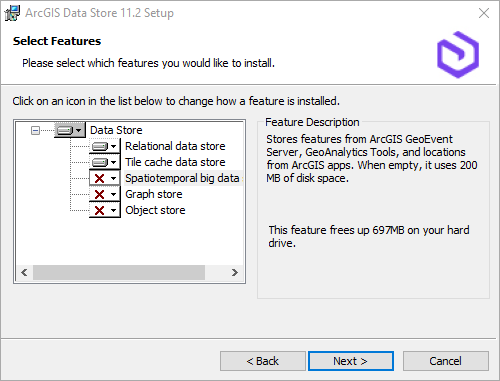
在 ArcGIS Enterprise 中,尝试配置时空大数据存储、图存储或对象存储时,ArcGIS Data Store 配置向导可能会遇到这些选项无法选择或呈灰显的问题,如下图所示。
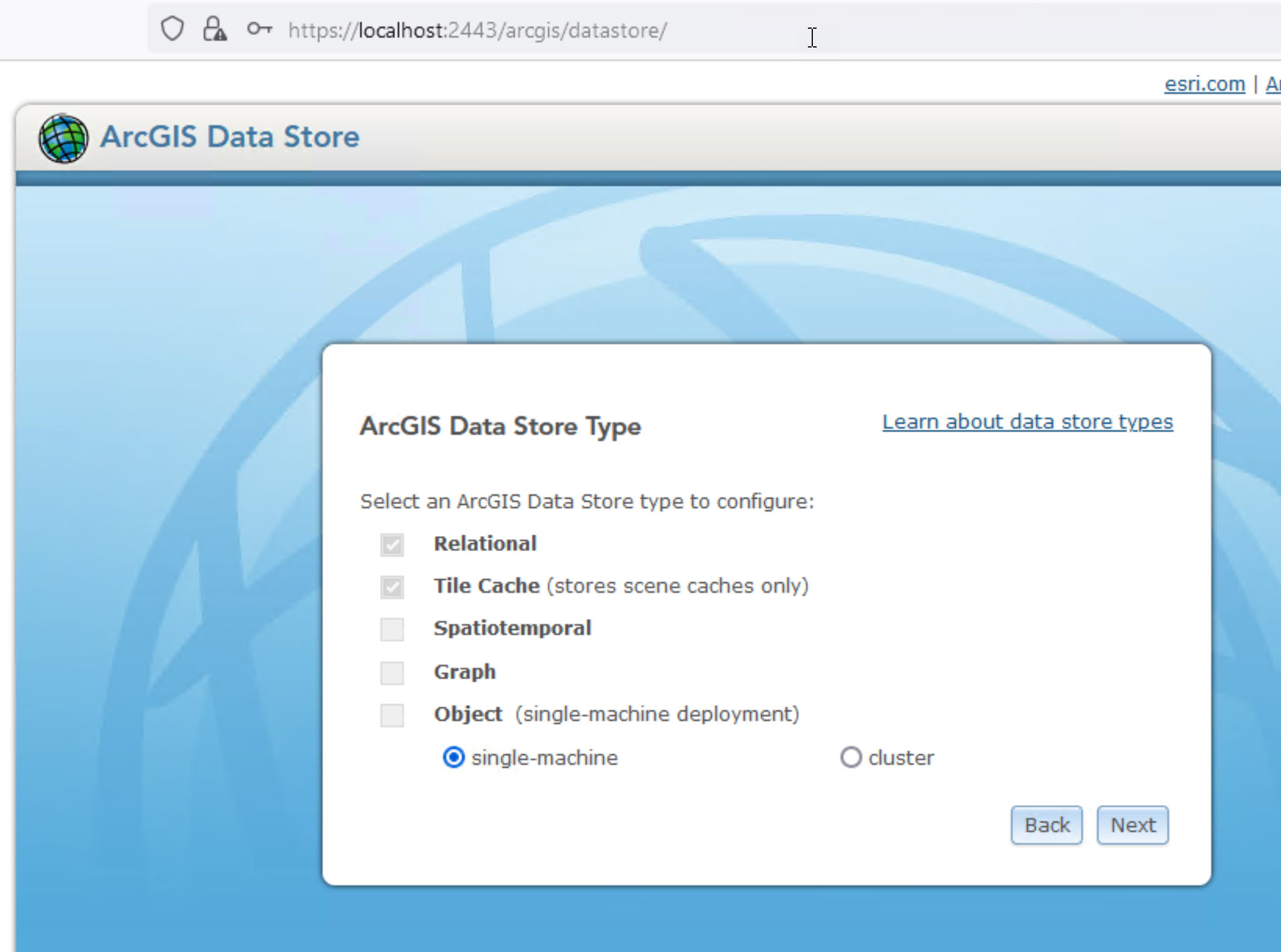
尝试使用 configuredatastore.bat 实用程序配置这些选项之一时会出现类似的问题,并提供详细信息:
C:\Program Files\ArcGIS\DataStore\tools>configuredatastore fbustamonte.esri.com siteadmin siteadmin C:\temporal\data --stores spatiotemporal
Configuring data store(s). Initial configuration may take a few minutes. When configuring an upgraded data store, this process may take several hours depending on the size of your data. Please wait...

Configuring data store....

Error encountered: Machine 'https://localhost:2443/arcgis/datastoreadmin' returned an error. 'Attempt to configure data store failed.
Caused by: 'spatiotemporal' data store is not installed in the current configuration. On Windows use the Modify option to select additional features from Add Remove Programs. On Linux, modification of the installed data store type is not supported. Consider installing on a separate machine. Consult documnetation for more information on specific usage.
原因
安装中可能缺少某些功能。
解决方案或解决方法
要更正此问题,请按照以下步骤导航至 ArcGIS Data Store 设置向导:
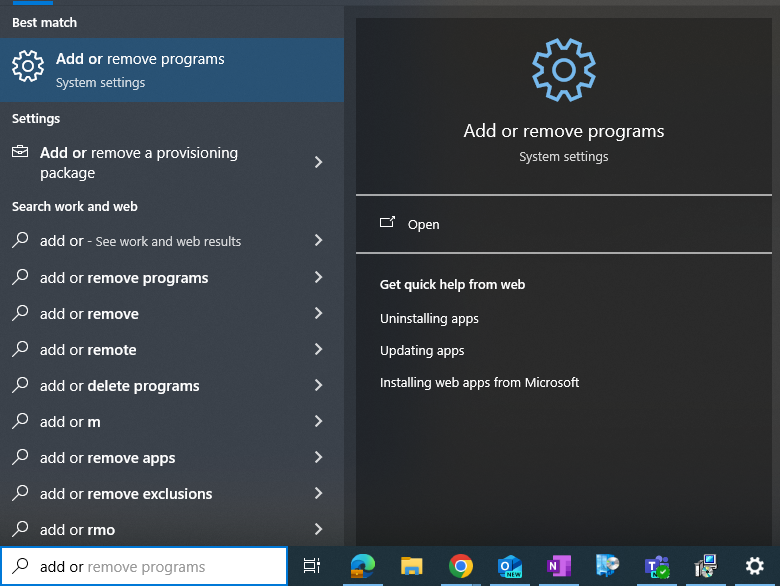
- 在 Windows 上,搜索并打开添加或删除程序应用程序。
- 单击 ArcGIS Data Store 11.2,选择修改,然后选择下一步,如下图所示。
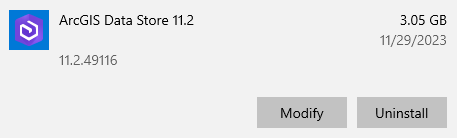
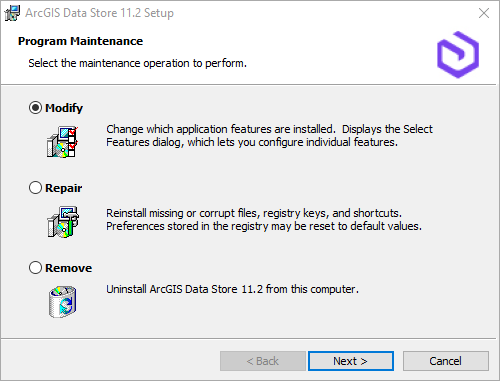
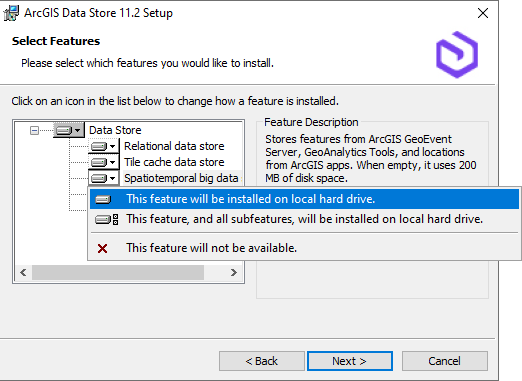
- 选择要安装所需功能的 Data Store,然后从下拉框中选择其中一个选项,如下图所示。
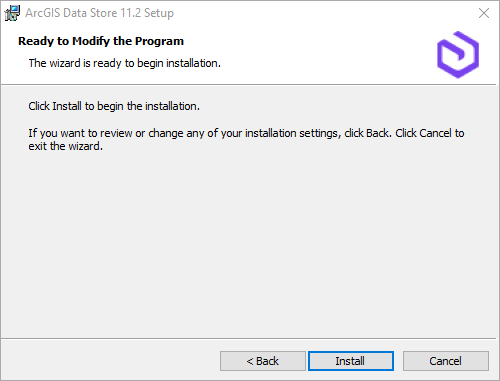
- 单击下一步,然后单击安装。
Note:
This will restart ArcGIS Data Store.
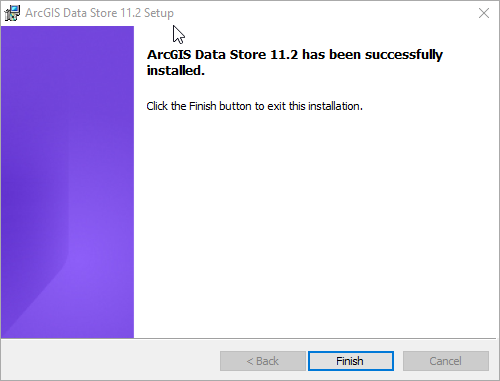
现在,您应该能够使用 ArcGIS Data Store 配置向导或使用 configuredatastore.bat 实用程序来安装/配置 Data Store。
文章 ID: 000031890
获得人工智能支持
使用 Esri Support AI Chatbot 快速解决您的问题。


发现关于本主题的更多内容

Search for related information

Find training related to this topic

Explore ideas and give feedback
获取来自 ArcGIS 专家的帮助
立即开始聊天