
操作方法
错误:出错。 无法保存编辑内容
描述
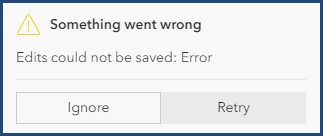
尝试在 Map Viewer 中创建新要素或者更新要素编辑内容失败并返回以下错误消息:
Error:
Something went wrong
Edits could not be saved: Error
原因
- 当创建新要素时,将在文本字段的属性中指定 <Null>。
- 在要素的属性表中,在文本字段中指定了 <Null>,而非默认 null 值。 下图显示了属性表中的 <Null> 和 null 值(空格)。
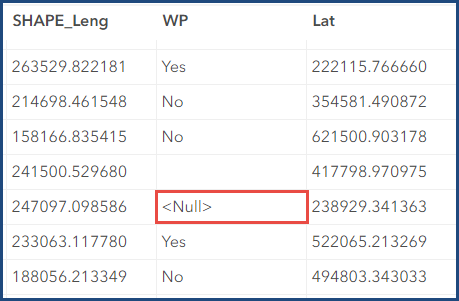
由于 <Null> 中的尖括号“<>”被读取为 HTML 标记,因此“Null”被读取为单词,而非 null 值。 由此会导致 Map Viewer 中的格式问题。
解决方案或解决方法
创建新要素时排除 <Null>
在 Map Viewer 的创建要素窗格中,创建要素时从文本字段的属性中排除“<Null>”。 有关详细信息,请参阅 ArcGIS Online:编辑要素 (Map Viewer)。
使用 Arcade 表达式将 <Null> 填充为 null 值
Note:
To apply this workaround, ensure the 'Keep track of changes to the data (add, update, delete features)', 'Keep track of who edited the data (editor name, date and time)' or 'Enable Sync (required for offline use and collaboration)' options are not checked under the Feature layer (hosted) section on the ArcGIS Online Settings tab.
- 在 ArcGIS Online 中,打开托管要素图层项目详细信息页面。
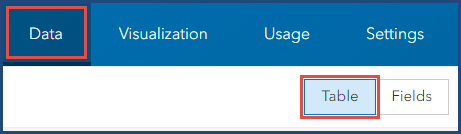
- 单击数据选项卡并选择表。
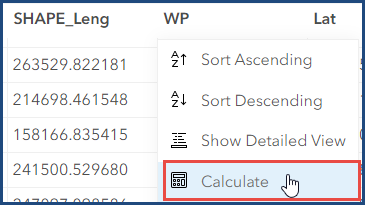
- 在表视图中,单击字段的标头并选择计算。
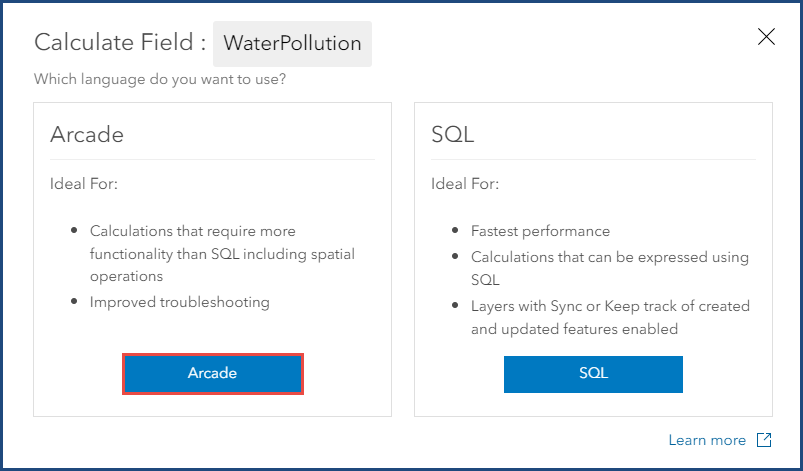
- 在计算字段:<字段名称> 窗口中,单击 Arcade。 Arcade 计算器:<字段名称> 窗口随即打开。
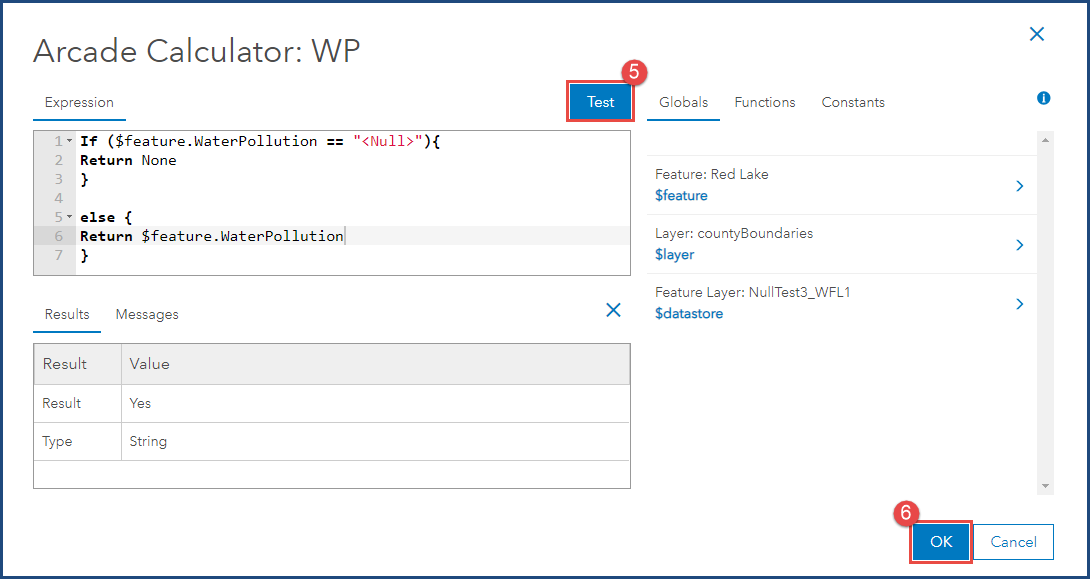
- 复制以下 Arcade 表达式并将其粘贴到表达式框中。 将 <field_name> 替换为所选字段名称,然后单击测试。
if ($feature.<field name> == "<Null>"){
Return None
}

else {
Return $feature.<field name>
}
- 当结果选项卡显示结果时,单击确定。
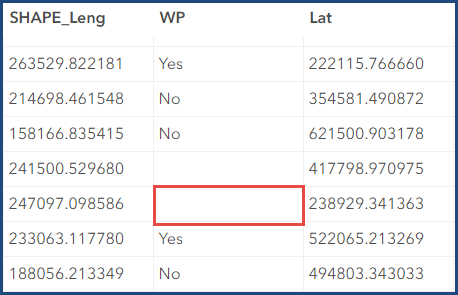
以下属性表显示 <Null> 已替换为 null 值(空格)。
文章 ID: 000031758
获得人工智能支持
使用 Esri Support AI Chatbot 快速解决您的问题。


相关信息
发现关于本主题的更多内容

Search for related information

Find training related to this topic

Explore ideas and give feedback
获取来自 ArcGIS 专家的帮助
立即开始聊天