
HOW TO
Check the Portal for ArcGIS Upgrade History
Summary
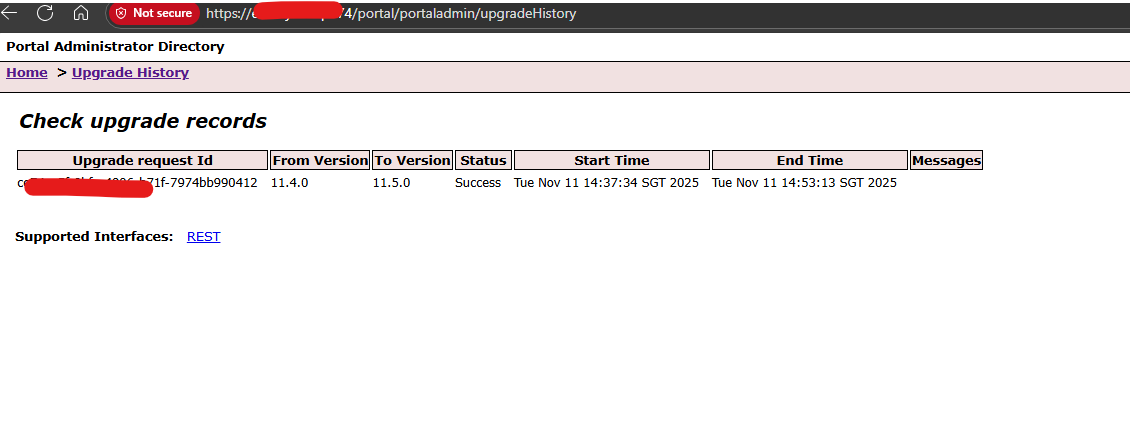
Starting from Portal for ArcGIS 11.4, upgrades done are recorded automatically and can be viewed directly from the ArcGIS Portal Administrator Directory. In the Upgrade History, there are details such as:
- Upgrade request Id
- From Version
- To Version
- Status
- Start Time
- End Time
- Messages related to the upgrade (if any)
Procedure
To view the Upgrade History:
- Sign in to the Portal for ArcGIS Administrator Directory.
- Navigate to Home > Upgrade History. Refer the screenshot below.
Article ID: 000039254
Software:
- Portal for ArcGIS
Get support with AI
Resolve your issue quickly with the Esri Support AI Chatbot.


Discover more on this topic

Search for related information

Find training related to this topic

Explore ideas and give feedback
Get help from ArcGIS experts
Start chatting now