
PROBLEM
The Elevation Profile widget in ArcGIS Experience Builder does not highlight the next selectable features
Description
The Elevation Profile widget in ArcGIS Experience Builder does not highlight the next selectable features. The setting is enabled and configured correctly in the widget settings.
Cause
There are two potential causes for this issue:
- The line features are not continuous (snapping was not enabled when creating the line features). If a line feature simply intersects another line feature, this does not highlight the next selectable feature. See the Elevation Profile widget Settings documentation under "Highlight next selectable"; this option is dependent on "multiple line segments that connect".
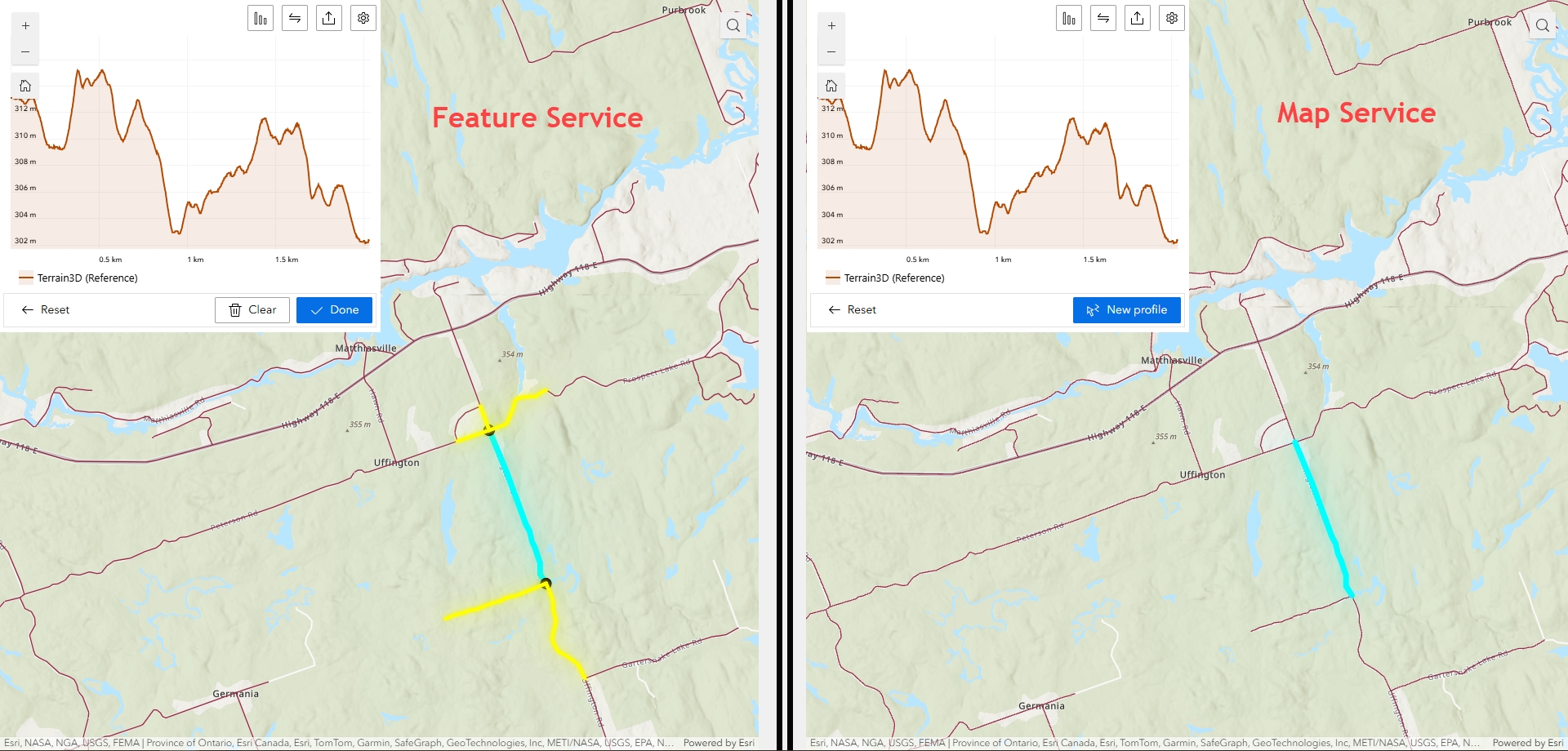
- The service used is not a feature service. When testing comparing both map services and feature services side by side in an Experience, note that the Map Service does not display the highlighted section after selecting a line but the Feature Service does, as shown in the image below.
- From documentation, "The widget can display elevation profile lines for elevation layers, for 3D mesh layers, and for selected line features".
- A feature service exposes the geometry, attributes, and symbol information for vector features and is appropriate for displaying, querying, and editing business data on top of web basemaps.
- Clients (apps) can query and edit the feature geometry and attributes of a feature service, but cannot do the same with a map service as they do not return any feature geometry.
Solution or Workaround
- Ensure that the line features are connected to one another (snapping enabled when creating/editing the features).
- Ensure that a feature service is being used.
Article ID: 000035011
Software:
- ArcGIS Experience Builder
Get support with AI
Resolve your issue quickly with the Esri Support AI Chatbot.


Related Information
Discover more on this topic

Search for related information

Find training related to this topic

Explore ideas and give feedback
Get help from ArcGIS experts
Start chatting now