
PROBLEM
The Add Join command in ArcGIS Pro is grayed out and displays an error
Description
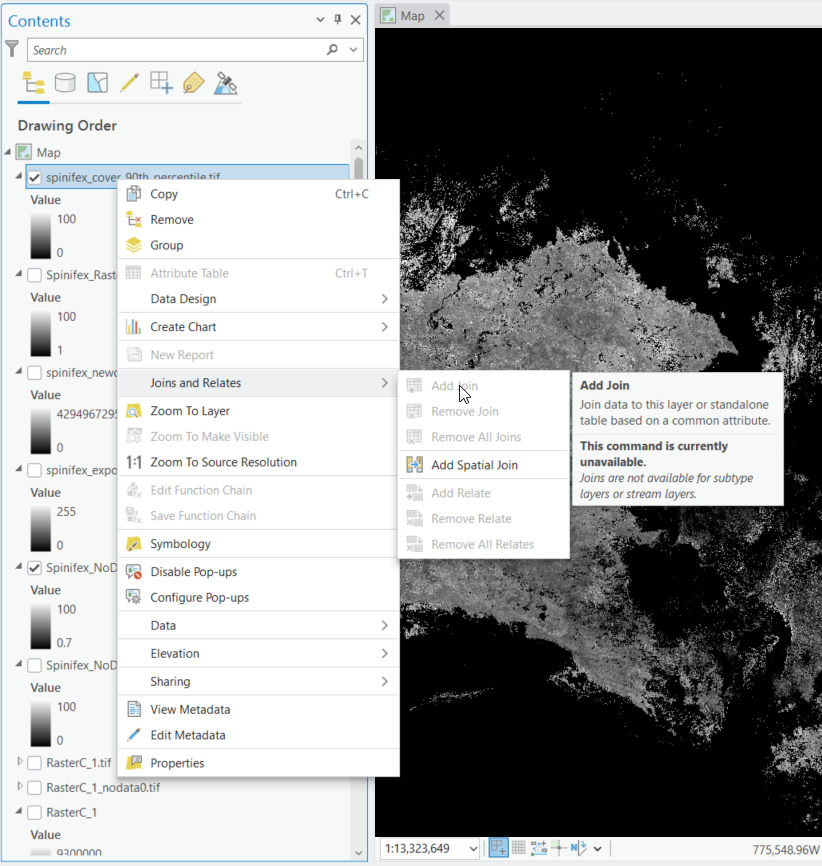
When working with a raster layer in ArcGIS Pro, the Add Join command may be grayed out. When hovering the cursor over the Add Join menu item, the following error message displays.
This command is currently unavailable.
Joins are not available for subtype layers or stream layers.
Solution or Workaround
This issue can be resolved by using the Raster Calculator to round the value of pixels to the nearest integer.
- Open the Geoprocessing pane.
- Search for and open the Raster Calculator.
- In the function field, enter the following formula:
Int({Raster Name} + 0.5)
- Click Run.
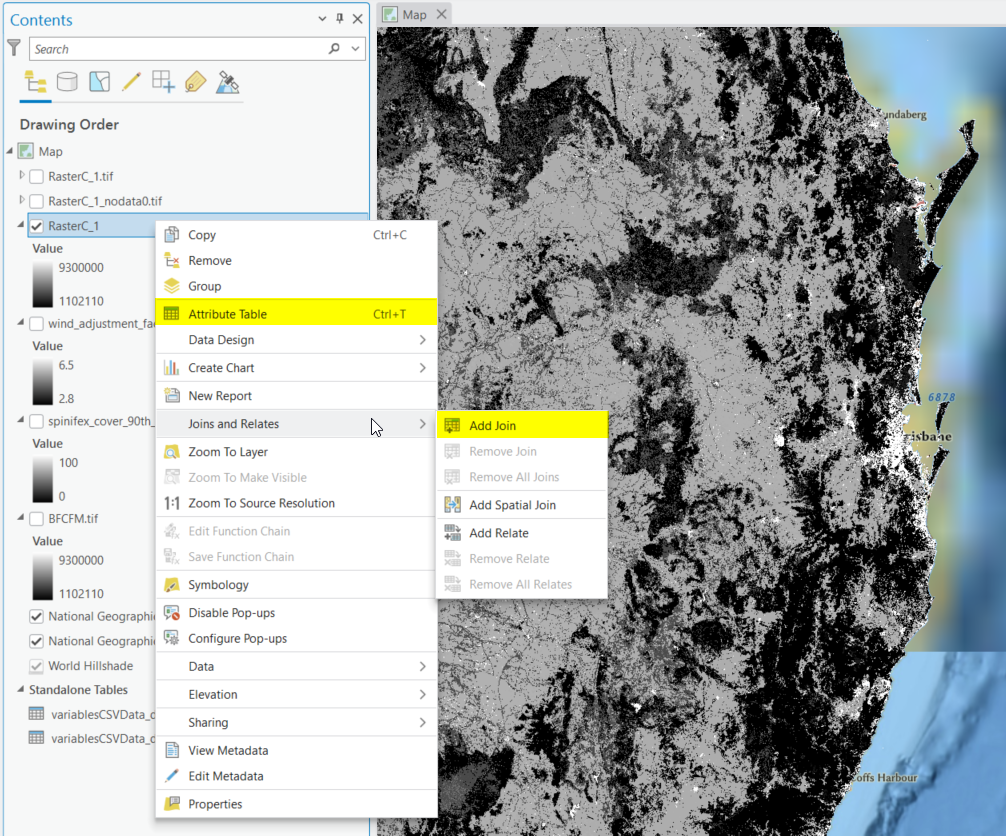
- Confirm the new raster layer has an attribute table and is available to join.
Article ID: 000034354
Software:
- ArcGIS Pro
Get support with AI
Resolve your issue quickly with the Esri Support AI Chatbot.


Related Information
Discover more on this topic

Search for related information

Find training related to this topic

Explore ideas and give feedback
Get help from ArcGIS experts
Start chatting now