
PROBLEM
Numeric slider displays incorrect format in the ArcGIS Instant Apps Slider template
Description
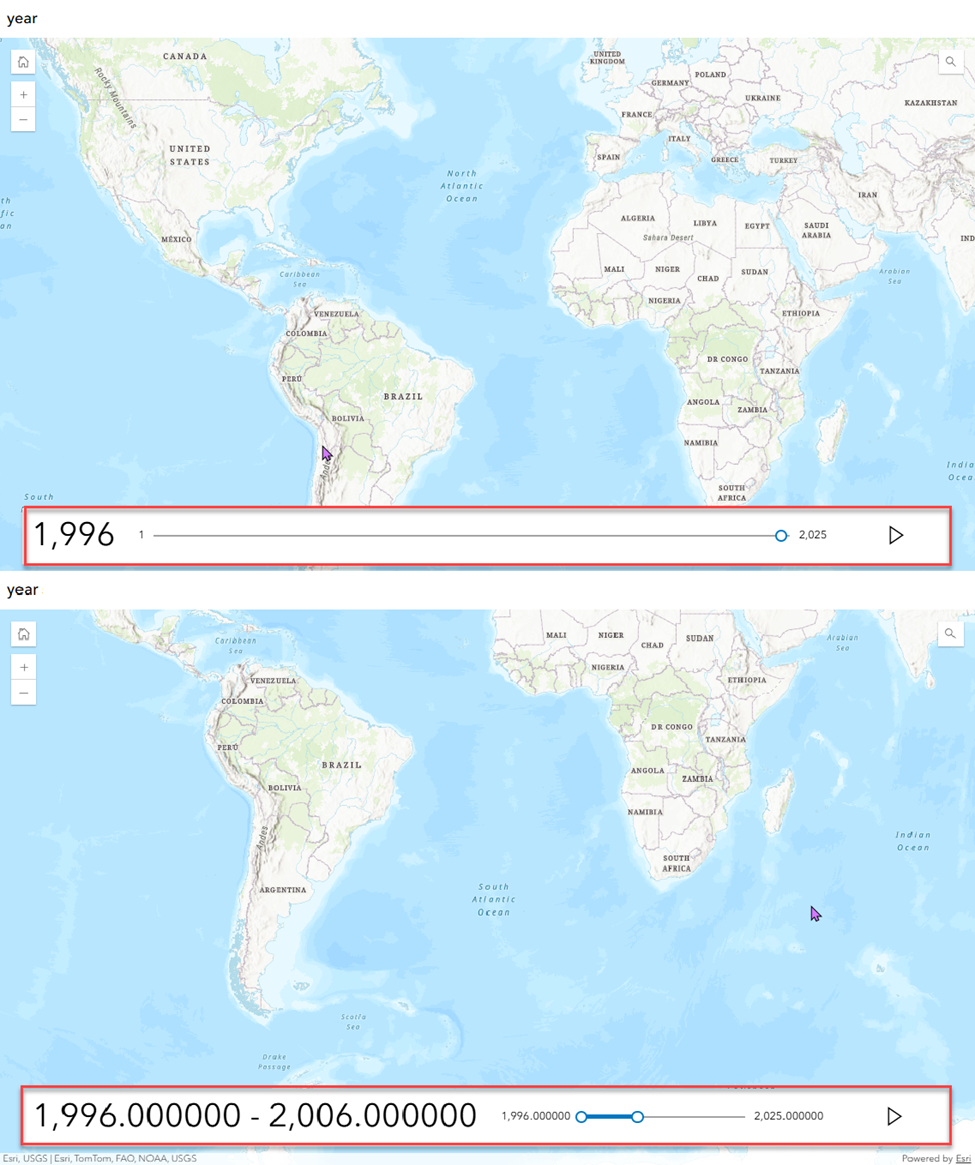
In the ArcGIS Instant Apps Slider template, the Numeric slider is used to animate data based on numeric values. This approach is often preferred for year-based values because the Time slider requires a time-enabled layer in the web map. However, in some instances, the Numeric slider displays values in unexpected formats, such as thousands separator (commas) and decimal places, despite the intended values being whole numbers, as shown in the images below.
Cause
The numeric value in the field formatting follows the configuration defined in ArcGIS Pro or ArcGIS Online. It is stored as a string or double data type, with either the thousands separator or decimal place settings enabled in ArcGIS Pro or ArcGIS Online. As a result, the Numeric slider reflects these formatting settings, causing the display of the thousands separator (comma) or decimal places in the slider control.
Solution or Workaround
Disable the thousands separator and decimal place settings in ArcGIS Online Map Viewer
Open the web map in ArcGIS Online Map Viewer and disable the thousands separator and decimal place settings for the numeric field.
- For a double data type, both the thousands separator and decimal place can be disabled in Map Viewer. Specify the Significant digits as 0 for both Minimum and Maximum values, and ensure Never show separator is selected in the Thousand separator drop-down menu. Refer to ArcGIS Online: Configure fields for instructions.
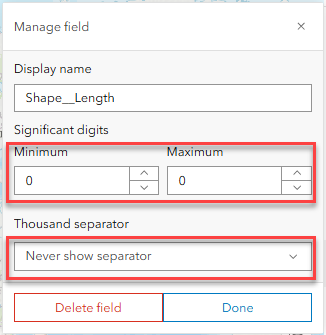
- For a string data type, only the thousands separator can be disabled in Map Viewer, while the decimal place must be changed in Map Viewer Classic. Refer to How To: Change the number of decimal places displayed in a number field in an ArcGIS Online web map for instructions.
Note:
Map Viewer Classic is deprecated and will be removed upon its retirement in Q1 of 2026. Newer users will not have access to Map Viewer Classic. Refer to Deprecation: Map Viewer Classic for more information.
Disable the thousands separator and decimal place settings in ArcGIS Pro
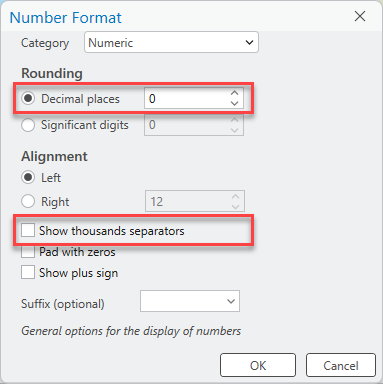
Open the project in ArcGIS Pro and disable the thousands separator and decimal place settings for the numeric field. Refer to ArcGIS Pro: Format numeric and date fields for instructions. In the Number Format dialog box, specify Decimal places as 0 and uncheck the Show thousands separators check box.
Share or overwrite the layer as a web feature layer from ArcGIS Pro to ArcGIS Online before creating a web app in ArcGIS Instant Apps.
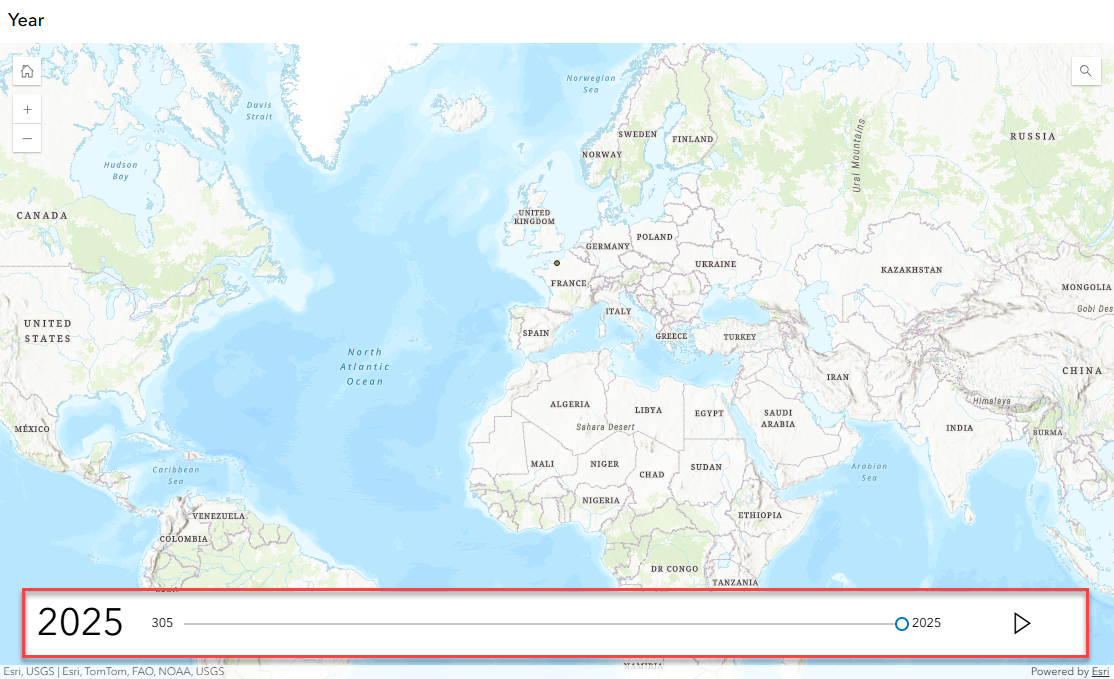
The map shows the Numeric slider displaying the correct format without the thousand separator (comma) and decimal place in ArcGIS Instant Apps.
Article ID: 000039164
- ArcGIS Pro
- ArcGIS Online
- Configurable Web Apps
Get support with AI
Resolve your issue quickly with the Esri Support AI Chatbot.


Related Information
Discover more on this topic

Search for related information

Find training related to this topic

Explore ideas and give feedback
Get help from ArcGIS experts
Start chatting now