
PROBLEM
Multiple labels are displayed for single features in ArcGIS Pro
Description
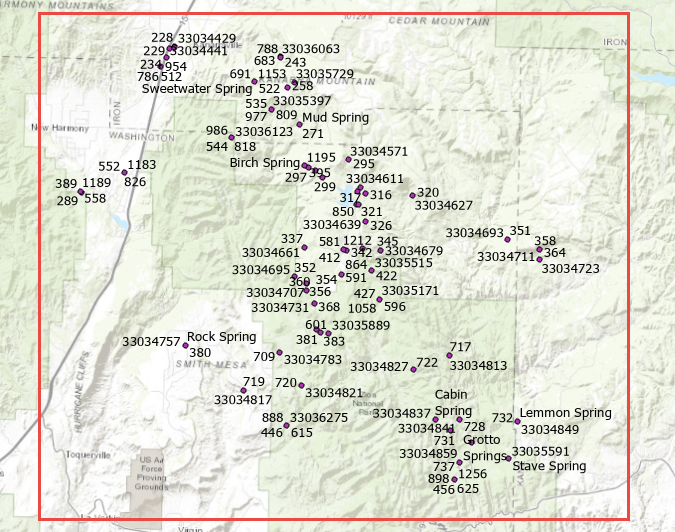
In ArcGIS Pro, multiple labels are displayed for single features when the Label option is enabled. The image below shows point features with multiple labels.
Cause
Possible causes:
- There are multiple classes created for the same label.
- Duplicate labels are assigned to the feature.
Solution or Workaround
Depending on the cause, choose one of the following workarounds:
- Remove the undesired label classes created for the feature. To do so, refer to steps 1 through 3 in ArcGIS Pro: Use label classes.
- Remove duplicate labels with the 'Remove all' or the 'Remove within fixed distance' option using the Maplex Label Engine. Refer to ArcGIS Pro: Remove duplicate labels within a given radius for more information.
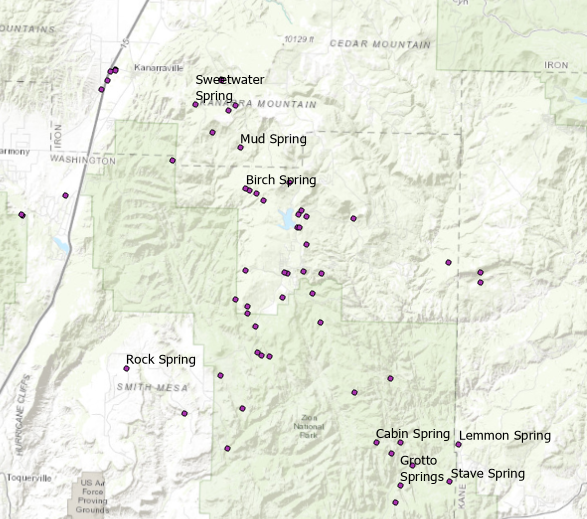
The image below shows the correct labels displayed for the single features.
Article ID: 000022480
Software:
- ArcGIS Pro 2 x
Get support with AI
Resolve your issue quickly with the Esri Support AI Chatbot.


Related Information
Discover more on this topic

Search for related information

Find training related to this topic

Explore ideas and give feedback
Get help from ArcGIS experts
Start chatting now