
PROBLEM
Missing fields when exporting from the ArcGIS Experience Builder Query widget
Description
Some fields are missing from the exported CSV file when the Export data action is selected in the ArcGIS Experience Builder Query widget.
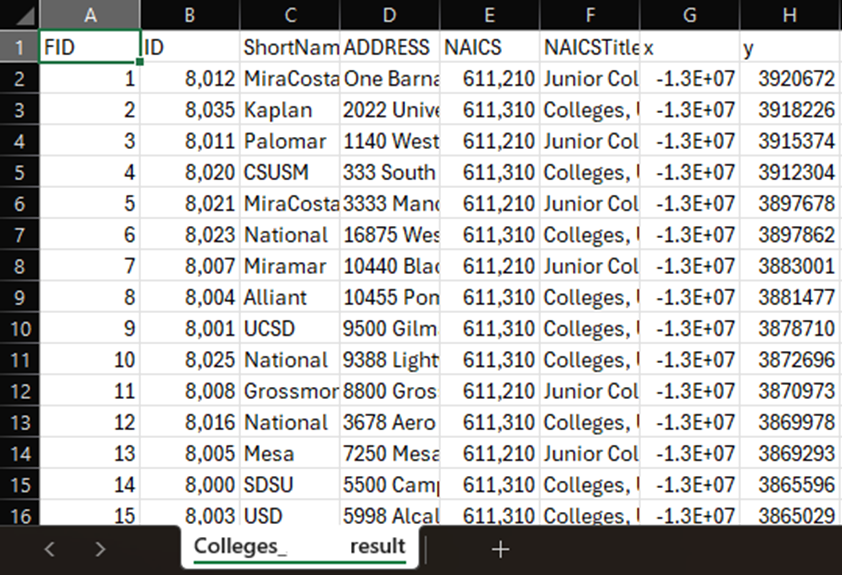
For example, the attribute table below shows the NAME field missing from the CSV file.
Cause
The issue occurs with web maps authored in Map Viewer or Map Viewer Classic, as Experience Builder relies on the web map’s pop-up field configuration when exporting data from a Query widget linked to a Map widget. Fields excluded from the pop-up configuration are not included in the export.
Solution or Workaround
Update the field visibility in Map Viewer
To update the field visibility settings in Map Viewer, refer to the instructions provided in ArcGIS Online: Configure pop-ups. For Step 11, ensure the fields to include in the export are selected in the pop-up configuration.
Update the field visibility in Map Viewer Classic
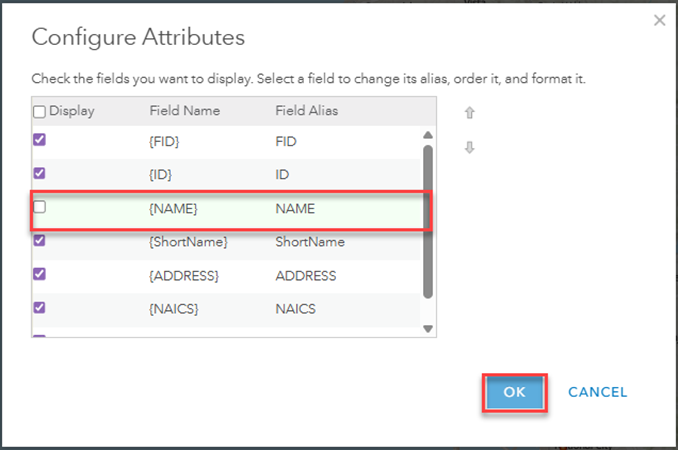
Update the field visibility settings in the Map Viewer Classic pop-up configurations. Confirm the preferred field check box is selected under the Display column in the Configure Attributes window. Refer to ArcGIS Online: Configure pop-ups for instructions and more information.
Note:
Map Viewer Classic is deprecated and will be removed upon its retirement in Q1 of 2026. Newer users will not have access to Map Viewer Classic. Refer to Deprecation: Map Viewer Classic for more information.
Configure the query results in the Query widget
- In the web experience, click the Query widget added to the canvas and select the query item.
- On the Set query panel, navigate to Results and expand the section.
- For Configure each record, select Customize. Under Display fields, select the fields to include in the export.
- Fill in the Heading section and sort the fields under Sort records, if necessary.
- Save and publish the web experience.
Use the Table widget in ArcGIS Experience Builder
Use the Table widget to export data. This avoids the need to open and reconfigure the web map in Map Viewer or Map Viewer Classic each time the fields require adjustment for export. Refer to ArcGIS Online: Table widget for more information.
- In the published web experience or in Live view mode, click the Table widget added to the canvas.
- Select the layer to export and click the Actions icon. Click Set filter.
- Click + Add to define the filter for the query. Close the Set filter dialog box.
- Click the Show/hide columns icon and select the fields to include in the export.
- Click the Actions icon > Export > Export to CSV.
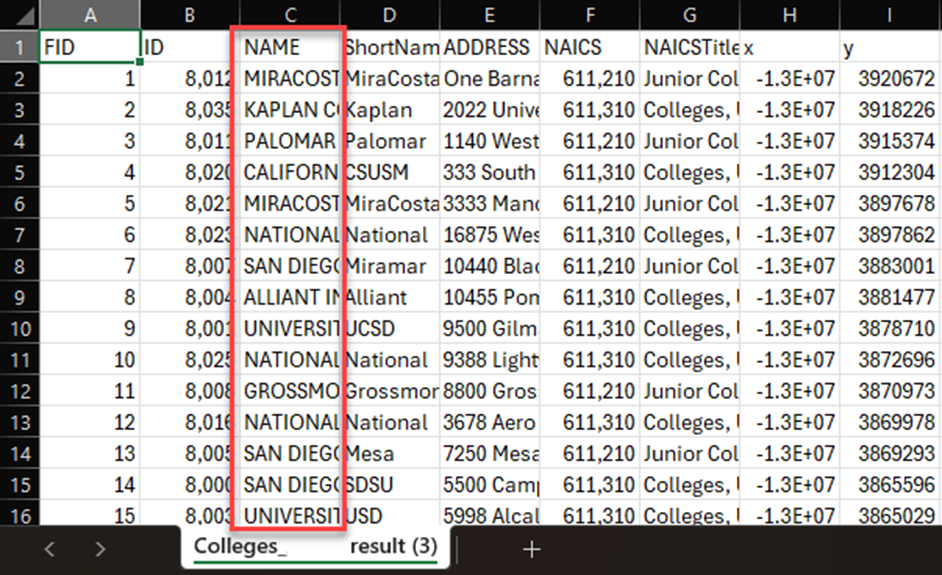
The attribute table below shows the exported CSV file displaying the missing NAME field.
Article ID: 000039043
- ArcGIS Online
- ArcGIS Experience Builder
Get support with AI
Resolve your issue quickly with the Esri Support AI Chatbot.


Related Information
Discover more on this topic

Search for related information

Find training related to this topic

Explore ideas and give feedback
Get help from ArcGIS experts
Start chatting now