
PROBLEM
Infographics in the Business Analyst widget fail to load in ArcGIS Experience Builder
Description
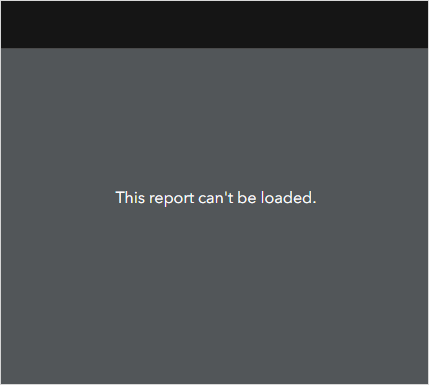
In a published ArcGIS Experience Builder web experience, the infographic template in the Business Analyst widget loads indefinitely or returns the following error message:
Error:
This report can’t be loaded.
Cause
- The infographic template in the Business Analyst widget is not owned by the same user who owns the ArcGIS Experience Builder app. When the app is published and the GeoEnrichment service is authorized, the widget can only access infographic templates owned by the app's creator.
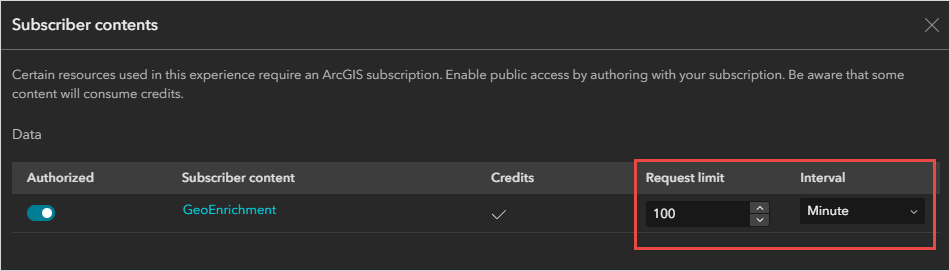
- A low request limit is set on the GeoEnrichment service, which can prevent infographics from loading properly.
Solution or Workaround
Depending on the cause, the workarounds described below are applicable.
Change the ownership of the infographic template or use a custom GeoEnrichment service
In the Business Analyst widget, use the infographic template owned by the app creator, or transfer ownership of the infographic template to the app's owner. Refer to ArcGIS Online: Change the ownership of specific items for instructions on transferring item ownership.
Alternatively, to use an infographic template owned by another user, configure a custom GeoEnrichment service in the Business Analyst widget. Refer to ArcGIS Experience Builder: Add a custom GeoEnrichment utility service by URL for instructions.
Increase the request limit for the GeoEnrichment service
When publishing the ArcGIS Experience Builder web app, in the Subscriber contents window, for Request limit, remove the limit or increase the request value and adjust the interval accordingly. Click Publish to publish the web experience.
Article ID: 000037284
- ArcGIS Experience Builder
Get support with AI
Resolve your issue quickly with the Esri Support AI Chatbot.


Related Information
Discover more on this topic

Search for related information

Find training related to this topic

Explore ideas and give feedback
Get help from ArcGIS experts
Start chatting now