
PROBLEM
Attachments display unintended texts in ArcGIS Pro pop-ups
Description
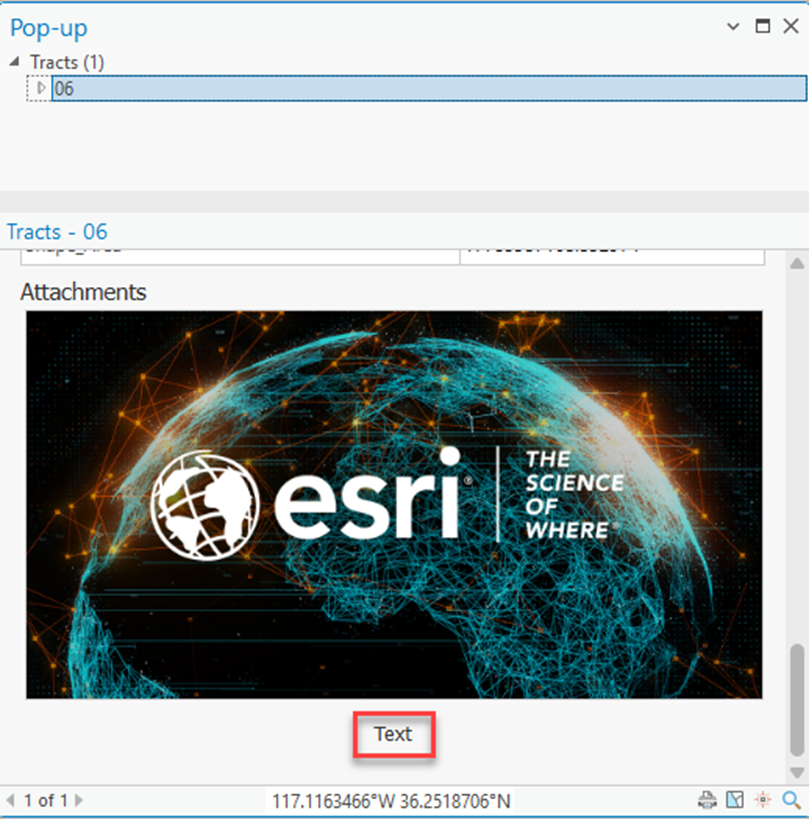
In ArcGIS Pro, when the Attachments element is added while configuring a pop-up, a default text label is displayed below each attachment. This behavior creates an unintended visual element, which can affect clarity, as shown in the image below.
Cause
This is by design. When the Attachments element is added, attachments are automatically assigned a default title and caption, which results in default text displayed below the attachment.
Solution or Workaround
To solve this issue, rename or remove the default caption in the Attachment Options pane when configuring the pop-up.
- In the Contents pane, right-click the feature class.
- Select Configure Pop-ups.
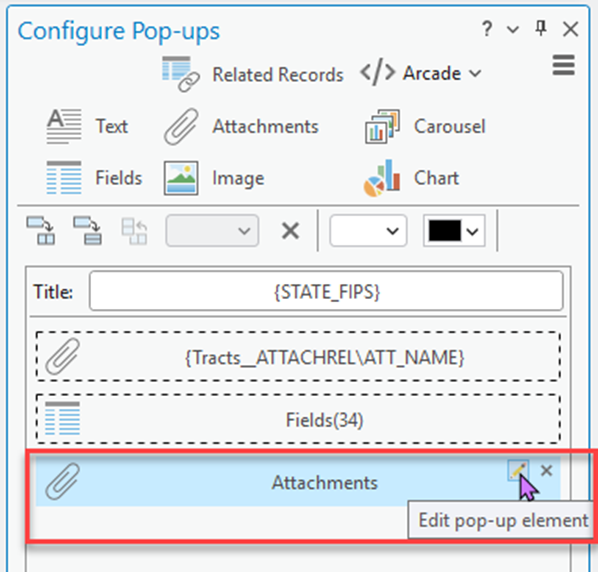
- In the Configure Pop-ups pane, double-click the Attachments element to edit its properties, or click the Edit pop-up element icon
 .
.
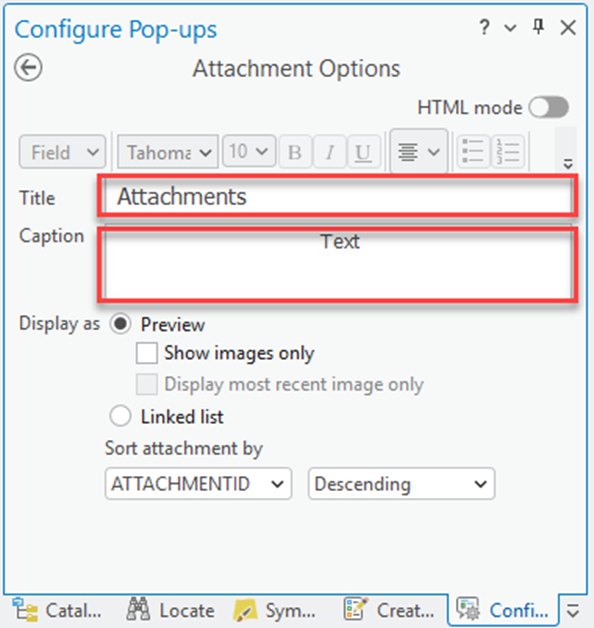
- In the Attachment Options pane, for Caption, rename the attachment caption or remove the default 'Text' caption.
Note:
Optionally, for Title, rename or remove the default 'Attachments' title.
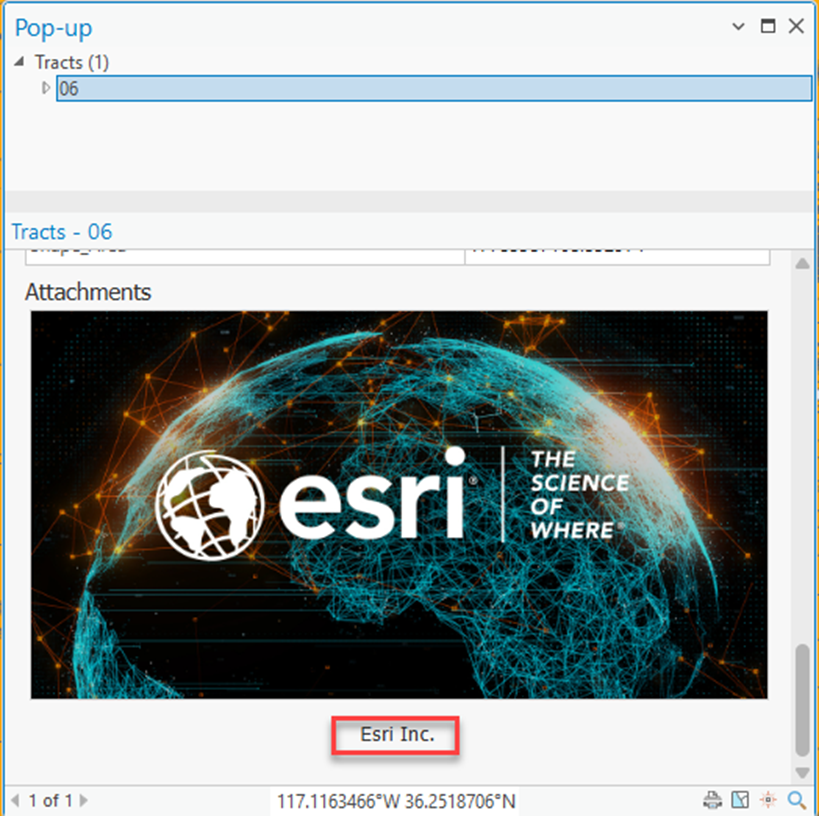
The image below shows the renamed default caption in the attachment in the ArcGIS Pro pop-up.
Article ID: 000039420
- ArcGIS Pro
Get support with AI
Resolve your issue quickly with the Esri Support AI Chatbot.


Related Information
Discover more on this topic

Search for related information

Find training related to this topic

Explore ideas and give feedback
Get help from ArcGIS experts
Start chatting now