
PROBLEM
ArcMap freezes when converting CAD files into GDB (DumpFile generated without crashing)
Description
When attempting to run the CAD to Geodatabase tool and importing CAD files into ArcGIS Desktop 10.8.2, geoprocessing fails and the software sends a message informing of a fatal failure.
Cause
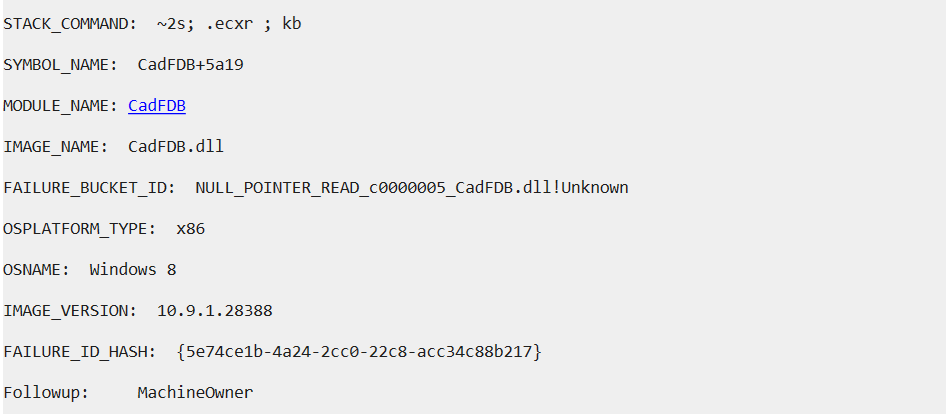
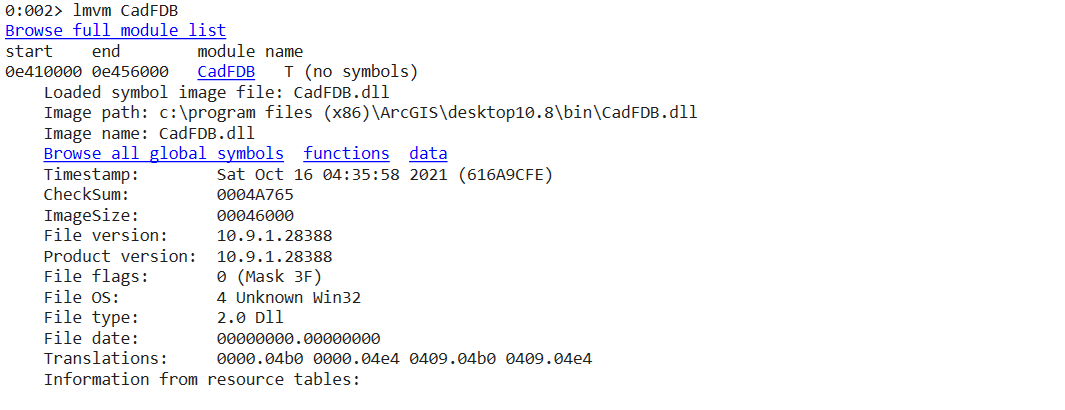
When this occurs, a dump file is generated with information similar to that shown in the images below. The dump file was analyzed using WinDbg Preview. The cause of the error is the Module CadFDB.dll that can be found in the the following path:
C:\Program Files (x86)\ArcGIS\Desktop10.8.2\bin\CadFDB.dll
Solution or Workaround
Because the module CadFDB.dll belongs to an ArcGIS path, the solution is to repair the software and then repeat the process of importing CAD files into the geodatabase.
If the error persists, perform a clean uninstall of the software and the repeat the process.
Article ID: 000028281
- ArcMap 10 8
Get support with AI
Resolve your issue quickly with the Esri Support AI Chatbot.


Related Information
Discover more on this topic

Search for related information

Find training related to this topic

Explore ideas and give feedback
Get help from ArcGIS experts
Start chatting now