
HOW TO
Remove the “Map Viewer Classic Is Being Retired” notification in ArcGIS Online
Summary
When the retirement notification for Map Viewer Classic in ArcGIS Online displays, it indicates that the organization is still configured to use Map Viewer Classic as the primary map viewer. Switching to the latest Map Viewer removes the notification.

Procedure
- Go to Organization > Settings > Map and Scene.
- Under Primary map viewer, change the selection from Map Viewer Classic to Map Viewer.
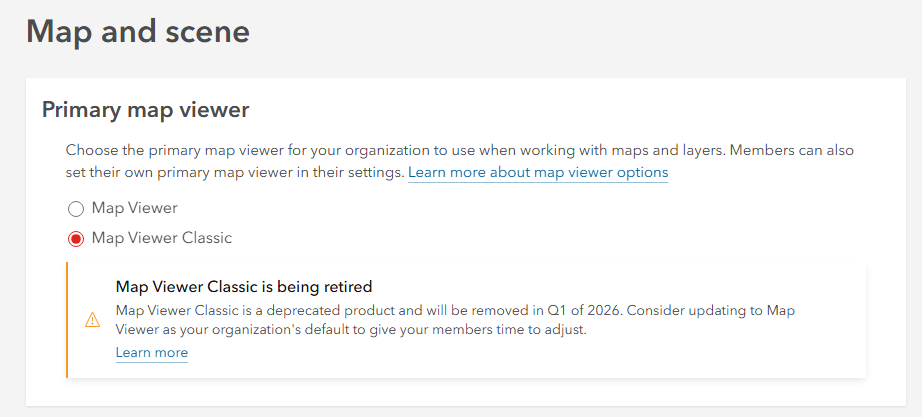
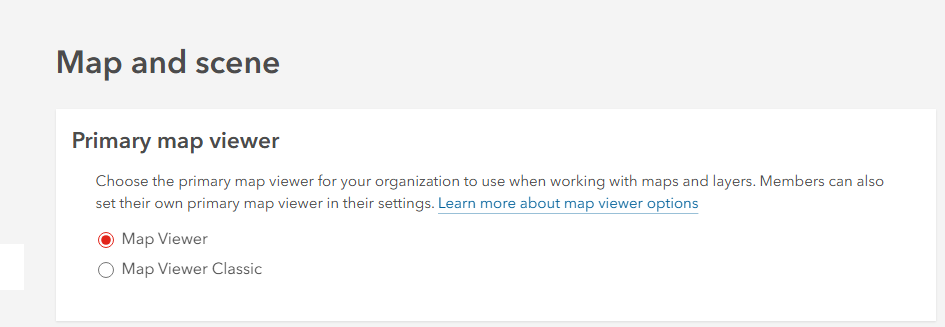
- Once updated, the retirement notification will no longer appear.

Article ID: 000039256
Software:
- ArcGIS Online
Get support with AI
Resolve your issue quickly with the Esri Support AI Chatbot.


Related Information
Discover more on this topic

Search for related information

Find training related to this topic

Explore ideas and give feedback
Get help from ArcGIS experts
Start chatting now