
PROBLEM
The Imagery option in Add Basemap is not showing in ArcMap 10.8.2
Description
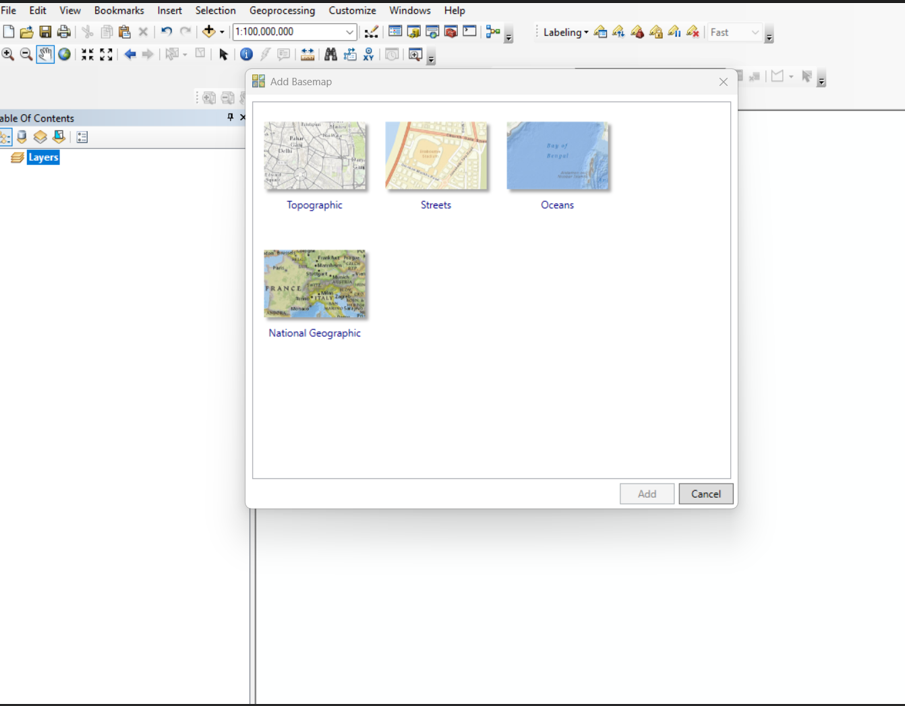
After clicking the Add Basemap button, the Imagery option does not appear in the Add Basemap dialog, as shown in the image below.
Solution or Workaround
- Open ArcMap.
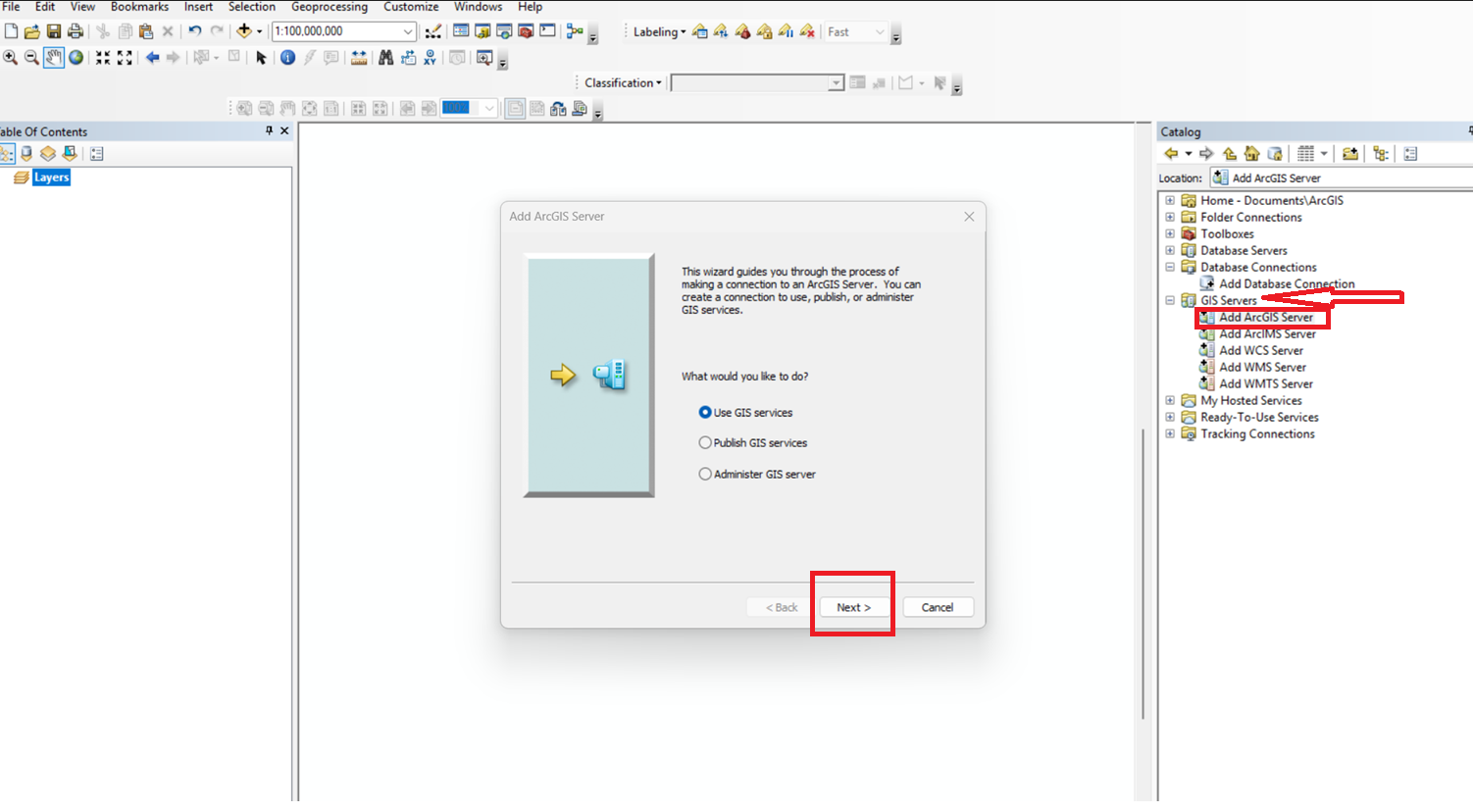
- In the Catalog window, expand GIS Servers and click Add ArcGIS Server.
- In the Add ArcGIS Server wizard, select Use GIS services, and click Next.
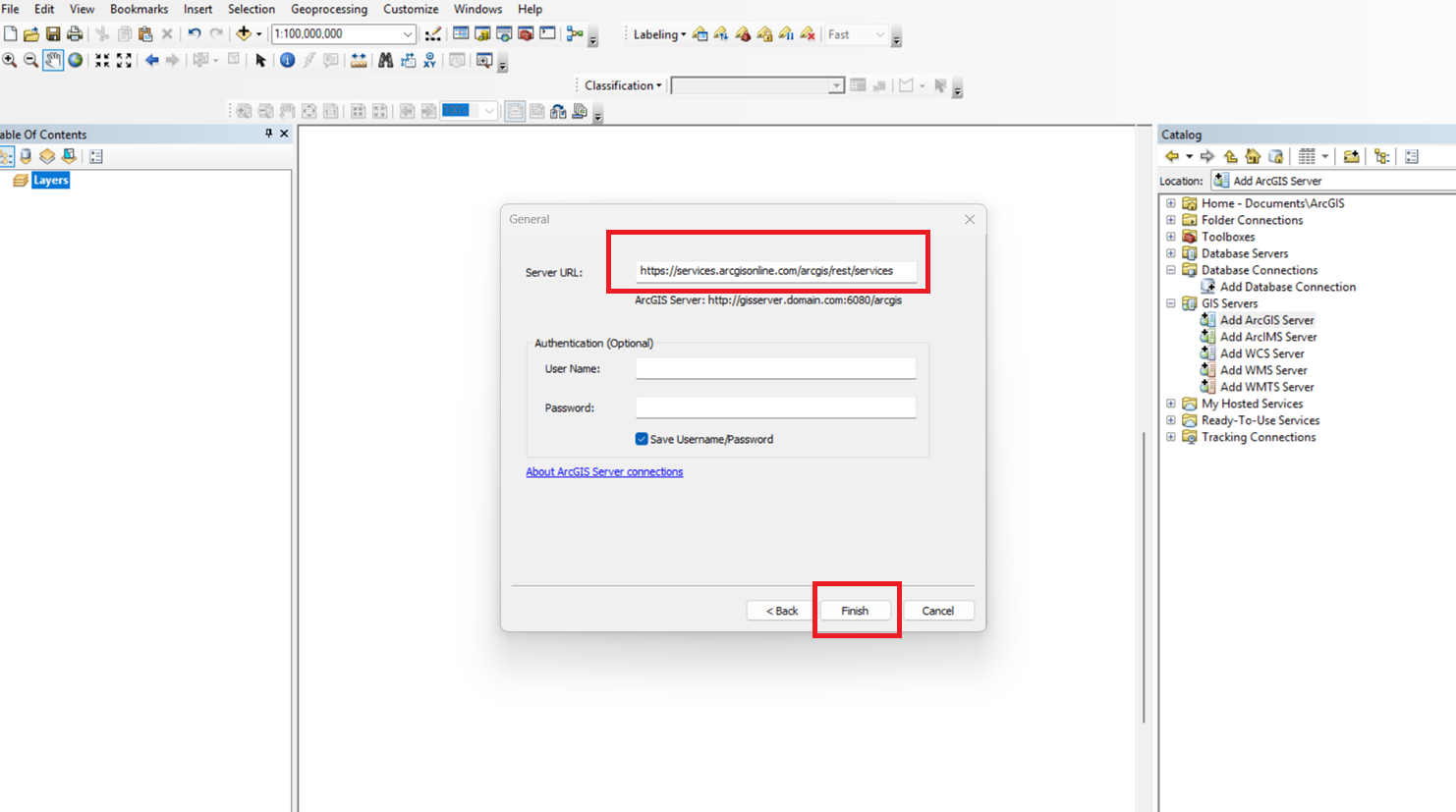
- For Server URL, add the following URL:
https://services.arcgisonline.com/arcgis/rest/services
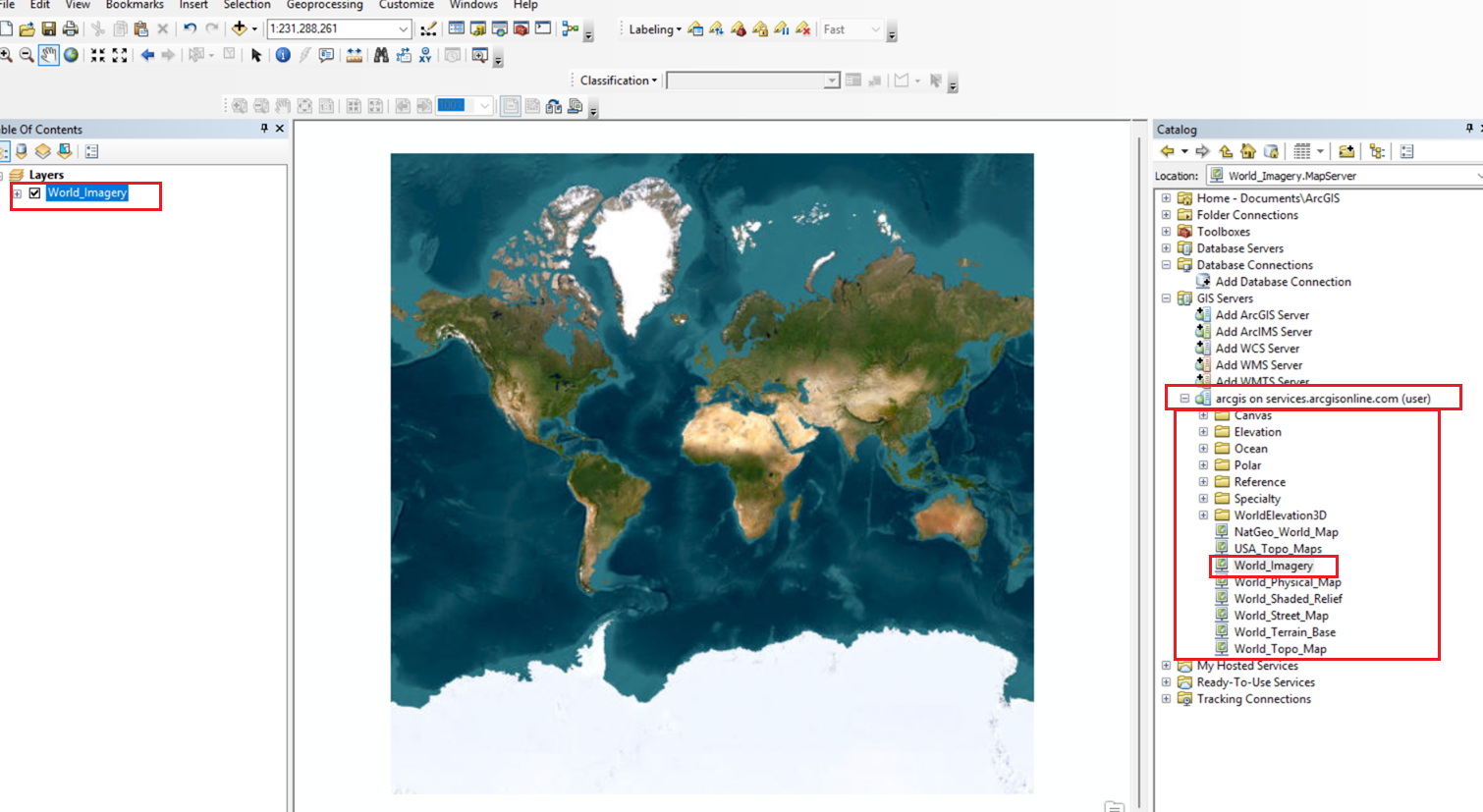
- The REST services URL will be added with all the layers that are included in it. Search for the required layer and drag and drop it to add it as a basemap.
Article ID: 000037315
Software:
- ArcMap
Get support with AI
Resolve your issue quickly with the Esri Support AI Chatbot.


Discover more on this topic

Search for related information

Find training related to this topic

Explore ideas and give feedback
Get help from ArcGIS experts
Start chatting now