
HOW TO
How to Generate a Deployment Report in ArcGIS Enterprise
Summary
Beginning with version 11.5, the ArcGIS Portal Administrator Directory provides the ability to generate a comprehensive report of an ArcGIS Enterprise deployment. The report includes details for Portal for ArcGIS, ArcGIS Server sites, and ArcGIS Data Store components.
An additional benefit is the option to redact hostnames or FQDNs before generating the report.
Procedure
- Sign in to the ArcGIS Portal Administrator Directory as an Administrator.
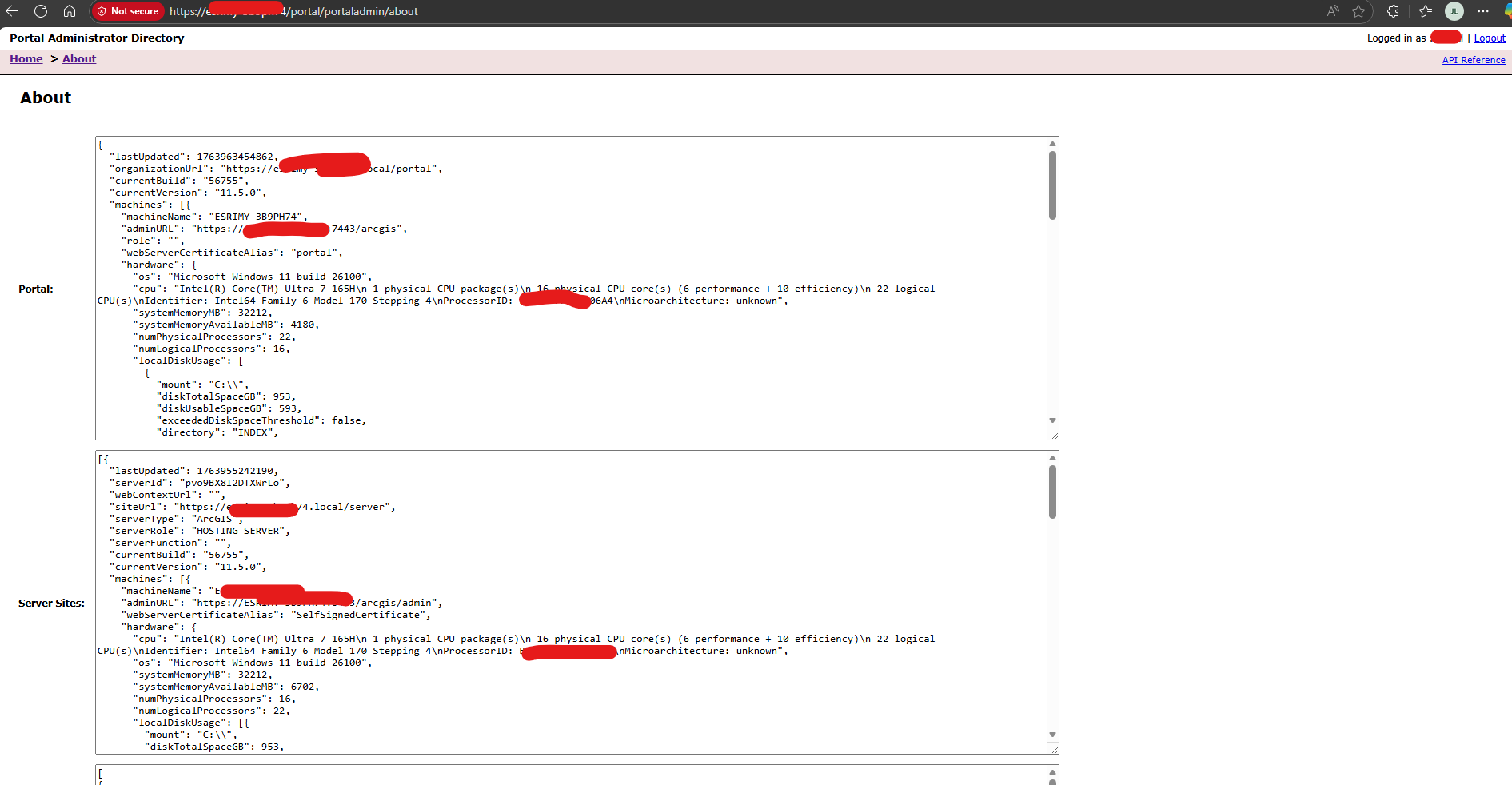
- Navigate to Home > About, an example of this page is shown in the following image:
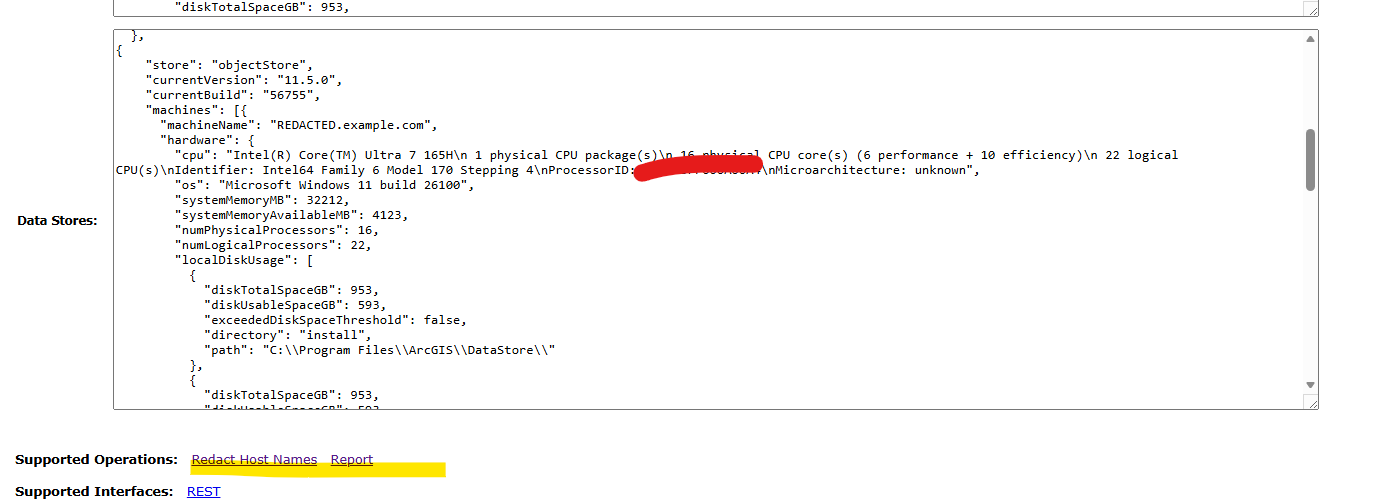
- Scroll down to the Supported Operations section at the bottom of the page.
- Select the option Redact Hostnames, as shown in the next image.
- Click Report > Export About Report.
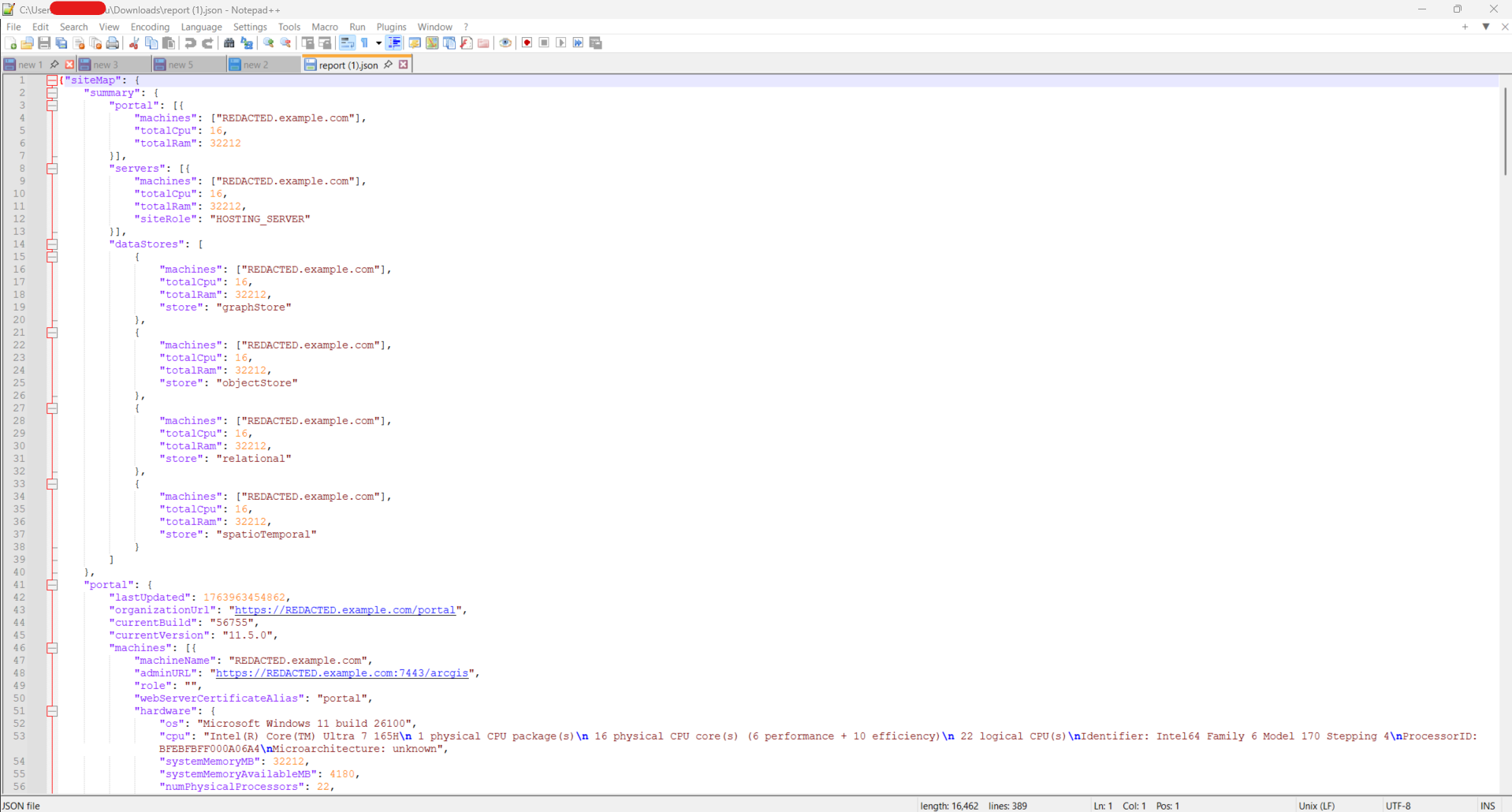
- The report is generated in JSON format. To view the report, open it in a text editor, such as Notepad (see the image below for reference).
Article ID: 000039253
Software:
- Portal for ArcGIS
- ArcGIS Enterprise
Get support with AI
Resolve your issue quickly with the Esri Support AI Chatbot.


Discover more on this topic

Search for related information

Find training related to this topic

Explore ideas and give feedback
Get help from ArcGIS experts
Start chatting now