
HOW TO
Enable the Census 2020 (PL 94-171) redistricting data in ArcGIS Pro
Summary
When using the Enrich tool in ArcGIS Pro, the Census 2020 (PL 94-171) redistricting data is not displayed, as seen in the image below.
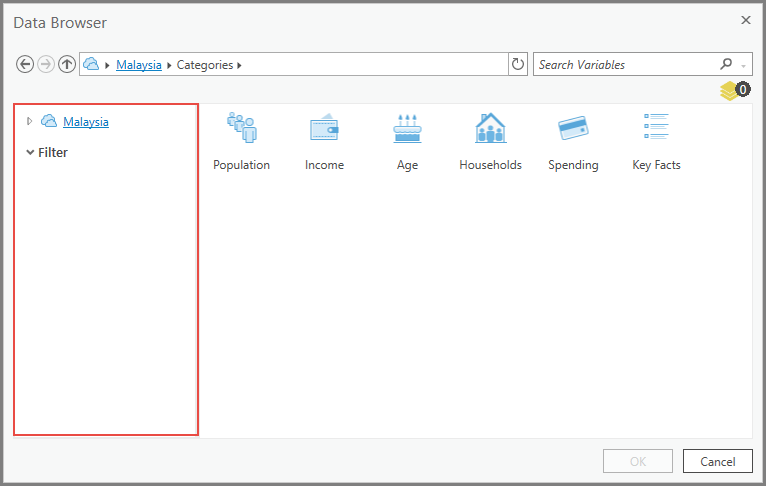
This occurs because the data is not enabled in ArcGIS Pro. This article highlights the workflow to enable the Census 2020 (PL 94-171) redistricting data in ArcGIS Pro.
Procedure
- In ArcGIS Pro, navigate to Analysis.
- In the Analysis tab, under the Geoprocessing group, click Environments.
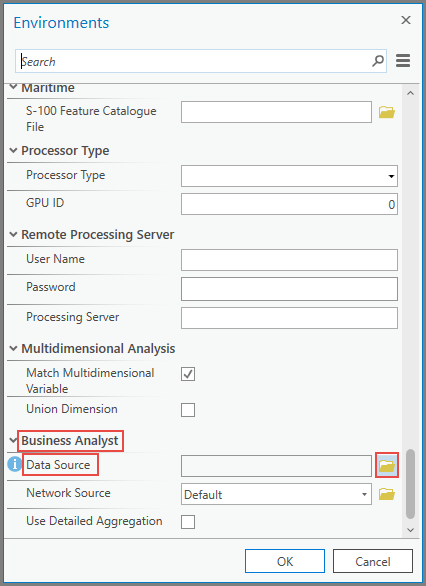
- In the Environments pane, scroll down and search for Data Source under Business Analyst. Click the folder icon.
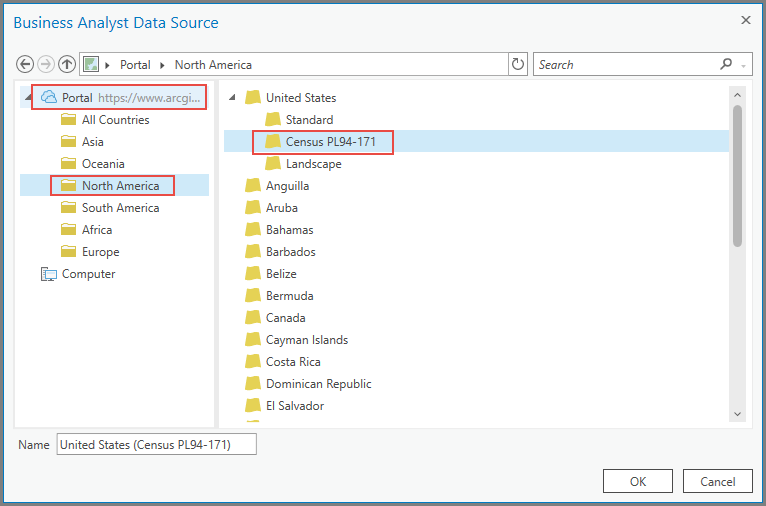
- In the Business Analyst Data Source window, under Portal, click North America.
- Under United States, select Census PL94-171. Click OK.
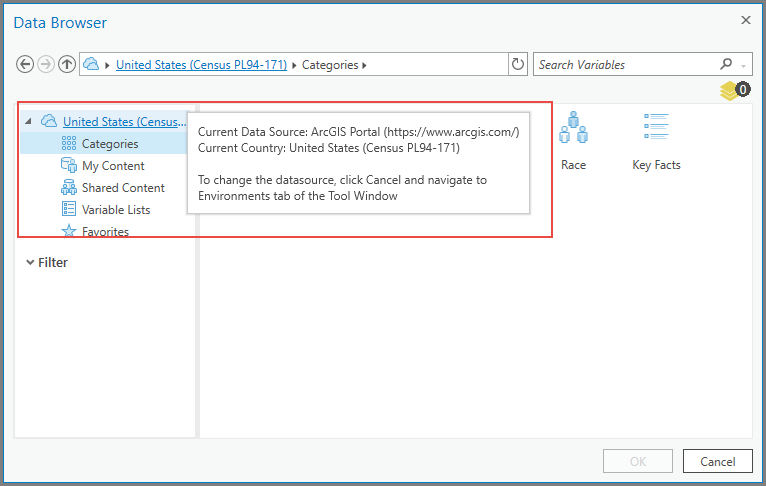
The image below shows the data is switched to the Census 2020 (PL 94-171) redistricting data in the ArcGIS Pro Enrich tool.
Article ID: 000027153
- ArcGIS Pro 2 8 x
- Business Analyst
- ArcGIS Pro 2 x
Get support with AI
Resolve your issue quickly with the Esri Support AI Chatbot.


Related Information
Discover more on this topic

Search for related information

Find training related to this topic

Explore ideas and give feedback
Get help from ArcGIS experts
Start chatting now