
HOW TO
Enable Extract Changes on a hosted/referenced feature service
Summary
The Extract Changes operation in the ArcGIS REST API allows retrieving the changes made to a feature layer with the change tracking capability enabled. Applications can use change tracking to query changes made to the layers and tables in the service.
Procedure
Hosted feature layer
Change tracking capability on a hosted feature service must be enabled, as by default it is set to 'false'. The following steps describe how to enable this.
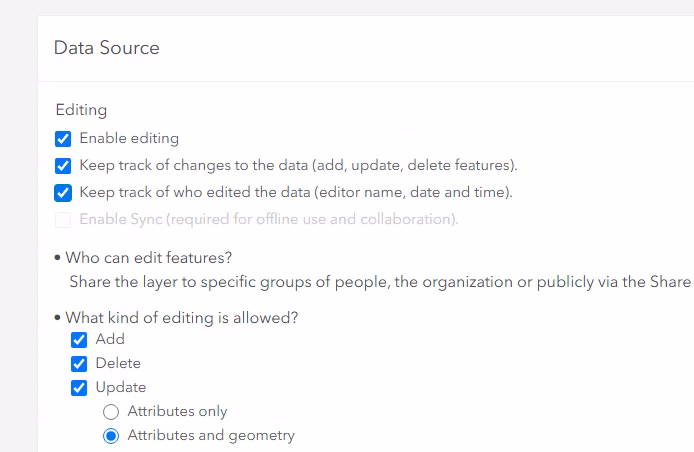
- Publish a hosted feature layer. In the settings of the hosted feature layer, make sure that Enable editing, Keep track of changes to the data, and Keep track of who edited the data are checked.
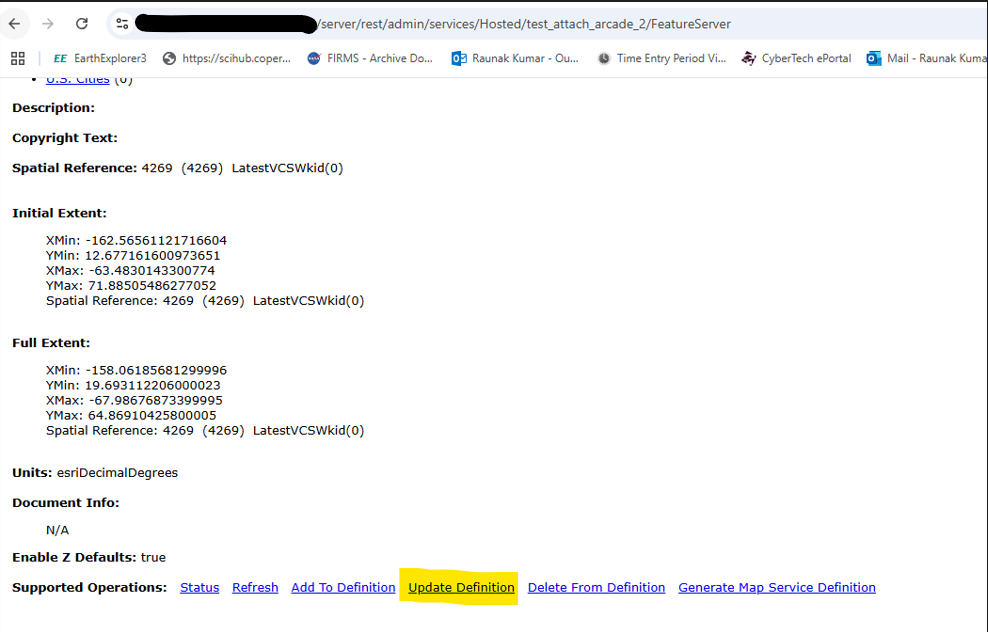
- Access the hosted service's admin endpoint through the ArcGIS REST Administrator Directory by inserting '/admin' between /rest and /services in the service URL, for example:
https://FQDN/webadaptor_instance/rest/admin/services/layername/FeatureServer
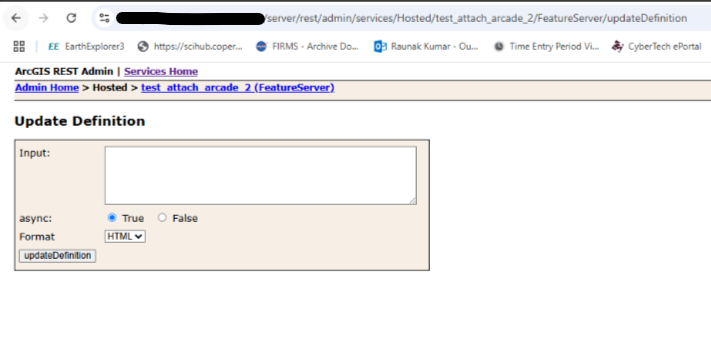
- Under Supported Operations, click Update Definition.
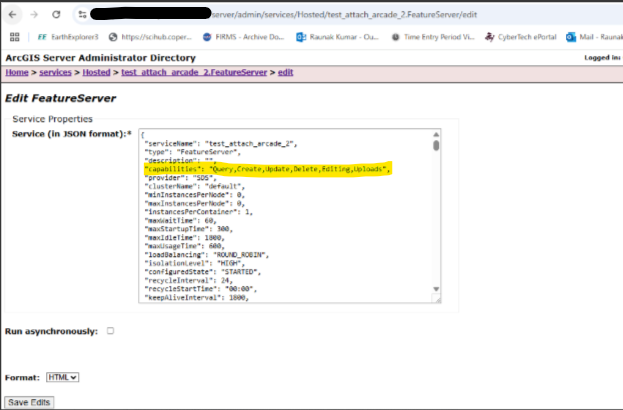
- In the new tab, go to the server admin endpoint, then navigate to Home > Services > Hosted > servicesname and select edit, as shown in the next image.
- Copy the capabilities parameter from the JSON file.
- Paste the copied JSON in the Update Definition section and include ChangeTracking within the curly braces. The format should look like the following example:
{"capabilities":"Query,Create,Update,Delete,Editing,Uploads,ChangeTracking"}
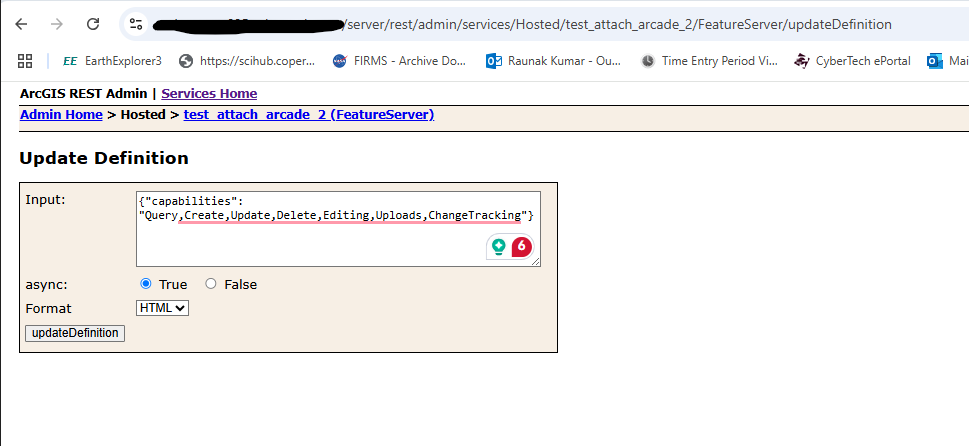
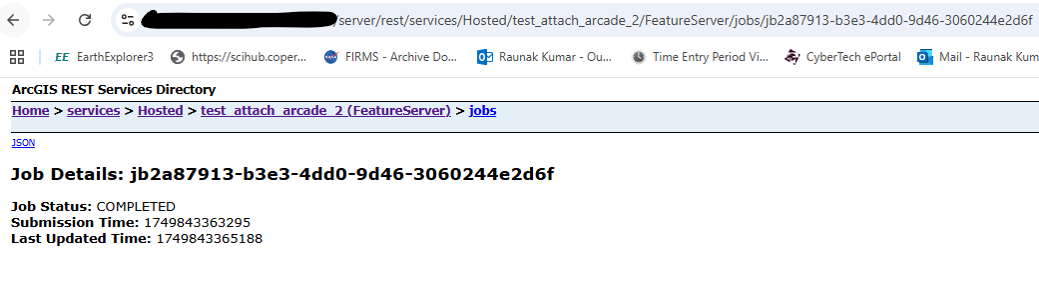
- Click updateDefinition. Once done, a job URL is returned with the status 'completed'.
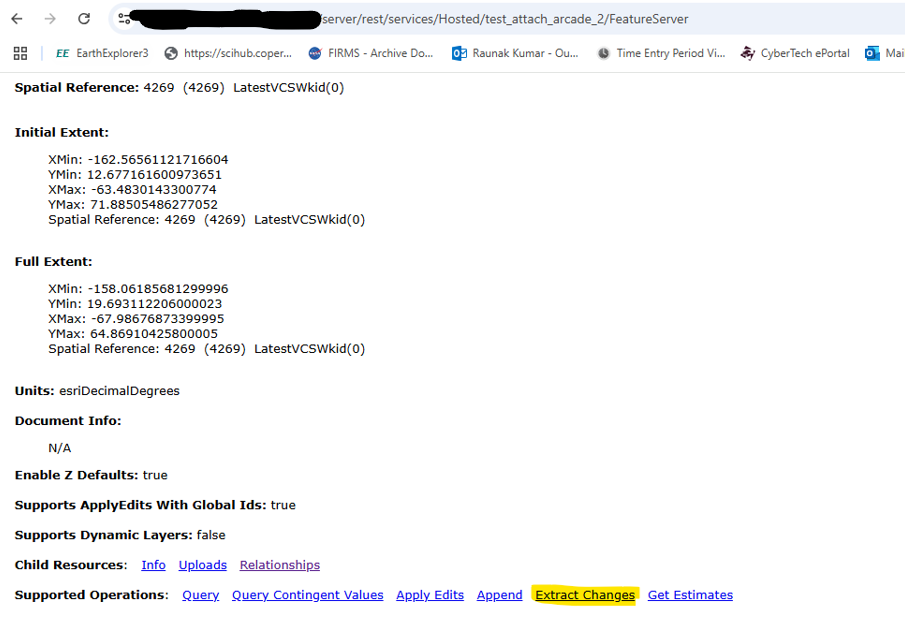
- Navigate to the service’s REST endpoint, and note the Extract Changes option under Supported Operations.
Note:
Hosted feature services cannot have both the Sync and ChangeTracking capabilities enabled at the same time.
Reference feature layers
For enterprise geodatabase-based feature services published from ArcGIS Pro 2.2 or later, the ChangeTracking capability requires all layers and tables to be either archive enabled or branch versioned and have globalid columns.
Note:
• If we publish enterprise geodatabase-based feature services and if layers have traditional versioning enabled, the extract changes option will be available under Supported Operations in the rest end URL of the service, however, we won’t be able to perform the operation. It will give us an “unable to complete operation” error message.
• Unlike hosted feature layers, we can work with enterprise geodatabase-based feature services, if both the Sync and ChangeTracking capabilities are enabled at the same time.
• Enterprise geodatabase-based feature services do not support disabling/enabling the ChangeTracking capability post publishing, like hosted feature layers.
Article ID: 000036676
- ArcGIS REST API
Get support with AI
Resolve your issue quickly with the Esri Support AI Chatbot.


Related Information
Discover more on this topic

Search for related information

Find training related to this topic

Explore ideas and give feedback
Get help from ArcGIS experts
Start chatting now