
HOW TO
Calculate a field using a related table in ArcGIS Pro
Summary
This article outlines a method for populating a field in a feature class in ArcGIS Pro by leveraging data from a related table. This is achieved using the Calculate Field geoprocessing tool in conjunction with an Arcade expression. This approach is particularly useful when it is necessary to transfer or combine information from a one-to-many or many-to-one related table relationship directly into your primary feature class.
Procedure
To calculate a field using values from a related table, follow these steps:
- Open your ArcGIS Pro project and navigate to the feature class to update.
- Right-click the feature class in the Contents pane and select Data > Calculate Field.
- In the Calculate Field geoprocessing pane, configure the following:
- Input Table: Select the feature class you are modifying.
- Field Name (Target Field): Choose the existing field in the feature class where the calculated values will be stored.
- Expression Type: Select Arcade.
- Enter the following Arcade expression into the Expression box:
var fsn = FeatureSetByName($datastore, 'name of your related table', ["*"], false);
var temp = "";
for (var j in fsn){
if ($feature.Primary_key_name == j.Foreign_key_name){
temp = temp + j.Field_1 + " "+ j.Field_2+ " "}
}
return temp
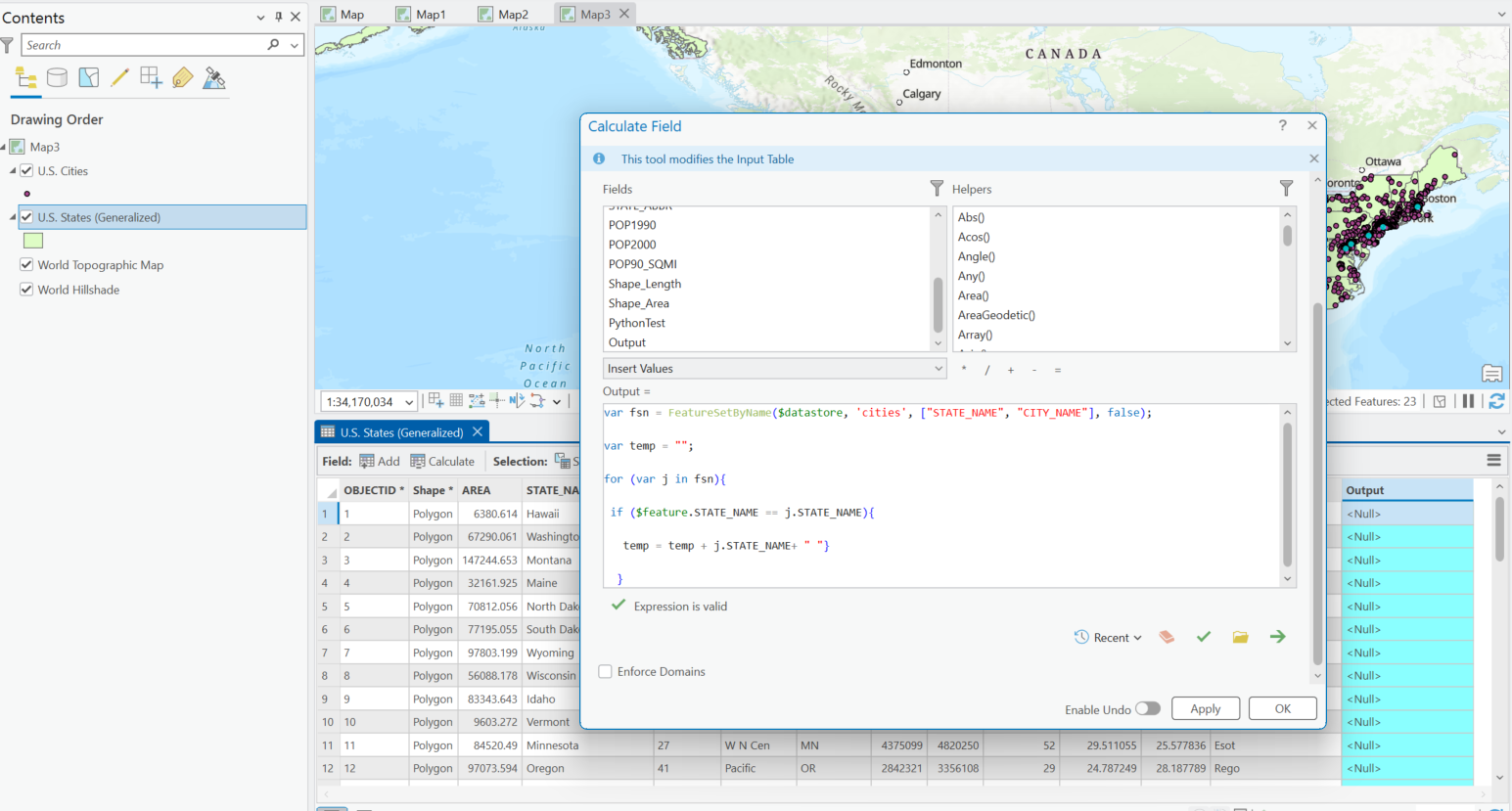
Note:
In the above expression:
- The Primary_key_name and Foreign_key_name are the two fields used to establish the relationship (relates) between the feature class and the related table. These fields must contain matching unique identifiers.
- Field_1 and Field_2 are placeholders for the actual names of the fields in the related table whose values you intend to concatenate.
Article ID: 000036851
- ArcGIS Pro
Get support with AI
Resolve your issue quickly with the Esri Support AI Chatbot.


Related Information
Discover more on this topic

Search for related information

Find training related to this topic

Explore ideas and give feedback
Get help from ArcGIS experts
Start chatting now