
PROBLEM
Gaussian Splat layer button is disabled in ArcGIS Pro
Description
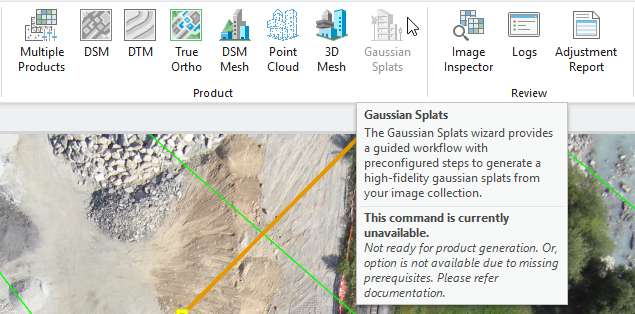
The Reality workspace in ArcGIS Pro 3.6.0 with deep learning libraries installed shows the Gaussian Splats product grayed out after adjustment. Hovering over the disabled button displays the message "Not ready for product generation. Or, option is not available due to missing prerequisites," but all other products are enabled.
Cause
When ArcGIS Pro 3.6.0 has a per-user configuration and the deep learning libraries are installed, the Reality workspace cannot check for the install directory. When a Reality workspace is adjusted with this setup, the Gaussian Splats product will remain grayed out as the system is not able to complete the requirements check.
Solution or Workaround
When an adjusted Reality workspace presents this issue in an ArcGIS Pro per-user installation with deep learning libraries, the Reconstruct Surface geoprocessing tool can be used to process Gaussian Splats. The default Python environment with the deep learning libraries installed has the required components to generate this product.
Running the Reconstruct Surface tool after the Reality workspace has been adjusted
Follow these steps to configure the geoprocessing tool with the adjusted image collection.
- Use the search bar to look for the Reconstruct Surface geoprocessing tool.
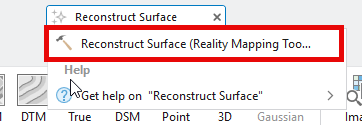
- Activate the Reality workspace window.
- Use the included image collection as the Input Mosaic Dataset.
- Select a Reconstruction Folder. This will be where the results are saved.
- Select Quality and Products settings.
- Click Run to start processing.
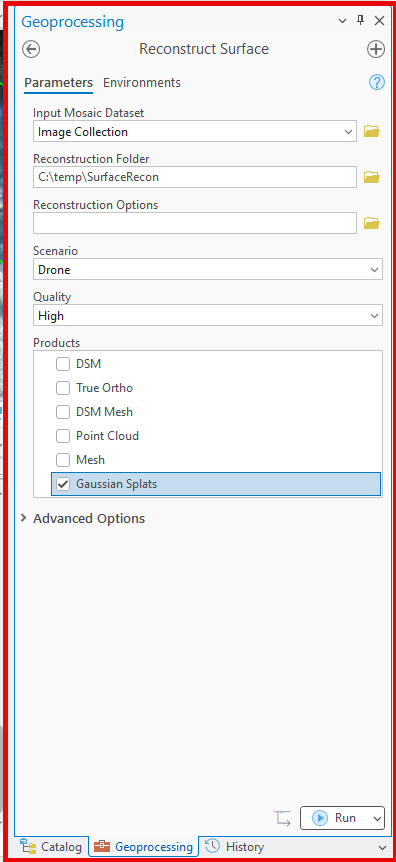
The Results folder will follow the same structure as the folders generated using the Reality workspace, and Gaussian Splats can be generated even when ArcGIS Pro was installed with the per-user configuration.
Another method that can be to install the required deep learning libraries when installing ArcGIS Pro 3.6.0 with the per-user configuration is to use the Package Manager to install the deep-learning-essentials package. This will ensure the Reality workspaces are able to find all required components, and the Gaussian Splats product will be enabled after adjustment.
Install the deep learning libraries in ArcGIS Pro using Package Manager
Follow these steps to install the required deep learning libraries to generate Gaussian Splats products.
- Run ArcGIS Pro as an administrator.
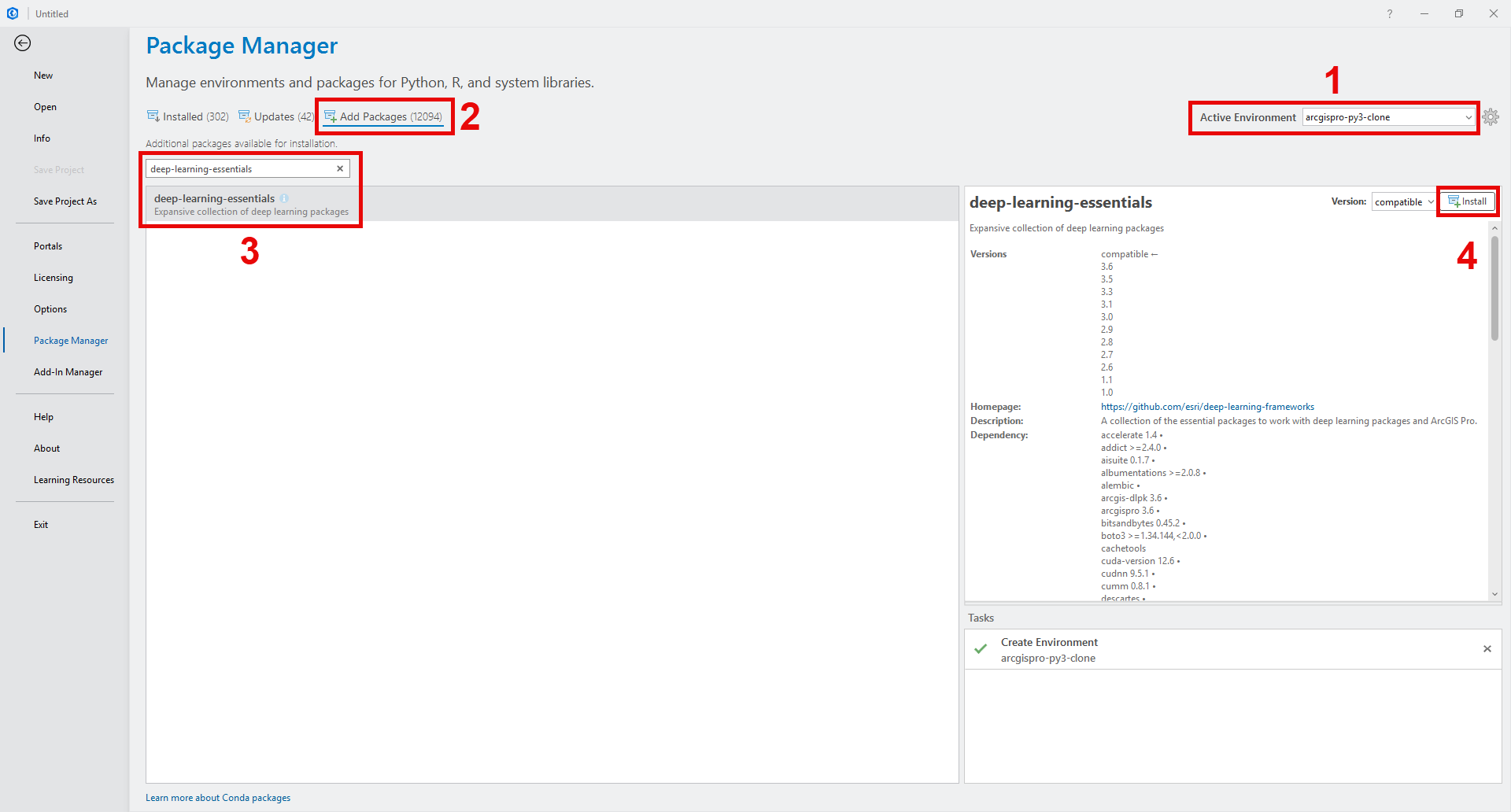
- Go to Settings > Package Manager.
- Click the gear icon next to the Active Environment drop-down menu.
- Clone the default Python environment using the clone button.
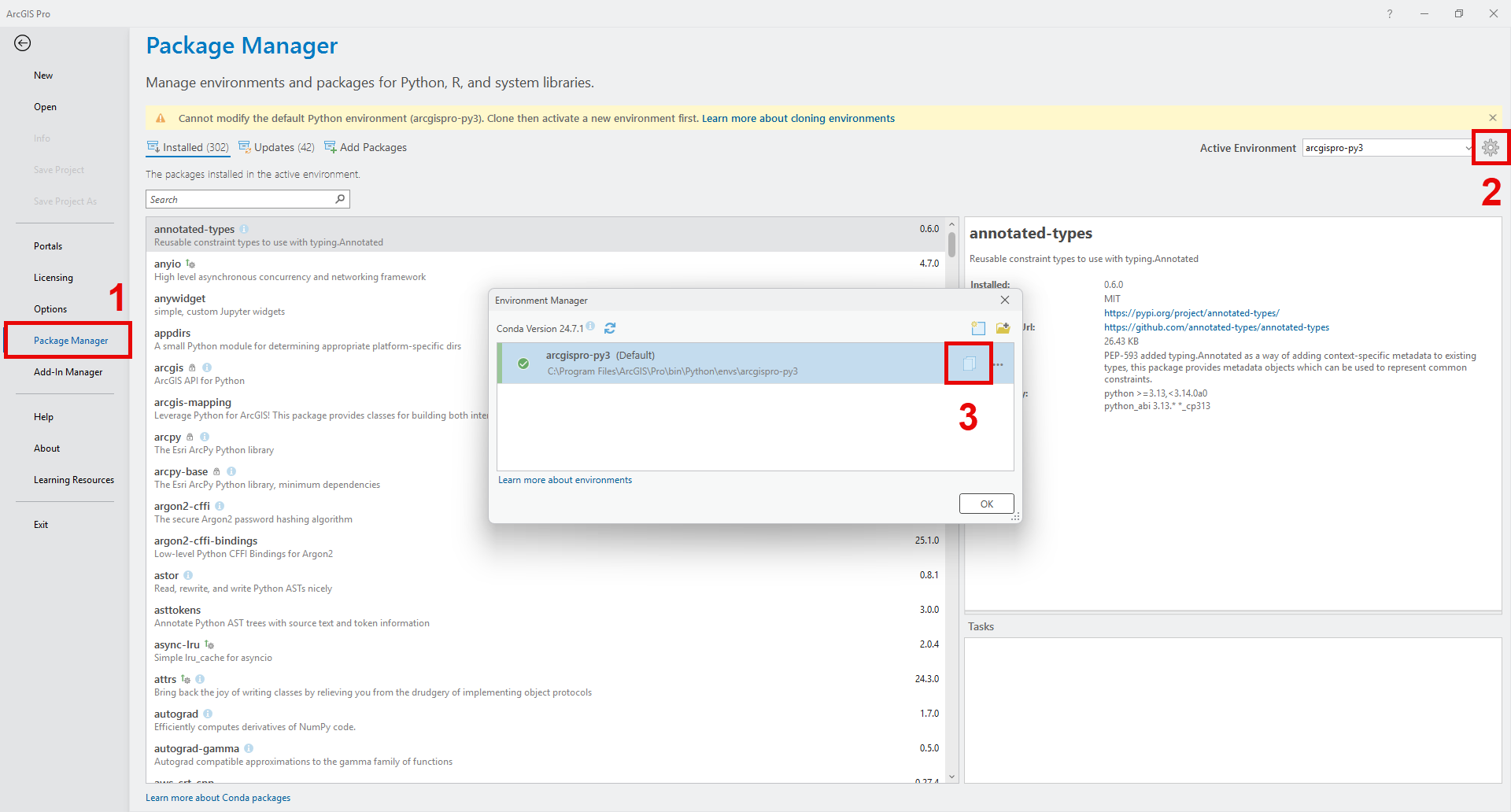
- Change the Active Environment using the drop-down menu.
- In the Add Packages tab, search for deep-learning-essentials.
- Select deep-learning-essentials from the list, and click Install.
- Once installation is complete, go back to the Installed tab and search for deep-learning-essentials to confirm it was added.
After confirming that the deep learning libraries were added to the cloned Python environment, the Reality workspaces will show the Gaussian Splats product enabled after the image collection is adjusted.
Note:
ArcGIS Pro per-user installation with deep learning libraries is expected to be fixed in patch 3.6.1.
Article ID: 000038918
Get support with AI
Resolve your issue quickly with the Esri Support AI Chatbot.


Related Information
Discover more on this topic

Search for related information

Find training related to this topic

Explore ideas and give feedback
Get help from ArcGIS experts
Start chatting now