
PROBLEM
Failed to borrow or return Concurrent Use Licenses
Description
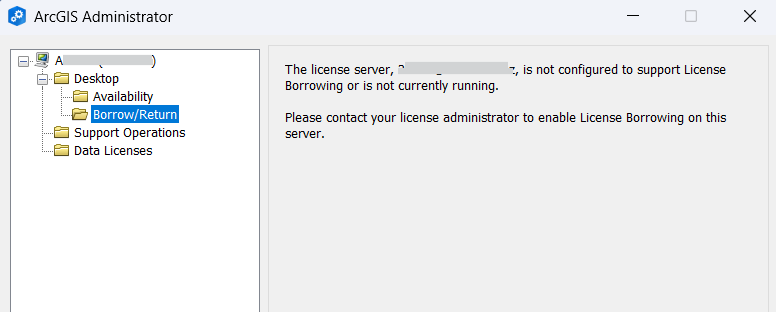
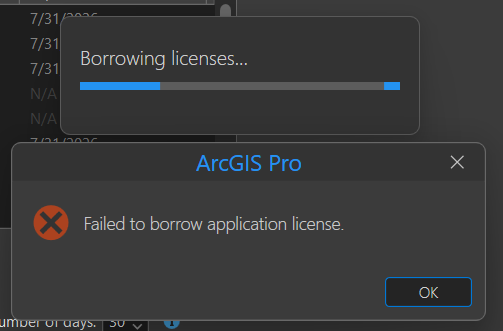
When attempting to borrow or return a Concurrent Use license, the process fails and displays a different error message depending on whether ArcGIS Desktop (ArcMap) or ArcGIS Pro is in use, as shown in the images below:
ArcGIS Desktop (ArcMap): "The license server, <host_name>, is not configured to support License Borrowing or is not currently running. Please contact your license administrator to enable License Borrowing on this server."
Error:
The license server, host_name, is not configured to support License Borrowing or is not currently running. Please contact your license administrator to enable License Borrowing on this server.
ArcGIS Pro: "Failed to borrow application license."
Error:
Failed to borrow application license.
Cause
There are two potential causes:
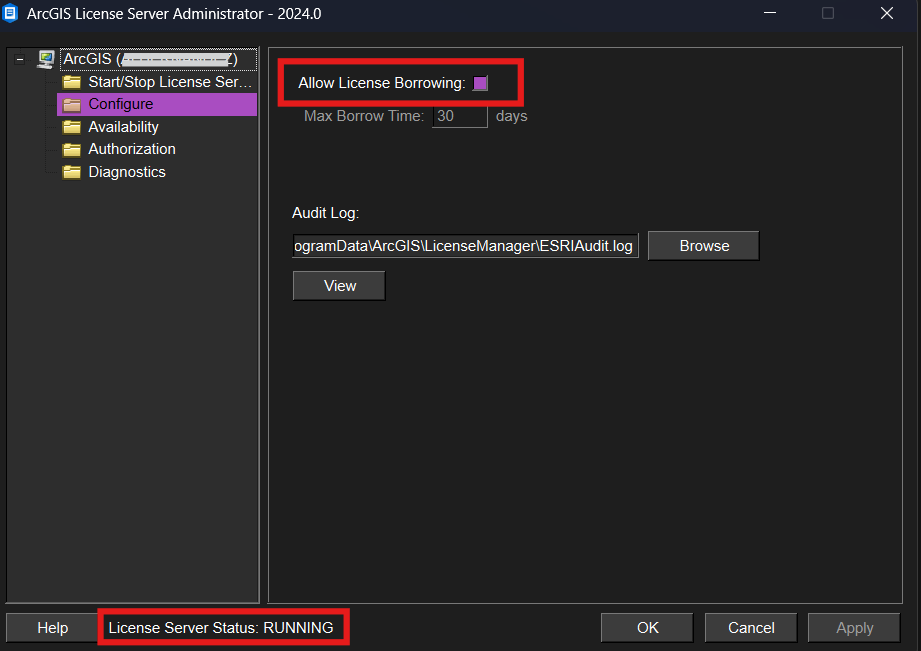
- The License Manager is not running or is not configured to allow license borrowing.
- Licenses may be corrupt.
- Some symptoms include: unexpected behaviors, such as Concurrent Use licenses appear as not available, or discrepancy between the number of authorized licenses and the number possessed by the user.
Solution or Workaround
Depending on the cause of the issue:
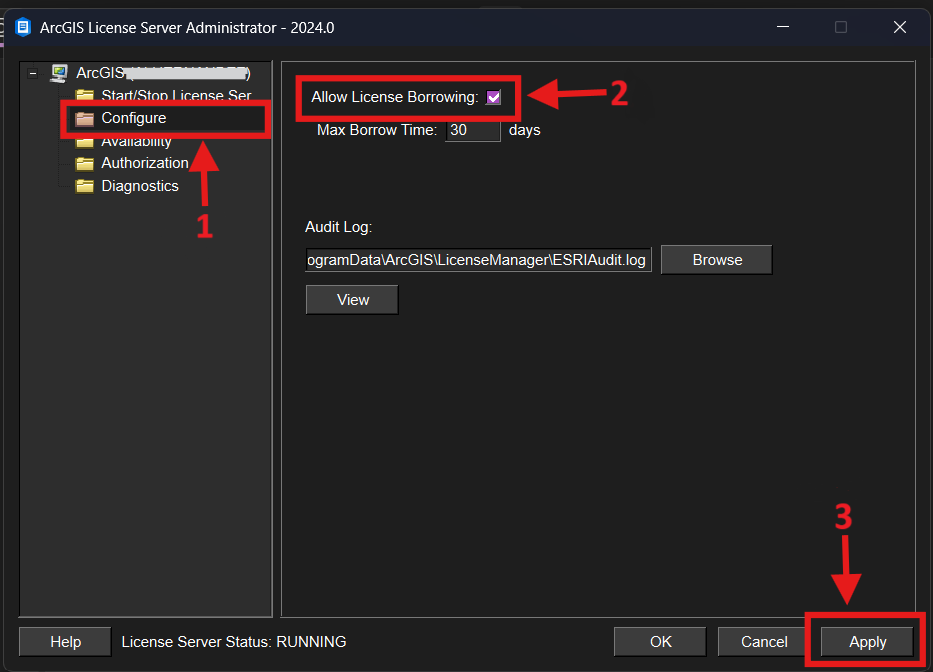
- Prepare License Manager to borrow licenses
- Open the License Manager.
- On the left pane, go to the Configure folder.
- Ensure the Allow License Borrowing box is checked.
- Apply the changes.
- Repair licenses
- Ensure all licenses are checked in.
- Stop the License Manager service.
- Remove the FlexNET folder.
- If applicable, recover licenses from My Esri.
- Reauthorize licenses and start the License Manager service.
Article ID: 000036463
- ArcGIS Desktop
Get support with AI
Resolve your issue quickly with the Esri Support AI Chatbot.


Related Information
Discover more on this topic

Search for related information

Find training related to this topic

Explore ideas and give feedback
Get help from ArcGIS experts
Start chatting now