
ERROR
Unable to run ESRI.ArcGIS.WebAdaptor.deploy.cmd. Error status: 0
Error Message
When installing ArcGIS Web Adaptor (IIS) 11.1, the installer fails with the following error:
Unable to run ESRI.ArcGIS.WebAdaptor.deploy.cmd. Error status: 0
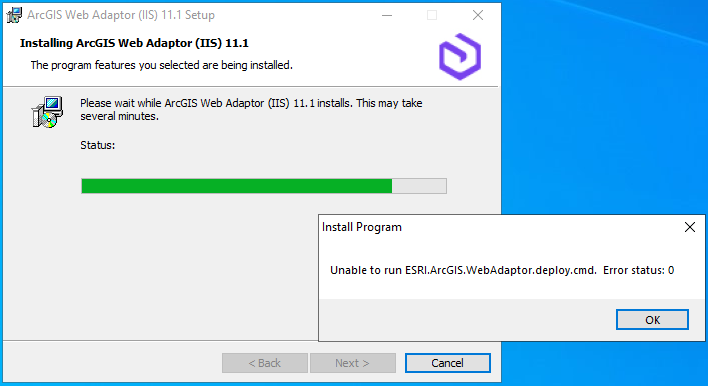
Selecting 'OK' allows the installation to complete and launches the ArcGIS Web Adaptor configuration page in a browser; this displays an HTTP Error 404: "The requested resource is not found."
Cause
Windows Event Viewer log indicates Antivirus software is blocking installation. The <domain>\<user> account ran C:\Windows\SysWOW64\msiexec.exe, which tried to access the file C:\ProgramData\ArcGIS\WebAdaptorIIS\11.1\WebDeploy\ESRI.ArcGIS.WebAdaptor.deploy.cmd, violating the rule "Suspicious Double File Extension Execution", and was blocked.
Solution or Workaround
- Uninstall ArcGIS Web Adaptor 11.1.
- Make Antivirus exceptions, or temporarily disable the software.
- Reinstall ArcGIS Web Adaptor.
Article ID: 000030441
- ArcGIS Enterprise
- ArcGIS Web Adaptor
Get support with AI
Resolve your issue quickly with the Esri Support AI Chatbot.


Discover more on this topic

Search for related information

Find training related to this topic

Explore ideas and give feedback
Get help from ArcGIS experts
Start chatting now