
ERROR
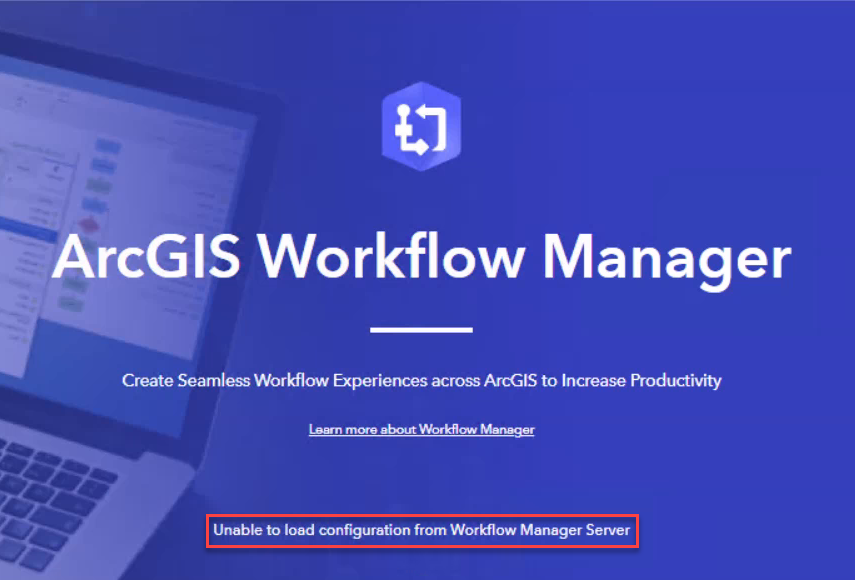
Unable to load configuration from Workflow Manager Server
Error Message
After upgrading ArcGIS Enterprise or restarting the primary ArcGIS Data Store in a highly available ArcGIS Enterprise deployment, opening an ArcGIS Workflow Manager item displays a blue screen with the following error:
Error:
Unable to load configuration from Workflow Manager Server
Note:
The error does not occur when restarting the secondary ArcGIS Data Store in a highly available ArcGIS Enterprise deployment.
In Portal for ArcGIS, the Data tab of the Workflow Manager hosted item displays no data, and Workflow Manager items or projects cannot be opened.
Cause
ArcGIS Workflow Manager fails to load its configuration when ArcGIS Enterprise components are not started in the required sequence after events such as:
- ArcGIS Enterprise upgrade
- System restart
- Maintenance patching or machine reboots
- Primary ArcGIS Data Store restarts in a highly available ArcGIS Enterprise deployment
When the startup order is disrupted, Workflow Manager cannot connect to its hosted data or configuration, resulting in the error.
Solution or Workaround
To restore Workflow Manager functionality, manually restart the dependent Windows services in the correct sequence:
- Stop the following Windows services in this order:
- ArcGIS Data Store
- ArcGIS Server (Hosted Server)
- ArcGIS Workflow Manager Server
- Start the following Windows services in this order:
- ArcGIS Workflow Manager Server
- ArcGIS Server (Hosted Server)
- ArcGIS Data Store
Note:
Apply the following additional steps for ArcGIS Data Store in a highly available ArcGIS Enterprise deployment:
1. Stop the ArcGIS Data Store service on both the primary and secondary machines.
2. Start the ArcGIS Data Store service on the primary machine.
3. Start the ArcGIS Data Store service on the secondary machine.
Article ID: 000039053
- ArcGIS Data Store
- ArcGIS Workflow Manager for Server
- Portal for ArcGIS
- ArcGIS Server
Get support with AI
Resolve your issue quickly with the Esri Support AI Chatbot.


Related Information
Discover more on this topic

Search for related information

Find training related to this topic

Explore ideas and give feedback
Get help from ArcGIS experts
Start chatting now