
ERROR
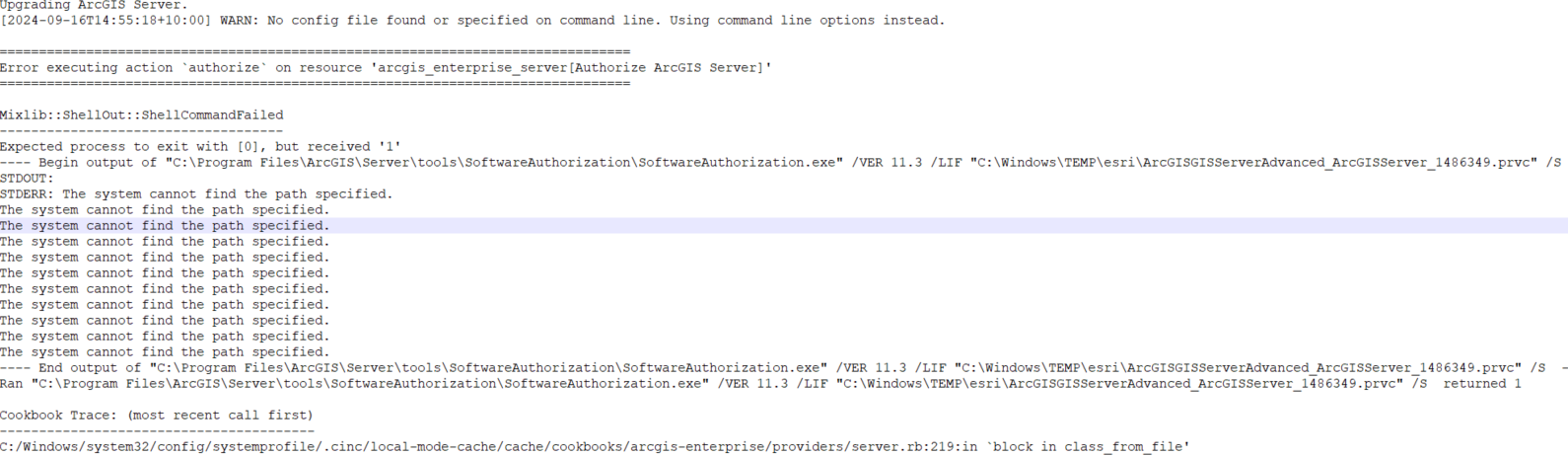
Error executing action 'authorize' on resource 'arcgis_enterprise_server[Authorize ArcGIS Server]'
Error Message
Upgrading ArcGIS Enterprise using AWS CloudFormation templates fails with the following error seen in the logs:
Error executing action 'authorize' on resource 'arcgis_enterprise_server[Authorize ArcGIS Server]'
Cause
There was insufficient disk space on the machine. ArcGIS Server requires a minimum of 10 GB of available disk space for new installations.
The amount of free space available on disk for an upgrade should be at least 2.5 times the amount of space in the directories.
Solution or Workaround
Allocate additional disk space to the install directory and the content/config directories.
Article ID: 000034044
- ArcGIS Enterprise
Get support with AI
Resolve your issue quickly with the Esri Support AI Chatbot.


Related Information
Discover more on this topic

Search for related information

Find training related to this topic

Explore ideas and give feedback
Get help from ArcGIS experts
Start chatting now