
ERROR
Could not invite user(s) to the group
Error Message
When inviting users to a group in ArcGIS Online, the following error message may be encountered:
"Could not invite user(s) to the group."

Cause
The following Esri Knowledge Base article outlines possible causes. While the error message is worded differently, the underlying reasons can be the same: Error during invite. Unable to invite user to the group. The user does not have the privileges needed to join the group
To identify the specific cause:
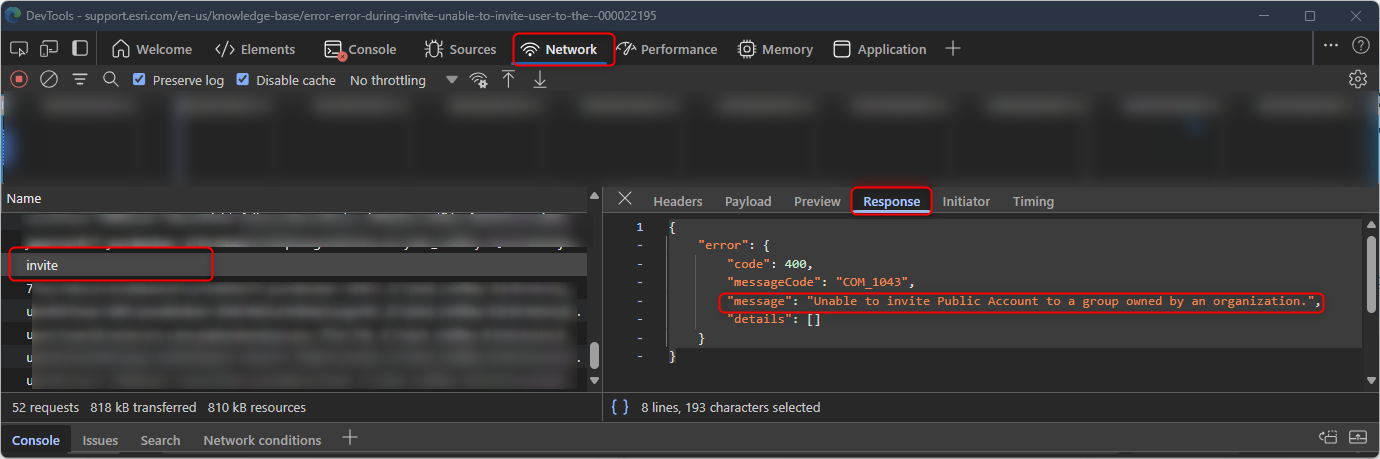
- Open your browser’s Developer Tools (usually F12).
- Go to the Network tab.
- Re-attempt the invite and look for the "invite" POST request.
- Inspect the Response payload, which may include a message similar to the following:
{
  "error": {
    "code": 400,
    "messageCode": "COM_1043",
    "message": "Unable to invite Public Account to a group owned by an organization.",
    "details": []
  }
}
Solution or Workaround
If the error message found in the network traffic is "Unable to invite Public Account to a group owned by an organization" as above, create a new ArcGIS Online organizational account, or convert the existing public account to an organizational account.
Refer to the ArcGIS Online documentation: Join with an existing public account for more information.
Article ID: 000037268
- ArcGIS Online
Get support with AI
Resolve your issue quickly with the Esri Support AI Chatbot.


Discover more on this topic

Search for related information

Find training related to this topic

Explore ideas and give feedback
Get help from ArcGIS experts
Start chatting now