
ERROR
ArcGIS Pro: ERROR: code:400, Unable to delete item.
Error Message
When attempting to overwrite an ArcGIS Online hosted feature layer in ArcGIS Pro, the following error message is returned:
Error:
Failed to publish web layer

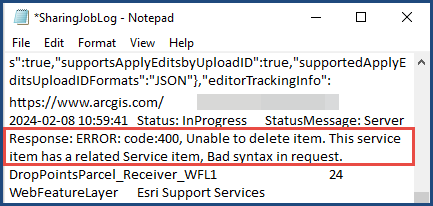
Accessing the log by clicking View log displays the following error log:
Error:
ERROR: code:400, Unable to delete item. This service item has a related Service item, Bad syntax in request.
Cause
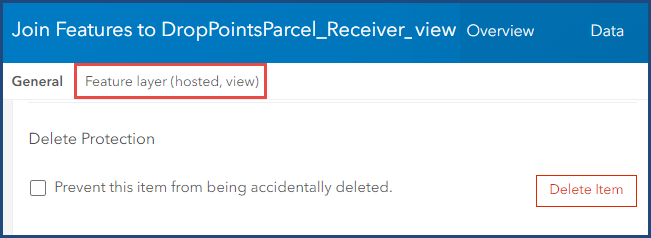
The hosted feature layer has a hosted feature layer view with joins created using the Join Features tool in Map Viewer, as well as any view layers with Areas of Interest defined within them. Feature layers that include in view layers with joins cannot have their schema altered and are always read-only. Therefore, the feature layer cannot be overwritten.
Solution or Workaround
Before overwriting the ArcGIS Online hosted feature layer in ArcGIS Pro, delete the hosted feature layer view created from the Join Features tool. Refer to ArcGIS Online: Delete a single item for instructions to delete the hosted feature layer view.
Article ID: 000031972
- ArcGIS Pro
- ArcGIS Online
Get support with AI
Resolve your issue quickly with the Esri Support AI Chatbot.


Related Information
Discover more on this topic

Search for related information

Find training related to this topic

Explore ideas and give feedback
Get help from ArcGIS experts
Start chatting now