
ERROR
Error 404 - File or directory not found when using the SAML button to access ArcGIS Online or Portal for ArcGIS
Error Message
When clicking the SAML button to access Portal for ArcGIS or an ArcGIS Online organization, the user is redirected to an error page; the message is as follows:
Server Error
404 - File or directory not found.
The resource you are looking for might have been removed, had its name changed, or is temporarily unavailable.

Cause
The SAML configuration in the Portal Organization Setting is not enabled to allow signed requests.
Solution or Workaround
Turn on the 'Enable signed request' button in Portal.
- Sign in to the organization with an administrator account.
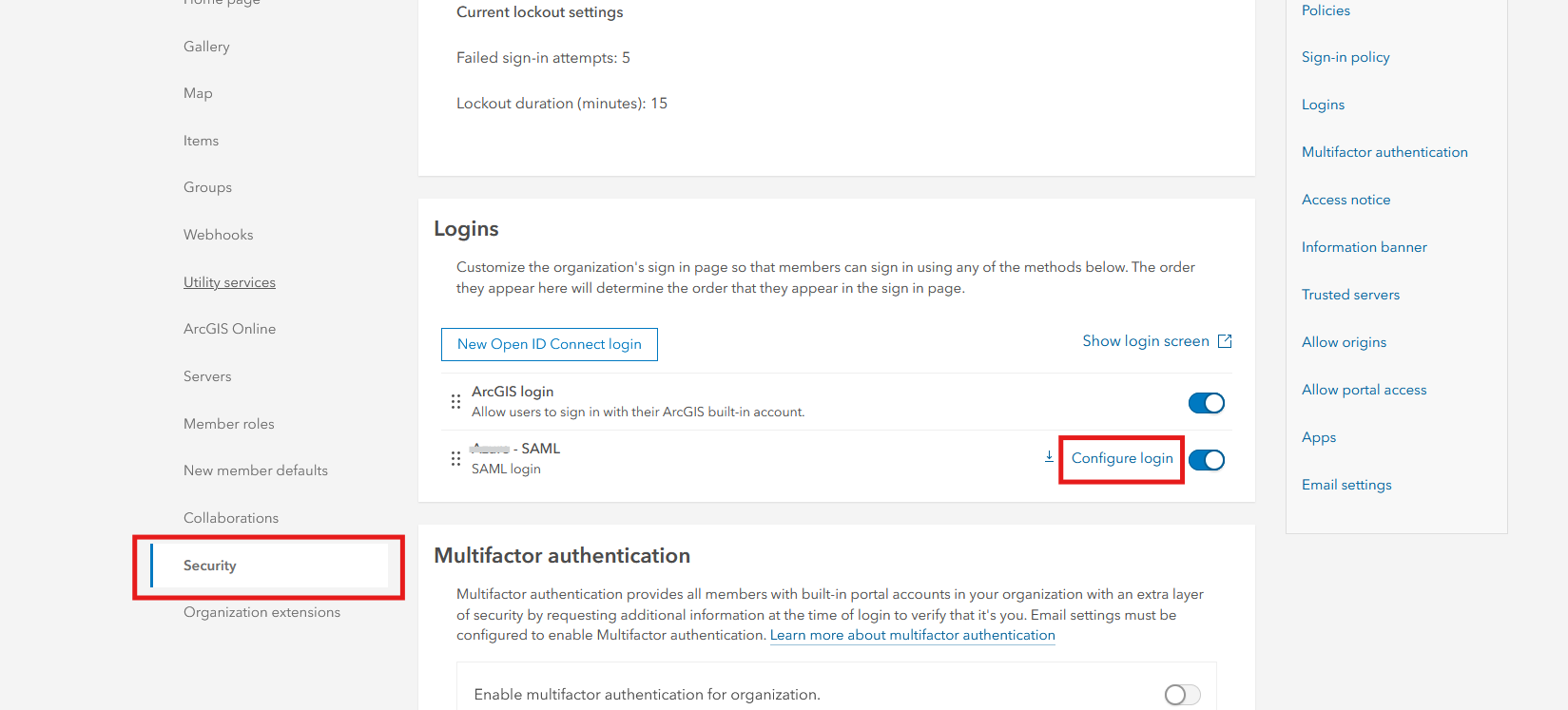
- Go to Organization > Settings tab > Security.
- In the Logins section, look for SAML login and click Configure login, as shown in the next image
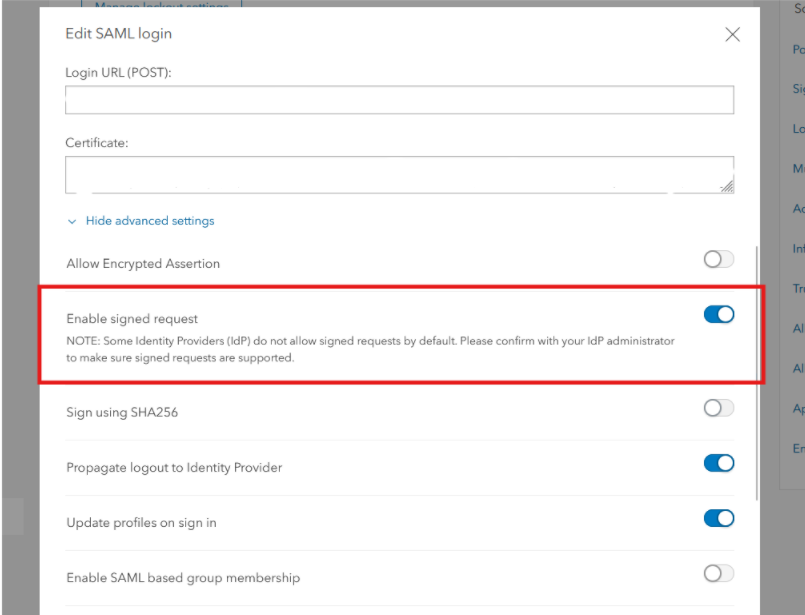
- In the Edit SAML login dialog, click Show advanced settings.
- Toggle on the Enable signed request button, shown in the image below.
- Save the changes.
Article ID: 000034332
Software:
- ArcGIS Online
- Portal for ArcGIS
Get support with AI
Resolve your issue quickly with the Esri Support AI Chatbot.


Discover more on this topic

Search for related information

Find training related to this topic

Explore ideas and give feedback
Get help from ArcGIS experts
Start chatting now