
PROBLEM
ArcGIS Web Adaptor installation loops due to missing IIS components
Description
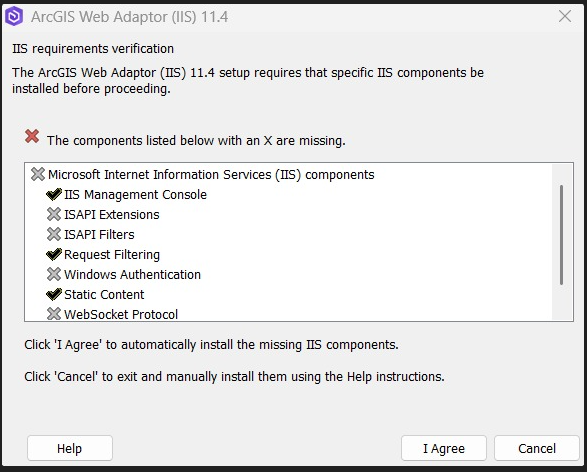
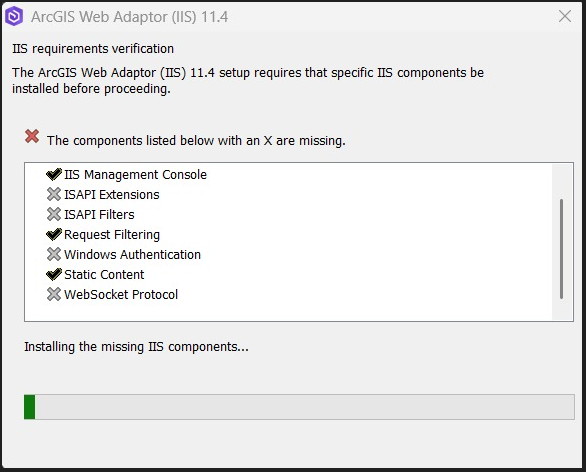
While installing the ArcGIS Web Adaptor, sometimes the installer repeatedly prompts for missing IIS components.
Cause
Even after installing all prerequisite components, such as Microsoft Web Deploy and the ASP.NET Core Runtime, the ArcGIS Web Adaptor may fail to install if the required IIS components are missing from the operating system. This can result in the installer repeatedly prompting for missing components.
Solution or Workaround
- Verify that your system meets all Windows operating systems (OS) requirements for the ArcGIS Web Adaptor. For example, Windows 11 Home Edition lacks the necessary IIS components that can cause the installation to loop. Use a compatible OS edition with full IIS support.
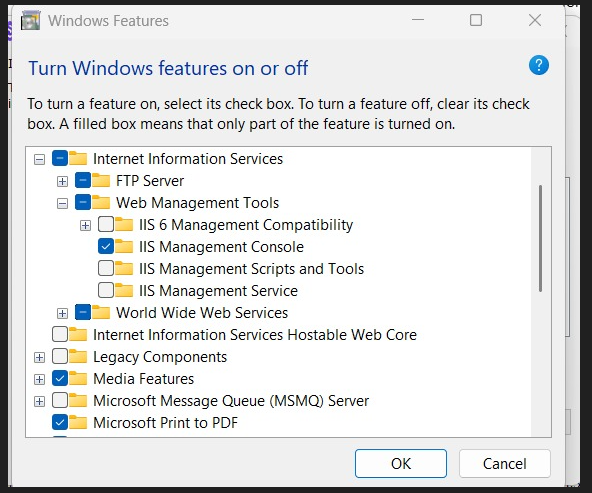
- Refer to the web help topic: Manually enable IIS Components, and make sure that the required IIS components are enabled
Article ID: 000039528
Get support with AI
Resolve your issue quickly with the Esri Support AI Chatbot.


Related Information
Discover more on this topic

Search for related information

Find training related to this topic

Explore ideas and give feedback
Get help from ArcGIS experts
Start chatting now