
PROBLEM
ArcGIS Earth does not read virtual COM ports
Description
ArcGIS Earth is unable to recognize virtual COM ports and therefore cannot connect to GNSS devices that use software tools such as Franson GpsGate, com0com, or com2tcp to create those virtual COM ports.
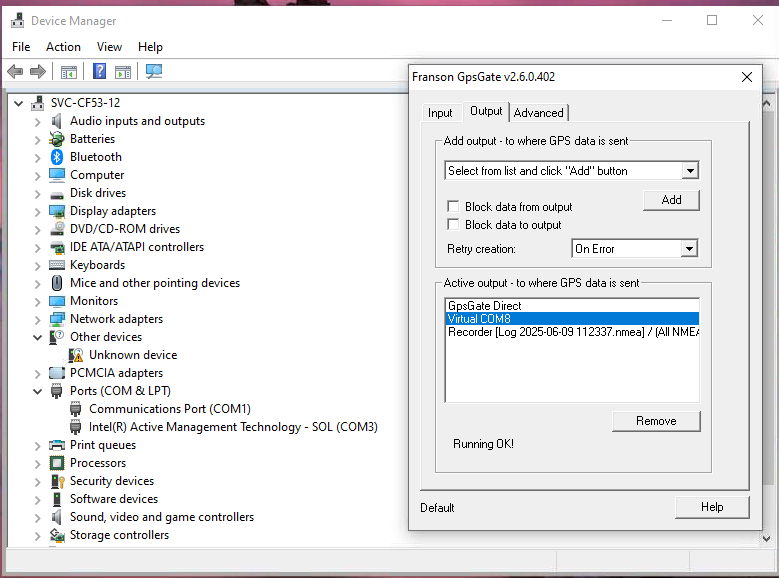
When using Franson GpsGate, the device is not visible in Device Manager, but is still active and running.
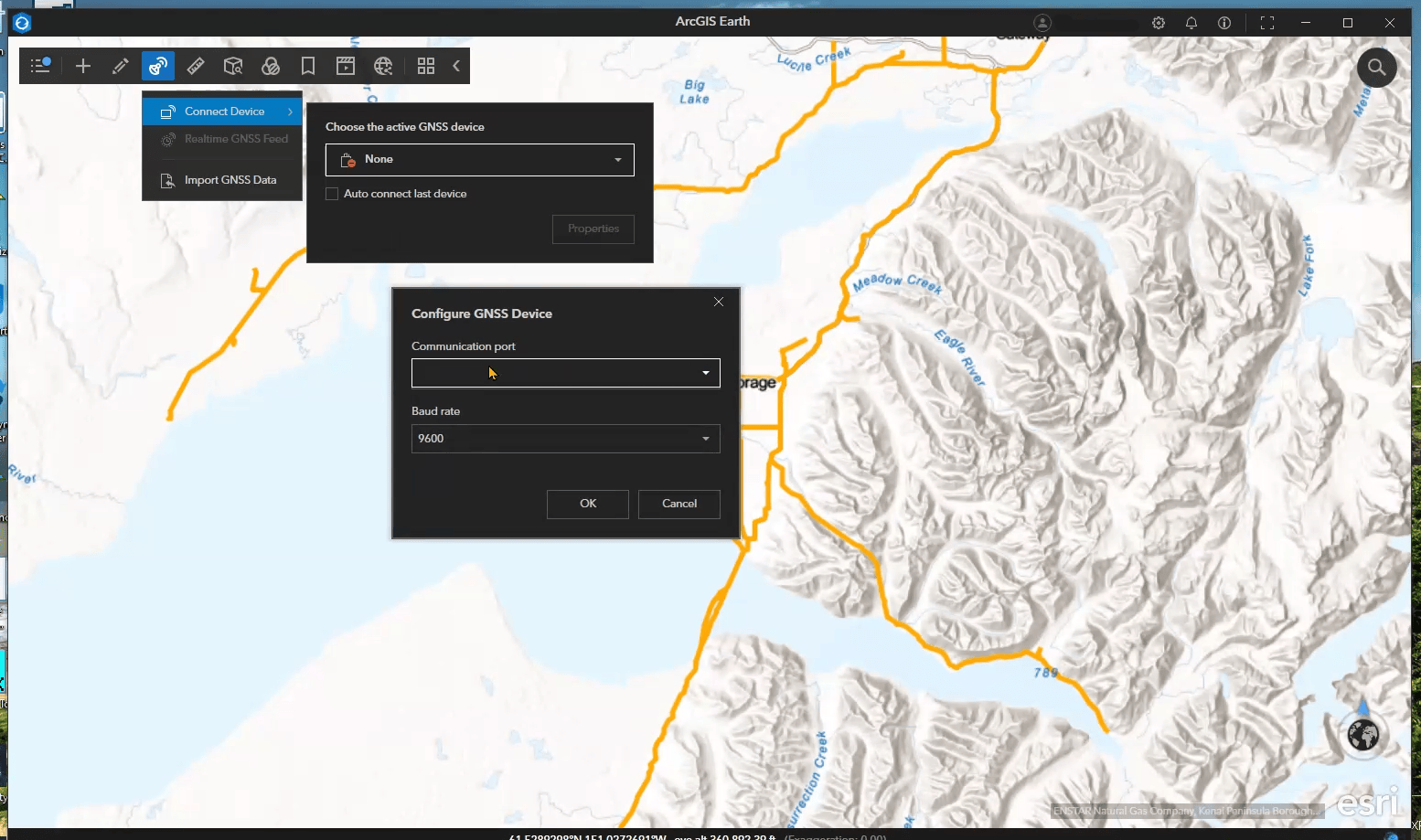
When attempting to connect to the device by way of selecting the virtual COM port, the option to connect is not found; under "Communication Port," there is nothing in the drop-down box.
Cause
ArcGIS Earth relies on the UWP (Universal Windows Platform) API to access COM ports, restricting access to USB-backed hardware only - the serial devices require valid USB-backed identifiers.
Virtual COM ports, generated via tools like Franson GpsGate, com0com, or com2tcp, often do not expose a USB Vendor/Product ID. As a result, these ports are not detected or accessible by ArcGIS Earth (using the UWP API), even if they appear in Device Manager or the registry.
Virtual COM ports without these identifiers are not currently (as of the time this article was written) supported by ArcGIS Earth's UWP-implementation.
This limitation differs from ArcGIS Pro or custom ArcGIS Runtime SDK applications, which use different APIs and have broader support for serial communication.
Solution or Workaround
It is a known limitation of ArcGIS Earth's current implementation. An enhancement was submitted to remedy this issue.
Defect #: ENH-000177727
Synopsis : Enable support for all Virtual COM Ports in ArcGIS Earth
Article ID: 000037017
Get support with AI
Resolve your issue quickly with the Esri Support AI Chatbot.


Related Information
Discover more on this topic

Search for related information

Find training related to this topic

Explore ideas and give feedback
Get help from ArcGIS experts
Start chatting now