
PROBLEM
ArcGIS Dashboards Category Selector element has duplicate buttons
Description
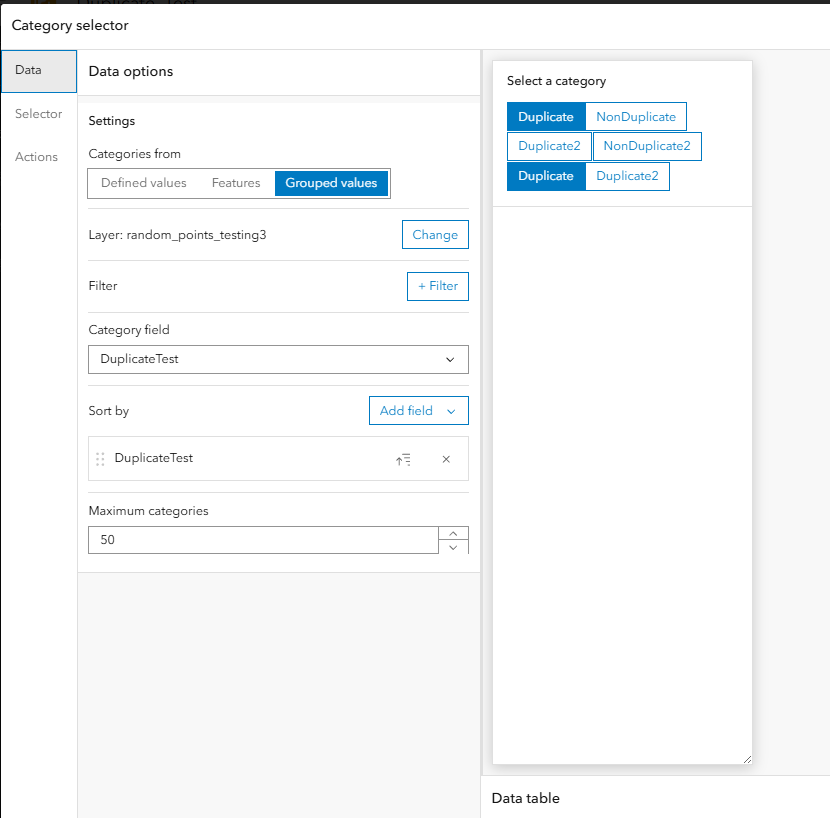
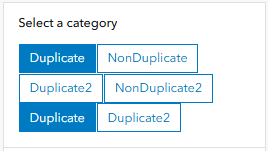
The Category Selector element in ArcGIS Dashboards has duplicate buttons, as shown in the images below. The buttons are identical and synced, when one is clicked, they both click.
Resulting categories in the dashboard:
Cause
The attribute table has coded values and text fields that are the same as the domain’s code descriptions. For example, some of the fields have the code ‘A’ with the description ‘Duplicate’, and some fields have ‘Duplicate’ written out. Once the domain is applied, the fields look identical. Changing all the fields to the correlating domain code resolves the issue.
To diagnose the issue:
- Add the layer to an ArcGIS Pro project.
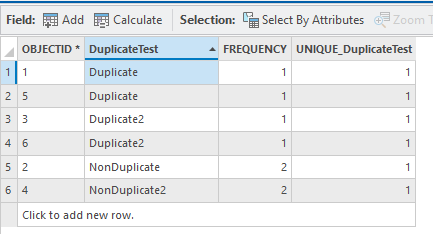
- Right-click the layer and click Attribute Table. Right-click the column header of the field that is showing duplication in Dashboards, click Summarize. Change Field to the coded field and Statistic Type to Unique.
- When opening the summary table (it populates at the bottom of the Contents pane), it shows that the duplicated values recognized as unique values twice, as shown in the next image:
Solution or Workaround
- In ArcGIS Pro, right-click the layer in the Contents pane, and click Data Design > Fields.
- Double-click duplicate in the Domain field and change the drop-down to the blank line to remove the domain. Save the changes.
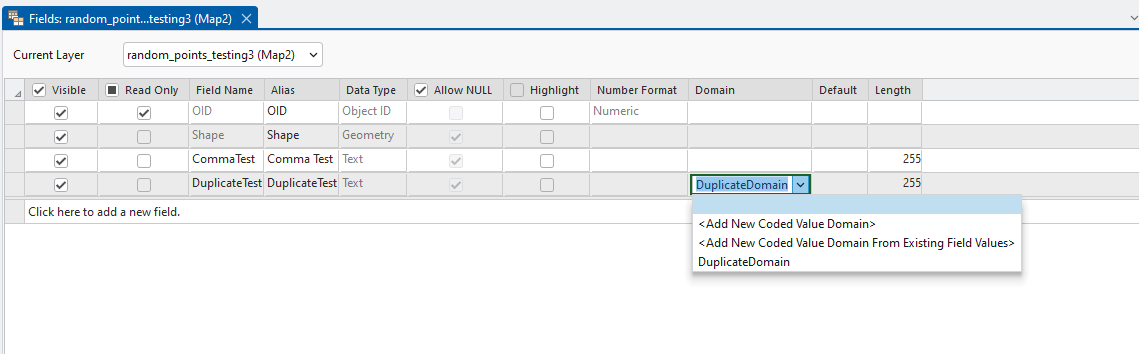
- Right-click the layer in the Contents pane and click Attribute table. You should see some fields with the codes and some with the code descriptions:
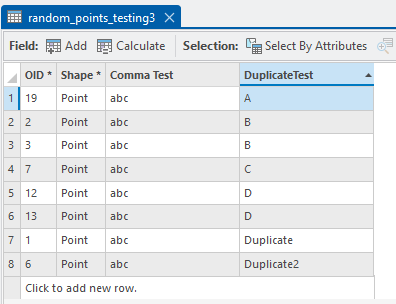
- Double-click the text and change it to its corresponding code. Save the changes.
- To find the domain codes and descriptions, right-click the layer, and click Data Design > Domains.
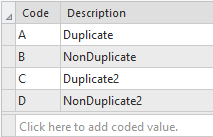
- In the Fields tab, reapply the domain and click Save.
- To double-check that this resolved the issue, run another summary table. Navigate to the attribute table, right-click the column header of the coded fields, and click Summarize. Change the Field to the coded field and Statistic Type to Unique.
- The table should now look similar to the image below:
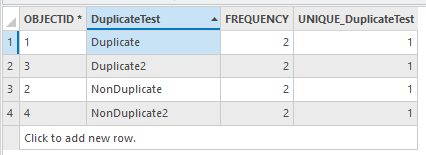
- Overwrite the layer in ArcGIS Online with this updated layer, and reopen the dashboard to see if the buttons are no longer duplicated.
Article ID: 000035207
- ArcGIS Dashboards
Get support with AI
Resolve your issue quickly with the Esri Support AI Chatbot.


Discover more on this topic

Search for related information

Find training related to this topic

Explore ideas and give feedback
Get help from ArcGIS experts
Start chatting now