
BUG
Unable to Reset the Password for Member ‘Username’
Description
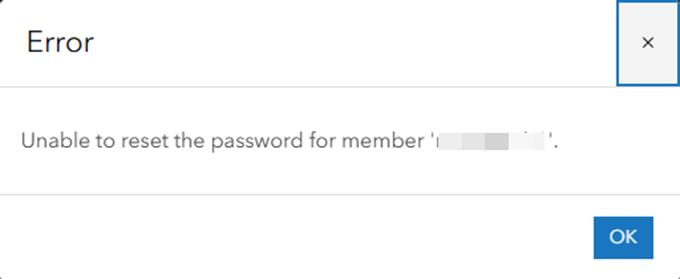
The custom administrator role has privileges for updating and changing roles, including resetting passwords, updating member account information, updating member categories within the organisation, and changing the role a member account is assigned (except for the default administrator). However, when the custom administrator role tries to reset the password for the member with the custom role, they encounter an error similar to the following:
Error
Unable to reset the password for member ‘Username’
Cause
This is a known limitation or an expected behavior when one or more admin privileges are enabled for the custom member role, the custom administrator role cannot reset their password because it creates a conflict with the backend ArcGIS Online administration system.
In short, the custom administrator role cannot reset the password for any custom roles that include one or more admin privileges.
Workaround
A solution to this issue is either to remove the administrator privileges from the custom member role or to have the default administrator manage the password resets for members of the custom role that includes some administrative privileges.
Note:
• Some administrative privileges are reserved for members of the default administrator role and are not available for custom roles.
• Only members of the default administrator role can reset the passwords of other members of the default administrator and the custom administrator roles.
Article ID: 000034655
Get support with AI
Resolve your issue quickly with the Esri Support AI Chatbot.


Related Information
Discover more on this topic

Search for related information

Find training related to this topic

Explore ideas and give feedback
Get help from ArcGIS experts
Start chatting now