
Bug
Dimensions are reduced to 1/3 of the actual size when the UNITS of the Revit file are set to Decimal Feet
| Bug ID Number | BUG-000135773 |
|---|---|
| Submitted | November 30, 2020 |
| Last Modified | June 5, 2024 |
| Applies to | No Product Found |
| Version found | N/A |
| Operating System | N/A |
| Operating System Version | N/A |
| Version Fixed | 2.8 |
| Status | Fixed |
Description
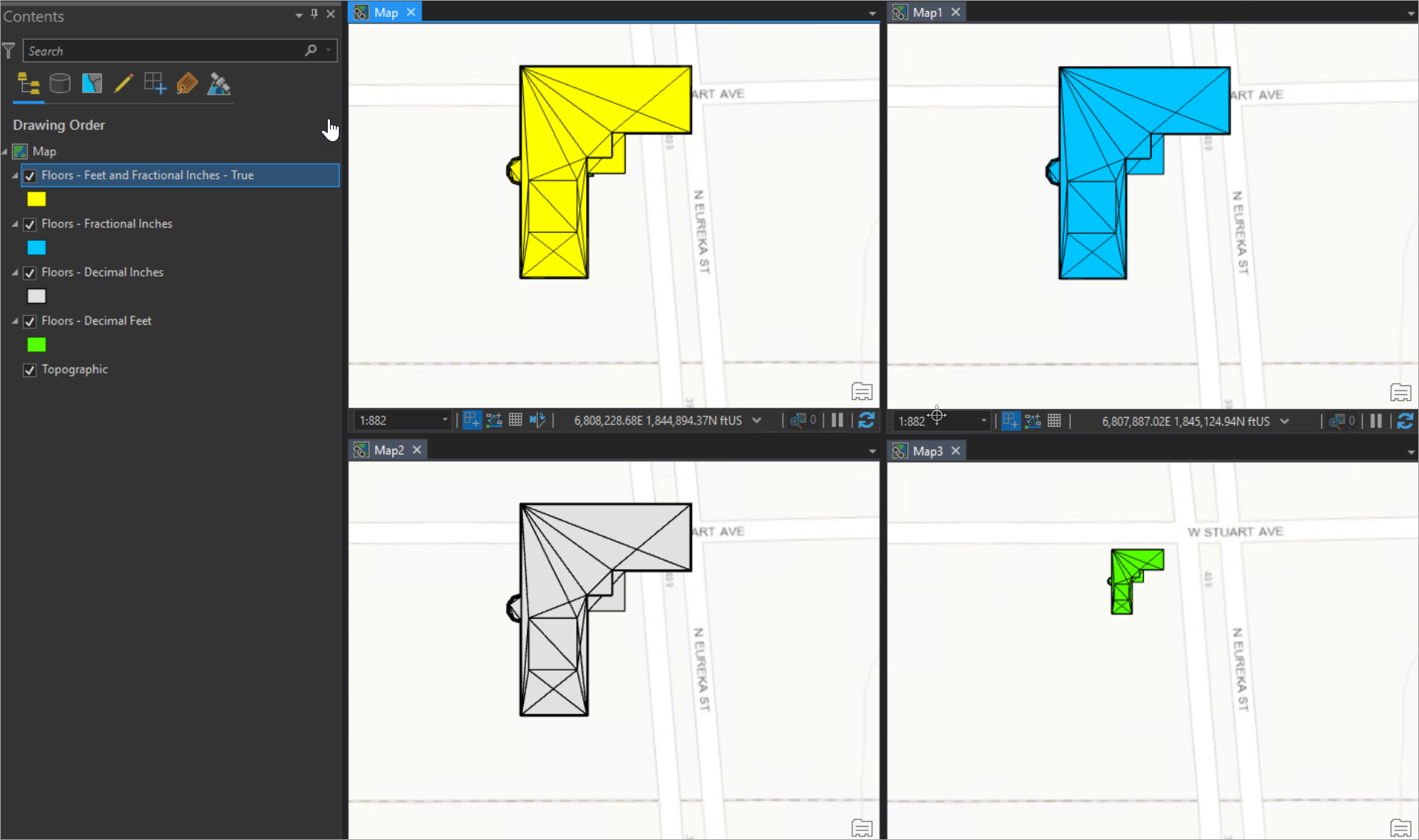
Geometry is incorrect when the Revit® units are set to Decimal Feet. This issue affects the location and scale of a feature, as shown in the following image. The values are reduced by one-third from the original value of the model, making the relationship 1:1/3 instead of 1:1
Cause
This issue is caused by an incorrect enumeration.
Workaround
With access to Revit
- Change the units from Decimal Feet to either Feet, Feet and Fractional inches, or Fractional inches.
Without access to Revit
- Change to a projection that uses meters as the units instead of feet.
- For example. Instead of using NAD 1983 (2011) StatePlane Ohio South FIPS 3402 (US Feet), use NAD 1983 (2011) StatePlane Ohio South FIPS 3402 (Meters).
Note:
Esri is working with the third-party vendor to fix this issue.
Steps to Reproduce
Bug ID: BUG-000135773
Software:
- No Product Found
Get notified when the status of a bug changes


Discover more on this topic

Search for related information

Find training related to this topic

Explore ideas and give feedback
Get help from ArcGIS experts
Download the Esri Support App