
HOW TO
Hinzufügen von Tausendertrennzeichen in ArcGIS Pro
Zusammenfassung
In ArcGIS Pro, when labeling numeric features with the option to Show thousands separators activated on the data, the separators do not automatically appear in labels.
In ArcGIS Pro, the default language for label expressions is Arcade and when using Arcade, field formatting on the layer is not applied to the labels. Arcade formatting methods are required.
Vorgehensweise
There are two methods to add thousands separators to labels in ArcGIS Pro:
- Use an Arcade Text function to format the numbers in the label expression.
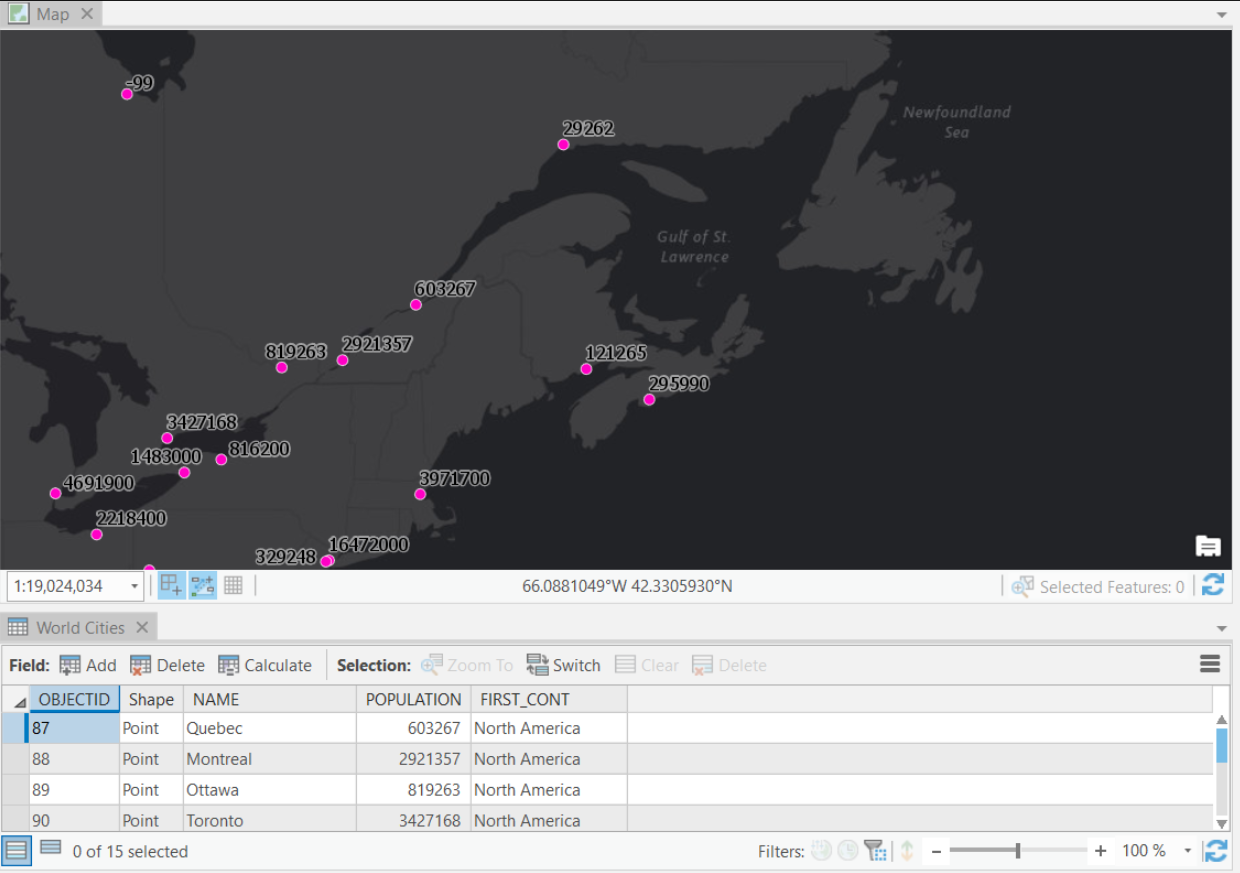
In the World Cities data below, we see that the POPULATION field contains data about each city’s population. When labeled, there are no thousands separators by default.
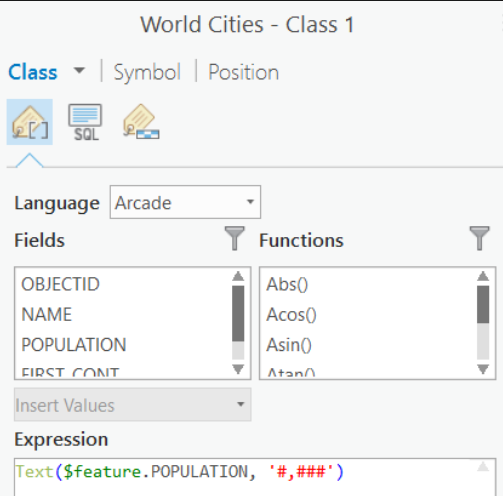
To address this, change the label expression to:
Text($feature.field_name, '#,###')
Note:
The label now displays the thousands separators. See the Related Information section for more information on Arcade functions.
- Alternatively, enable Show thousands separators in the attribute table by changing the Number Format from the Fields View. After changing the number format, switch the labeling language from Arcade to one of the other options such as Python, JScript, or VBScript.
Either of these methods can be used in ArcGIS Pro. However, the advantage of using Arcade is that if publishing your layers to the web, the expression is honored and the thousands separators are maintained in your web map and app labels. This is not the case when using one of the other labeling languages.
Artikel-ID: 000016672
Holen Sie sich Unterstützung mit KI
Lösen Sie Ihr Problem schnell mit dem Esri Support AI Chatbot.


Zugehörige Informationen
Weitere Informationen zu diesem Thema erkunden

Search for related information

Find training related to this topic

Explore ideas and give feedback
Unterstützung durch ArcGIS-Experten anfordern
Beginnen Sie jetzt mit dem Chatten