
HOW TO
Entfernen von Layout-Vorlagen oder Druckformaten des ArcGIS Server-Standard-Druckservice
Zusammenfassung
In bestimmten Szenarien kann es erforderlich sein, die Layout-Vorlagen oder Druckformate für den Standard-Druckservice eines ArcGIS Enterprise-Servers aus den verfügbaren Optionen in der Dropdown-Liste des Windows-Betriebssystems zu entfernen.
Caution:
From the Esri Technical Support perspective, we highly recommend creating and publishing custom print services rather than modifying the default out-of-the-box printing service, as modifying/tampering with this service causes the service to become outside of the scope of support.
Die Auswahloptionen in der Dropdown-Liste für Layout-Vorlagen des Standard-Druckservice können über die Toolbox für den Druckservice in den Installationsverzeichnissen von ArcGIS Server geändert werden.
Vorgehensweise
CAUTION:
Make sure to take a backup copy of the PrintingTools.tbx file if it is necessary to revert back to the original printing tool or if any issues occur.
Bei diesem Verfahren wird ArcGIS Pro verwendet, um die Toolbox des von ArcGIS Server referenzierten Druckservice zu erkunden und zu ändern:
- Öffnen Sie ein neues Projekt in ArcGIS Pro, und erstellen Sie eine neue Ordnerverbindung zum folgenden Speicherort der Toolbox:
<ArcGIS Server Installation Directory>\framework\runtime\ArcGIS\Resources\ArcToolBox\Services
- Blenden Sie im Katalog den Ordner Services ein, und suchen Sie die Toolbox PrintingTools.tbx, wie in der nächsten Abbildung gezeigt.
Note:
If you do not have an ArcGIS Pro installed on the ArcGIS Server machine and cannot connect from an ArcGIS Pro client, you can take the PrintingTools.tbx as a copy to a machine that ArcGIS Pro can connect to via a folder connection and proceed with the same modifications, and then replace the toolbox manually in the directory by overwriting/copy-paste.
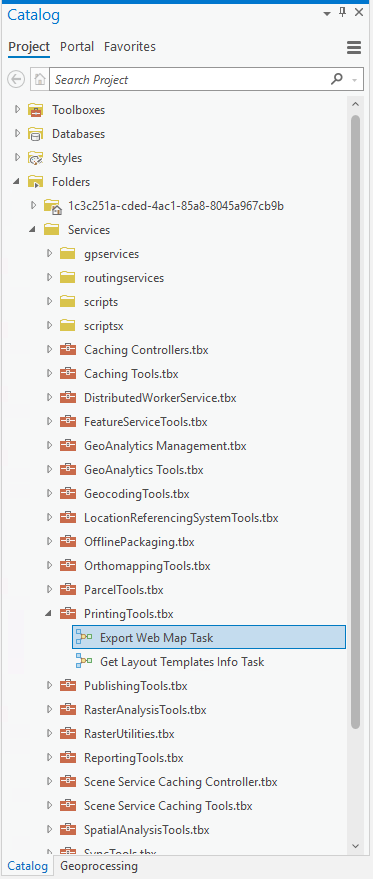
- Klicken Sie mit der rechten Maustaste auf Task "Webkarte exportieren" > Eigenschaften > Parameter.
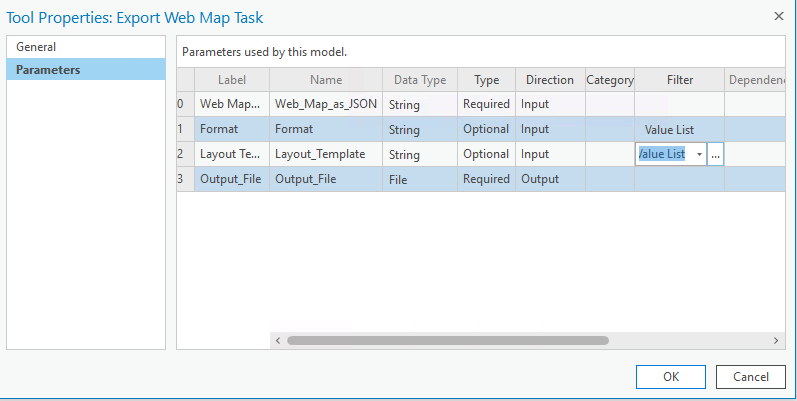
- Klicken Sie in der Zeile Layout-Vorlage unter der Spalte Filter auf die drei Punkte neben Werteliste, wie in der nächsten Abbildung gezeigt.
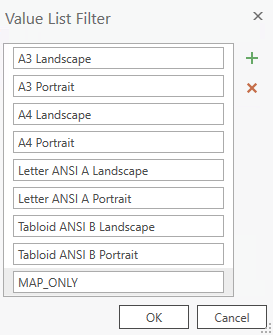
- Löschen Sie unerwünschte Layout-Vorlagen, die beim Verwenden der Standardvorlage nicht in den verfügbaren Optionen angezeigt werden sollen, und klicken Sie auf OK.
- Navigieren Sie zur Bedienoberfläche von ArcGIS Server Manager unter https://Machine.Domain.com/<WebAdaptor>/manager.
- Wählen Sie unter Services > Dienstprogramme oben rechts auf der Detailseite für den Service Printing Tools > Speichern und neu starten aus, wie in den folgenden Abbildungen gezeigt.
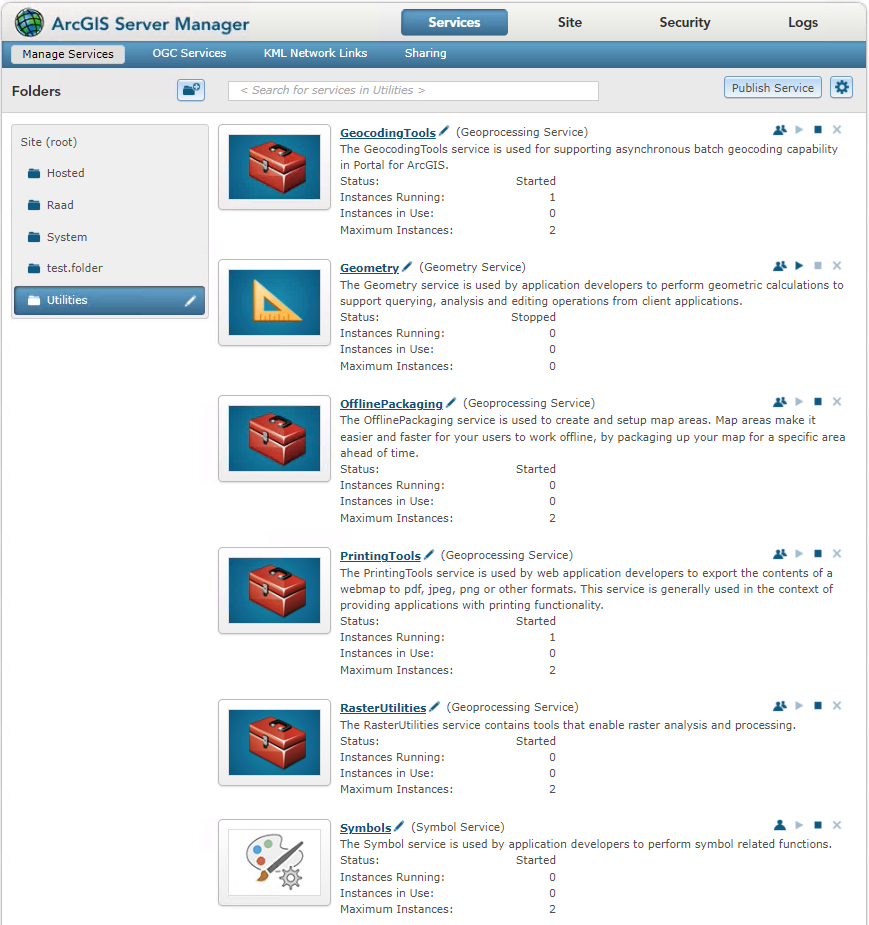
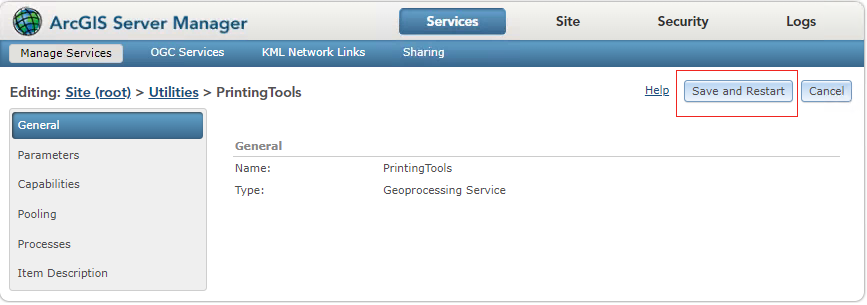
Die gelöschten Layout-Vorlagen werden nicht mehr in der Auswahlliste angezeigt, wenn der Druckservice in Webanwendungen oder Map Viewer verwendet wird.
Artikel-ID: 000032742
Holen Sie sich Unterstützung mit KI
Lösen Sie Ihr Problem schnell mit dem Esri Support AI Chatbot.


Weitere Informationen zu diesem Thema erkunden

Search for related information

Find training related to this topic

Explore ideas and give feedback
Unterstützung durch ArcGIS-Experten anfordern
Beginnen Sie jetzt mit dem Chatten